
Table of Contents
Some links on The Justifiable are affiliate links, meaning we may earn a small commission at no extra cost to you. Read full disclaimer.
Is SurveyMonkey worth paying for premium plan? In many cases, yes, but only when the free version starts blocking the work you actually need to do. That is the real decision point. If you are running one-off personal polls, the free tier is often enough.
But if you need more than 25 visible responses per survey, advanced logic, exports, branding control, or better analysis, the paid plans start making practical sense fast.
I have found that SurveyMonkey becomes worth the money when your survey is tied to real decisions, real revenue, or real team workflows.
What You Are Really Paying For With SurveyMonkey Premium
SurveyMonkey premium is not just “more survey features.”
You are mostly paying to remove limits, improve data quality, and make the platform usable for real business decisions rather than casual polling.
Why The Free Plan Feels Fine At First
The free plan is good enough to make SurveyMonkey look easy to love. You can create unlimited surveys, and for a lot of people that sounds generous right away. But the catch shows up when you try to do anything serious with the responses.
SurveyMonkey’s Basic plan limits you to 10 questions and 25 visible responses per survey, which is enough for testing an idea, gathering quick classroom feedback, or running a tiny community poll, but not enough for dependable business research.
This is where many users get frustrated. The platform works, respondents answer, and then the real value gets trapped behind plan limits. That is not necessarily a bad product design
It just means SurveyMonkey is built around a freemium model where the free version is a preview, not a full operating setup. SurveyMonkey itself says paid plans unlock things like survey logic, exporting results, and custom reports.
In my experience, that matters because surveys are rarely the final goal. The goal is usually a decision: improve a product, validate an offer, measure employee sentiment, or collect customer feedback you can act on.
If your answers cannot be segmented, exported, branded, or fully viewed, the survey becomes a dead end. That is the moment when “premium” stops being optional and starts becoming a workflow cost.
What Premium Actually Changes In Daily Use
Once you move into a paid plan, the product changes from a basic survey builder into something closer to an operational feedback system. Paid plans offer unlimited questions, larger response allowances, skip logic, exports, branding options, and deeper analysis.
On individual plans, SurveyMonkey currently lists Standard Monthly at $99 per month with 1,000 responses per month, Advantage Annual at $39 per month billed annually with 15,000 responses per year, and Premier Annual at $139 per month billed annually with 40,000 responses per year.
That feature jump matters more than the pricing page first suggests. For example, Standard Monthly already includes skip logic, multiple collection methods, website and app survey embedding, and exports to CSV, XLS, PPT, and PDF.
Advantage adds features like question and answer piping, custom logo and themes, custom URL endings, and payment collection through Stripe or PayPal.
Premier layers on white label branding, advanced logic, block randomization, and stronger analytical tools such as crosstabs, AI analysis, thematic analysis, sentiment analysis, and response quality checks.
That is why the upgrade decision should never be framed as “free vs paid.” It is really “casual feedback tool vs decision-grade survey platform.” Those are two very different use cases, and SurveyMonkey prices them accordingly.
When SurveyMonkey Premium Is Absolutely Worth It
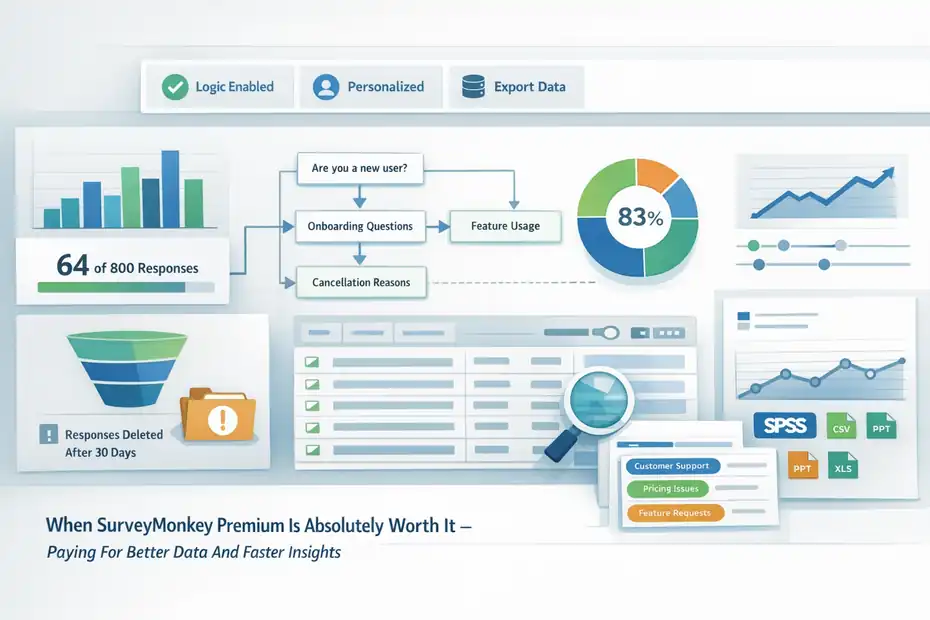
Premium is worth paying for when the cost of bad data, limited data, or slow analysis is higher than the subscription itself.
That is the lens I would use every time.
You Need More Than 25 Responses Per Survey
This is the most obvious trigger, but it is still the most important one. SurveyMonkey’s free plan lets you collect responses, yet only 25 responses per survey are visible on the Basic plan.
For many real surveys, that is barely a warm-up. If you are surveying customers after purchases, event attendees, employees, prospects, or a mailing list, 25 responses disappears almost instantly.
Imagine you run a small ecommerce store and email 800 recent buyers asking one simple question: “What nearly stopped you from ordering?” Even a modest 8% response rate gives you 64 answers. On the free plan, a big chunk of that feedback becomes inaccessible. At that point, the survey did its job, but your plan did not.
There is another risk here that many people miss. SurveyMonkey notes that responses over your plan’s limit may become unviewable, and after downgrading, over-limit responses may be deleted after a 30-day grace period. Deleted responses cannot be restored.
That makes premium much easier to justify for any survey tied to product research, lead qualification, customer experience, or compliance-related recordkeeping. When the responses themselves have business value, paying to keep access is not a luxury. It is basic protection against losing useful or even critical feedback.
You Need Logic, Personalization, Or A Better Respondent Experience
The fastest way to ruin survey quality is to show every respondent the same generic path. People get bored, confused, or irritated when they have to answer questions that do not apply to them. Paid SurveyMonkey plans solve that with logic and personalization features.
Even the Standard paid plan includes skip logic, which lets you route respondents based on prior answers. Advantage adds question and answer piping so you can reuse someone’s earlier response later in the survey for a more natural, personalized flow.
Premier goes further with advanced branching and piping plus block randomization.
This matters more than people think. A better respondent experience usually improves completion rates and data quality. Let’s say you are surveying SaaS customers. New users should see onboarding questions.
Power users should see feature adoption questions. Churned users should see cancellation reasons. If everyone gets the same 20-question form, the answers become noisy and the drop-off climbs.
I suggest thinking of logic as less of a “nice feature” and more of a respect feature. It respects the respondent’s time. That usually means you get cleaner feedback, more completions, and fewer junk answers.
If your survey touches customers, candidates, patients, employees, or paying clients, premium starts earning its cost simply by helping you ask smarter questions.
You Need Exports, Analysis, And Actual Reporting
A lot of users upgrade not because they need to build better surveys, but because they need to do something useful after the responses come in. SurveyMonkey’s paid plans unlock exports and deeper analysis options that are hard to replace manually without wasting hours.
Standard Monthly includes exports to CSV, XLS, PPT, and PDF. Higher plans add features such as crosstabs, sentiment analysis, thematic analysis, AI-generated charts and summaries, and even SPSS export for statistical analysis. SurveyMonkey also says paid plans can include custom reports and more advanced analytical tools.
Here is the practical difference. Without exports, you are mostly reading dashboards. With exports, you can merge survey data into marketing reports, board decks, CX reviews, or product prioritization documents.
Without thematic analysis, you might spend two hours manually categorizing 300 open-text responses. With it, you get grouped themes much faster.
I believe this is where premium delivers the strongest ROI for teams and solo operators alike. Not because it makes a prettier survey, but because it reduces the distance between “we collected feedback” and “we made a decision.”
When You Should Probably Skip The Premium Plan
Not everyone needs to upgrade, and I do not think paying for premium makes sense just because the platform is popular.
SurveyMonkey says more than 260,000 organizations use the platform, and it processes answers to more than 20 million questions every day, but broad adoption does not mean every individual user needs a paid subscription.
You Only Run Occasional Low-Stakes Surveys
If you create a few surveys a year and none of them affect revenue, operations, or critical decisions, the free plan may be enough. A student collecting class opinions, a club organizer running a quick RSVP check, or a hobby creator asking followers which design they prefer usually does not need AI analysis, custom branding, or crosstabs.
In that scenario, paying simply because “premium has more features” is usually a weak decision. More features only matter when those features change your output. If the outcome is still just a quick yes-or-no pulse check, the free tier handles that surprisingly well.
I have seen people upgrade too early because they assume premium automatically means better survey strategy. It does not. A badly written survey with fancy logic is still a badly written survey. If your audience is small and your decision is simple, your money is often better spent improving the question design rather than unlocking a premium dashboard.
SurveyMonkey’s free version is especially reasonable for test runs. You can validate whether your audience will respond at all before paying for a fuller setup. That is a smart use of the product and one I would recommend before committing to an annual plan.
You Do Not Need Branding, Collaboration, Or Integrations
Some users pay for features they never touch. That is the easiest way to overspend on software. SurveyMonkey’s paid ecosystem includes branding controls, 200+ integrations, collaboration features, and developer options, but if your survey lives in one simple link and the results stay inside SurveyMonkey, you may not benefit from that extra layer.
For example, if you are not embedding surveys on your site, not connecting to Slack, HubSpot, or Mailchimp, and not handing results off to a team, premium becomes harder to justify. The same applies if branding does not matter.
Internal family feedback, friend-group votes, community hobby polls, or informal nonprofit check-ins often work fine without custom logos, white labeling, or custom end pages.
There is also a plan-structure issue worth noticing. Team collaboration is not available on monthly plans; SurveyMonkey says teams are only available on paid annual plans. So if you thought you could casually test teamwork features month to month, that is not how the product is currently structured.
That means you should not pay for “future usefulness.” Pay for what your survey process needs now. Otherwise, the premium plan becomes shelfware dressed up as productivity.
Your Response Volume Is Too Low To Justify The Price
Premium tools are easier to justify when you have steady usage. They are much harder to justify when your usage is inconsistent. SurveyMonkey’s current individual pricing creates a noticeable step-up: $99 monthly for Standard, $39 monthly billed annually for Advantage, and $139 monthly billed annually for Premier.
If you run one survey every few months and collect 40 to 100 responses each time, those costs can feel disproportionate. Yes, the features are good. But software value should be measured against frequency of use and importance of outcome.
A simple way to think about it is this: If your survey will not help you save time, avoid mistakes, improve conversion, reduce churn, or make cleaner decisions, then premium might still be a convenience, but not a good investment. And convenience alone is rarely enough at these price points.
I recommend doing a rough back-of-the-envelope check. Ask yourself how much one improved decision is worth. If the answer is less than the annual cost of the plan, skip it for now. That one exercise prevents a surprising amount of unnecessary subscription creep.
Which SurveyMonkey Paid Plan Makes Sense For Different Users
Not every premium user needs the top plan. In fact, I think many people overbuy because they assume Premier is the “professional” choice.
Usually, the right answer depends on volume, branding needs, and the level of analysis you need after collection.
Quick Plan Comparison
This table gives you the most practical view of the current individual plans.
| Plan | Current Price | Response Allowance | Best For | Watch Out For |
|---|---|---|---|---|
| Basic | Free | 25 visible responses per survey | Casual polls, testing, low-stakes use | 10-question cap, limited visibility, fewer advanced features |
| Standard Monthly | $99/month | 1,000 responses per month | Short-term campaigns, one-off projects, paid-only essentials | Higher monthly cost, no team creation on monthly plans |
| Advantage Annual | $39/month billed annually | 15,000 responses per year | Small businesses, marketers, consultants | Annual commitment may be too much for light users |
| Premier Annual | $139/month billed annually | 40,000 responses per year | Research-heavy teams, advanced analysis, stronger branding needs | Expensive if you do not use the analysis stack |
Source data comes from SurveyMonkey’s current pricing and plan pages.
Best Choice For Solo Creators, Consultants, And Small Businesses
For most one-person businesses and lean teams, Advantage Annual is the sweet spot. It is dramatically cheaper than Premier, and it already gives you many of the features that transform the platform from “basic survey tool” into something operational: unlimited questions, skip logic, piping, custom branding elements, payment collection, website and app deployment options, real-time results, and integrations.
That combination covers a lot of real-world needs. A consultant can use it for client intake and post-project feedback. A coach can use it for onboarding forms and workshop evaluations.
A small ecommerce brand can use it for post-purchase research and abandoned cart surveys. A B2B founder can use it for voice-of-customer research before rewriting a landing page.
I suggest Advantage first when the survey is tied to lead generation, customer insight, or recurring feedback loops, but not yet to formal research operations. It gives you enough power to look polished and collect usable data without paying enterprise-style money.
Premier only starts making more sense when open-ended feedback analysis, crosstabs, white labeling, advanced logic, and higher response capacity are not “nice to have,” but normal parts of the job. That is a much narrower audience than many pricing pages imply.
Best Choice For Research-Led Teams And High-Volume Programs
Premier Annual is easier to justify when surveys are core to how your organization operates. This is especially true for customer experience teams, market researchers, product teams, internal people-ops functions, or agencies running many client feedback projects.
What you get at that level is not just more response capacity. You also get white label branding, advanced logic, block randomization, AI analysis, thematic grouping, sentiment analysis, response quality flagging, and crosstabs.
Those features matter when you are comparing segments, reviewing lots of open-ended comments, or presenting insights to stakeholders who expect more than screenshots from a dashboard.
Here is a realistic example. Imagine a mid-sized SaaS company collecting feedback from trial users, active customers, and churned accounts every month. That team may need branch-specific flows, branded experiences, cross-segment analysis, and regular reporting into presentations or BI workflows. In that case, Premier does not feel expensive. It feels normal.
But I would be careful here. The top plan is only worth it when you actually use the depth. Buying Premier to run one generic NPS survey each quarter is like renting a warehouse to store one bicycle.
How To Decide If The Upgrade Will Pay For Itself
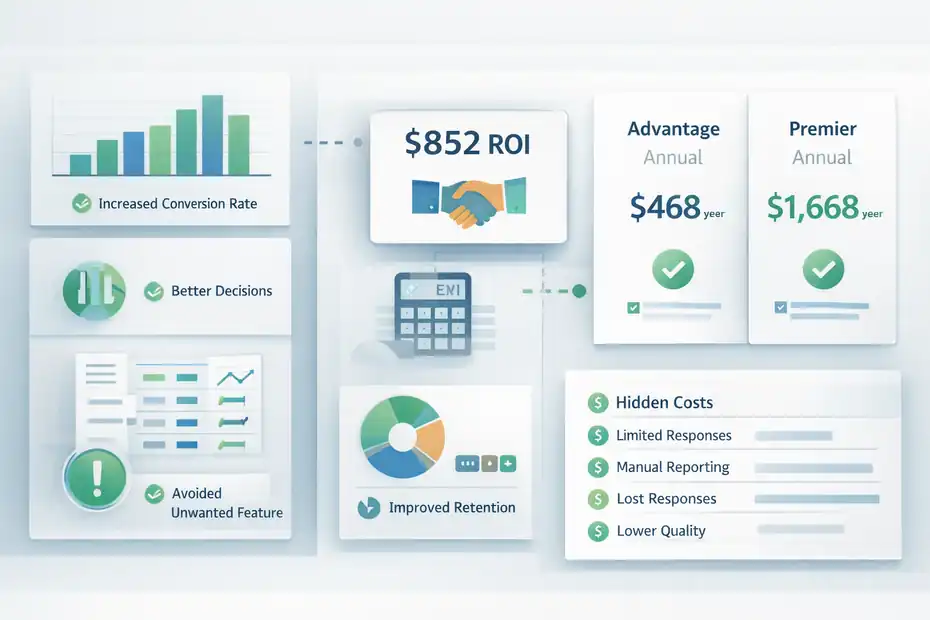
The cleanest way to answer “is SurveyMonkey worth paying for premium plan” is to stop thinking about software and start thinking about outcomes.
Software is rarely worth it in isolation. It is worth it when it improves the result.
Use A Simple ROI Framework Before You Upgrade
Here is the framework I recommend:
- Estimate the value of one better decision.
- Estimate how often your surveys influence decisions.
- Compare that number with the annual plan cost.
If your customer feedback helps you improve a checkout page that lifts conversions by even a small amount, the plan can pay for itself quickly. If a better employee pulse survey helps you spot one recurring frustration before it becomes turnover, that can justify the spend too.
If a product survey prevents you from building a feature nobody wants, premium may save far more than it costs.
The reason this works is simple: survey tools are not content tools, they are insight tools. Their value shows up in choices made afterward.
SurveyMonkey’s pricing gives you some clear anchors. Advantage Annual is $468 per year, while Premier Annual is $1,668 per year. For a business, those numbers are not huge if the survey process is connected to retention, conversion, research, or operational improvements. For a casual user, they can be massive.
That is why I always bring the question back to consequence. What happens if you do not upgrade? If the answer is “nothing important,” skip it. If the answer is “we lose data, waste time, or make weaker decisions,” premium is probably worth it.
Track The Hidden Costs Of Staying Free
The free plan is free in dollars, but not always free in workflow. A lot of people overlook this because the costs show up as friction rather than invoices.
Here are the common hidden costs:
- Limited visible responses mean incomplete data.
- No advanced logic can lower completion quality.
- Fewer export and reporting capabilities create manual work.
- Weak branding can reduce trust in customer-facing surveys.
- Downgrading risks losing over-limit responses after the grace period.
Let’s say you save $468 by not upgrading to Advantage. But then you spend six extra hours cleaning up open-ended responses, manually copying charts into decks, and re-running a survey because the first version was too generic.
If your time is worth anything at all, the “saved” money disappears fast.
In my experience, that is the mistake most people make. They compare subscription cost to zero instead of comparing total workflow cost to total workflow cost. Once you do the second comparison, the paid plan often looks much more reasonable.
Upgrade Based On Trigger Events, Not Curiosity
I think the best time to upgrade is when you hit a clear operational trigger, not when you are merely curious about premium features.
Good upgrade triggers include:
- You are about to exceed 25 visible responses.
- You need skip logic or answer piping.
- You need exports for reporting.
- You need branding control for client or customer-facing surveys.
- You need segment analysis, AI summaries, or cleaner open-text review.
- You need integration with other systems.
This matters because curiosity-driven upgrades often become regret-driven cancellations. Trigger-driven upgrades usually stick because the need is already real.
A simple rule I like is this: Upgrade the moment the free plan starts creating rework. That is usually the point where the premium plan begins to pay you back.
Common Mistakes People Make When Evaluating SurveyMonkey Premium
A lot of bad subscription decisions happen because people evaluate the product emotionally instead of operationally.
Survey tools can seem deceptively simple, but the value is tied to how the data gets used afterward.
Mistake 1: Paying For Features Instead Of Paying For A Use Case
This is the classic trap. You see things like AI analysis, white labeling, crosstabs, custom branding, advanced logic, and integrations, and it all sounds impressive. But impressive is not the same as useful.
I recommend asking one blunt question for every premium feature: “What exact task will this help me complete faster or better?” If you cannot answer that, the feature is probably decorative for your situation.
For example, white label branding is highly useful for client-facing research, polished customer experience programs, or agencies protecting brand consistency. It is almost irrelevant for an internal volunteer poll.
AI analysis is valuable when you regularly process enough open-text responses that manual review becomes tedious. It is overkill when your survey gets 18 answers a month.
The best premium purchases are boringly practical. They solve a repeated problem. They do not just make the dashboard look more advanced.
Mistake 2: Ignoring Response Limits Until It Is Too Late
This mistake is common because response limits feel abstract until real responses arrive. Then suddenly your survey performs well, and your access does not.
SurveyMonkey is unusually explicit here. Free users can only view a limited number of responses per survey, and over-limit responses on downgraded accounts may become inaccessible and then deleted after the grace period. Paid plans also have response caps, with possible per-response overage invoicing depending on the plan details.
The practical lesson is simple: If a survey matters, check the expected response volume before launch. Do not assume you will “figure it out later.” That approach can put you in the worst possible position, which is discovering your audience responded better than expected and your plan cannot fully support the result.
I would rather upgrade one step too early than discover halfway through a campaign that my data visibility is compromised. That is especially true for time-sensitive surveys like event feedback, launch validation, customer satisfaction studies, or employee sentiment checks after a major policy change.
Mistake 3: Choosing Monthly Or Annual The Wrong Way
Some users avoid annual billing because it feels risky. Others jump into annual because the monthly price looks painful. Neither approach is automatically right.
SurveyMonkey’s Standard Monthly gives you flexibility, but it comes with a relatively high monthly price. Advantage Annual is much cheaper per month, but requires annual commitment. SurveyMonkey also notes that teams are only available on paid annual plans, not monthly ones.
Here is how I look at it. Monthly is best when your survey work is project-based, temporary, or uncertain. Annual is best when surveys are part of your ongoing process.
If you know you will use feedback every month for customer insight, lead qualification, employee engagement, or market research, annual usually wins.
The mistake is choosing annual to save money before you have recurring usage, or choosing monthly forever because it feels safer even though the long-term economics are worse.
Match the billing model to the predictability of your workflow, not your mood on checkout day.
Final Verdict: Upgrade Or Skip?
For most people, SurveyMonkey premium is worth paying for only when the free plan starts limiting decisions, not just features. That is the clearest answer.
The Best Short Answer
Upgrade if you need more responses, better survey flow, exports, branding, or serious analysis. Skip if you are running occasional, low-stakes surveys and do not need to do much beyond reading a few answers.
That may sound obvious, but it is the right lens. SurveyMonkey is strong when you need structured feedback at scale, especially because it combines survey creation, response collection, analysis, integrations, and brand controls in one platform.
It also has wide adoption, with 260,000+ organizations using it and more than 20 million questions answered daily through the platform.
The value is not in the existence of premium. The value is in whether premium removes friction from a process you repeat often enough to care about.
My Honest Recommendation By User Type
If you are a casual user, skip it. Start free and stay free until you hit a limit that materially affects the result.
If you are a solo professional, consultant, small business owner, or marketer who uses surveys as part of lead generation, customer research, onboarding, or feedback loops, Advantage Annual is probably the smartest buy. It gives you the best balance between useful power and realistic cost.
If you are running a research-heavy workflow, processing lots of open-ended data, segmenting results regularly, or presenting findings to stakeholders, Premier can be worth it. But only if you truly use the advanced analysis and branding stack.
The Bottom Line
So, is SurveyMonkey worth paying for premium plan? Yes, when your survey is tied to meaningful decisions and the free plan creates friction, data loss risk, or too much manual work. No, when your needs are casual and the premium feature set would mostly sit unused.
If I were making the decision today, I would not upgrade because SurveyMonkey is popular. I would upgrade because I had already outgrown free in a measurable way.
That is the difference between a smart software purchase and another subscription you regret.
FAQ
Is SurveyMonkey worth paying for premium plan?
SurveyMonkey is worth paying for premium plan if you need more than 25 responses, advanced logic, or data exports. It becomes valuable when surveys support business decisions, customer insights, or reporting. For casual or occasional use, the free plan is often sufficient.
What do you get with SurveyMonkey premium plans?
SurveyMonkey premium plans offer unlimited questions, higher response limits, skip logic, data exports, and advanced analytics. Higher tiers include branding control, AI insights, and deeper reporting tools. These features help improve survey quality and make results easier to analyze and act on.
When should you upgrade from SurveyMonkey free plan?
You should upgrade when the free plan limits your ability to view responses, analyze data, or customize surveys. Common triggers include needing more than 25 responses, exporting results, or creating personalized survey flows using logic and branching.
Is SurveyMonkey premium good for small businesses?
SurveyMonkey premium can be a strong fit for small businesses that rely on customer feedback, lead generation, or market research. Plans like Advantage offer a balance of cost and features, helping businesses collect better data and make more informed decisions.
Can you use SurveyMonkey without paying?
Yes, you can use SurveyMonkey for free with basic features like simple surveys and limited responses. The free plan works well for low-stakes or personal use, but it lacks advanced tools needed for deeper analysis or larger-scale data collection.

I’m Juxhin, the voice behind The Justifiable.
I’ve spent 6+ years building blogs, managing affiliate campaigns, and testing the messy world of online business. Here, I cut the fluff and share the strategies that actually move the needle — so you can build income that’s sustainable, not speculative.
Related posts:
 SurveyMonkey Review For Small Business Surveys: Worth It Or Waste?
 Is SurveyMonkey Worth It For Startups: Smart Tool Or Waste?
 10 Digital Marketing Affiliate Marketing Hacks That Work
 Easy Blog Maker Tools That Help You Earn Fast
 Blog Writing Format That Boosts Traffic and Earnings
 Make My Own Blog and Grow a Loyal Audience