
Table of Contents
Some links on The Justifiable are affiliate links, meaning we may earn a small commission at no extra cost to you. Read full disclaimer.
Omnisend review for ecommerce stores is a topic that matters more than it first appears, because choosing the wrong email and SMS platform can quietly drain margin, time, and repeat revenue.
I’ve looked at Omnisend as the kind of tool that wins when a store wants ecommerce-specific automation without paying for extra complexity it may never use.
Right now, the platform positions itself around email, SMS, push, forms, and automation for ecommerce brands, with native support for major platforms and pricing that still starts lower than many store owners expect.
What Omnisend Actually Is And Who It Fits Best
Omnisend is not trying to be everything for every marketer.
It is trying to be a practical retention platform for ecommerce stores that want email and SMS working together without a long setup cycle.
Why Omnisend Feels Different From General Email Platforms
If you have used a general email tool before, the first difference is pretty simple: Omnisend is built around store events, not just newsletter sending.
Its feature set centers on ecommerce actions like abandoned cart, product abandonment, back-in-stock, product recommendations, discounts, segmentation, and revenue tracking rather than just one-off broadcasts.
That sounds small, but in practice it changes how fast you can launch meaningful flows.
I think this is one of the hidden wins many store owners overlook. A platform that “feels easier” often does so because the structure already matches how ecommerce works. You are not forcing a generic email system to behave like a store retention engine.
Another useful sign is channel coverage. Omnisend combines email, SMS, web push, signup forms, popups, automation, and reporting inside one stack. That reduces handoffs between tools, which matters when you are a lean team and one person is handling campaigns, automations, and reporting all at once.
From what I’ve seen, this makes Omnisend strongest for brands that want speed, decent sophistication, and less operational mess.
The Ecommerce Stores That Usually Get The Most Value
Omnisend tends to make the most sense for three groups.
- Growing Shopify Stores: The Shopify App Store listing shows a 4.7 rating from 2,933 reviews, with merchant feedback repeatedly calling out automation, segmentation, ease of use, and support. That does not prove it is perfect, but it is a strong market signal that real merchants are getting usable value from it.
- Budget-Conscious Brands: Official pricing currently starts with a free plan, then Standard at $16 per month and Pro at $59 per month before volume-based growth pricing, which is low enough for many newer stores to test retention seriously.
- Small Teams Needing Fast Deployment: G2 reviews repeatedly highlight quick onboarding, simple UX, and easier migration compared with more painful past moves from other ESPs.
If you are running a high-complexity retention program with custom data models, unusual permission structures, or deeply layered lifecycle orchestration, you may eventually want more flexibility. But for many brands under that level, simpler is not a weakness. It is often a profit advantage.
How Omnisend Works Inside A Real Ecommerce Store
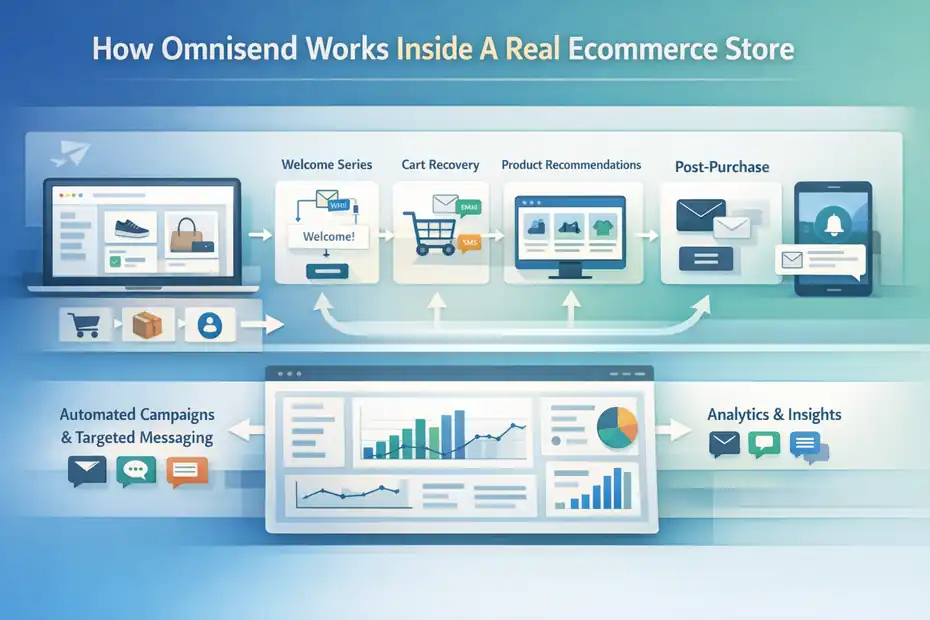
The best way to judge any platform is to ask one question: what happens after the store is connected?
The Core Setup Logic Behind Omnisend
At a basic level, Omnisend connects your store data, then uses that data to power campaigns, automations, targeting, and reporting. Its support docs say connecting a store syncs products, orders, and customers, which is the foundation that unlocks automations and more targeted messaging.
That matters because ecommerce retention works best when messages react to behavior. A welcome sequence should know whether someone bought.
A cart recovery email should know what was left behind. A product reminder should know what was viewed. A post-purchase flow should reflect actual order history.
Here is the real hidden win: Once your data layer is clean, the same synced information can support several jobs at once. You use it for audience segmentation, dynamic product content, cart automation, personalized recommendations, and reporting. One implementation job creates multiple downstream advantages.
In my experience, this is where some stores finally feel retention become manageable. Instead of building campaigns from scratch every week, you set up a system that reacts to customer behavior automatically.
The Channels Omnisend Brings Together
Omnisend’s official product pages position the platform around email and SMS first, but it also includes signup forms, popups, web push, automation, and reporting.
The Shopify listing likewise highlights email campaigns, SMS campaigns, push notifications, forms, popups, landing pages, targeting, tagging, segmentation, tracking, and reporting.
That channel mix matters because ecommerce buying journeys are rarely linear. Someone might:
- Join through a popup.
- Ignore the welcome email.
- Browse again two days later.
- Add to cart on mobile.
- Convert after an SMS reminder or discount email.
A platform that sees these touchpoints in one place makes optimization easier. You can decide which channel should do the heavy lifting at each stage rather than sending every message through email by default.
I suggest thinking about Omnisend less as a newsletter tool and more as a retention operating system for stores that need lifecycle messaging without a giant technical stack.
Omnisend Pricing: Where The Real Value Shows Up
Pricing is where many reviews become either too generous or too dramatic. So let’s keep this practical.
What You Get On The Free, Standard, And Pro Plans
On the Shopify App Store, Omnisend currently shows a Free plan for up to 250 contacts with 500 emails per month, 500 web push notifications per month, popups and signup forms, pre-built workflows, and 24/7 live support.
Standard is listed at $16 per month for up to 500 contacts and 6,000 emails per month.
Pro is listed at $59 per month for up to 2,500 contacts, unlimited emails, bonus SMS credits equal to the monthly fee, advanced reporting, and a personalized product recommender.
Omnisend’s pricing page also shows temporary starter discounts when paying the first three months upfront.
For many stores, that structure creates a useful ladder:
- Free: Good for learning the system and setting up early capture plus automation basics.
- Standard: Good when your list is growing and regular campaigns begin to matter.
- Pro: Good when your send volume, reporting needs, and SMS usage become meaningful.
The hidden win is that Pro bundles SMS value in a way that can make the jump easier to justify if SMS is already part of your plan. A lot of brands compare only sticker price and miss the credit structure.
Where Store Owners Underestimate The True Cost
The visible monthly fee is only part of the real cost. You also need to think about contact growth, SMS usage, workflow maturity, and team time.
One merchant complaint visible on Shopify points to surprise around total monthly spend once usage and messaging scale up.
Meanwhile, Omnisend’s own billing docs explain prorated upgrades and SMS credit mechanics, which confirms that costs can expand with plan changes and messaging needs.
This is why I believe the right pricing question is not “Is Omnisend cheap?” It is “Does Omnisend generate more retained revenue than the combined cost of software, SMS, and operator time?”
For a small store sending basic newsletters, almost any platform can look affordable.
For a growing store running welcome, cart, browse, post-purchase, and win-back automations, the better test is whether the platform helps you launch faster and manage more revenue-producing flows with less overhead.
That is where Omnisend often performs well.
Setup And Onboarding: How Fast Can You Actually Launch?
This is one of the most important parts of any omnisend review for ecommerce stores, because “feature-rich” means very little if setup becomes a month-long project.
Connecting Your Store And Getting Data Synced
Omnisend says native integrations are available for Shopify, WooCommerce, and BigCommerce through app marketplaces, with custom platform integrations requiring JavaScript and API work.
Support docs also list broader direct integrations and migration support across platforms such as Shopify, Wix, BigCommerce, WooCommerce, WordPress, Shoplazza, and Ecwid.
That tells you something important: the setup experience will differ depending on platform type.
- Native Ecommerce Setup: Usually faster and more beginner-friendly.
- Custom Or Headless Setup: Possible, but more technical and more dependent on correct implementation.
If you run Shopify, I would expect a much smoother experience than if you run a custom storefront with headless infrastructure.
The real shortcut here is to connect the store first, verify tracking second, and only then begin designing campaigns. Too many brands start with templates before confirming product, order, and customer sync. That creates messy automations later.
How Migration Looks If You’re Switching From Another ESP
Omnisend has dedicated migration resources, plus support content for moves from platforms like Mailchimp and Yotpo, and G2 users mention migration help as a strong point.
One reviewer specifically described a migration handled by the Omnisend team within a few days, with much less friction than previous moves.
That does not mean every migration will be painless. It usually depends on:
- How clean your list is.
- Whether subscription statuses are documented.
- How your old platform stored event data.
- Whether SMS consent history is exportable.
Omnisend’s migration help docs emphasize gathering contact lists, subscription proof, and platform connection details before moving. That is smart advice.
If I were migrating a store, I would treat the process in this order: export clean contacts, preserve consent data, connect the store, rebuild key automations, then warm up campaigns carefully. That sequence prevents the most common migration mistake, which is moving too fast and assuming all list states and triggers came across cleanly.
The Hidden Wins That Make Omnisend Attractive
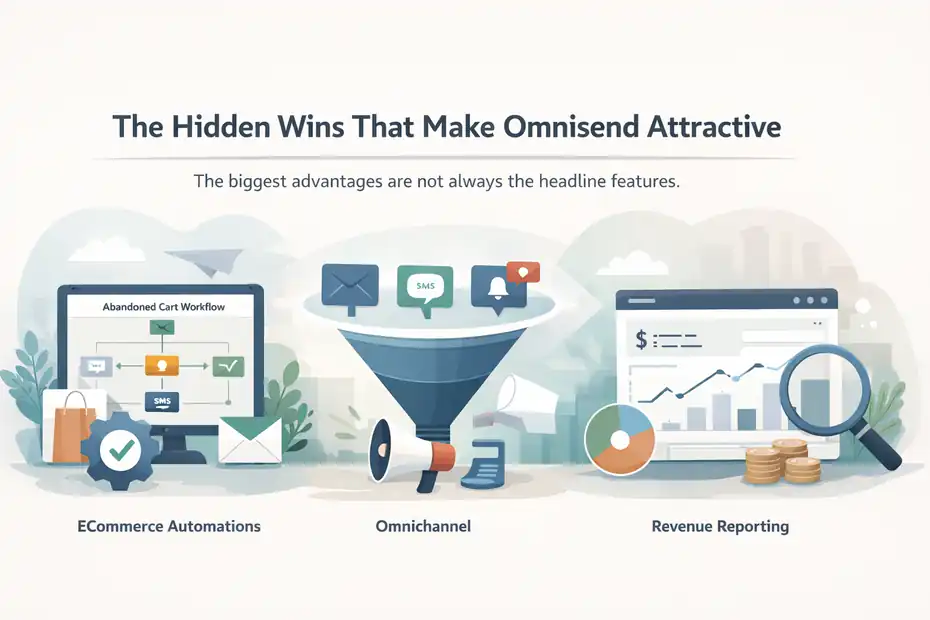
This is the part many generic reviews skip. The biggest advantages are not always the headline features.
Hidden Win One: Ecommerce Automations Are Ready To Use Faster
Omnisend’s workflow system includes common ecommerce automations like abandoned cart, abandoned checkout, product abandonment, browse-style recovery, welcome flows, and more. The support content for abandoned cart setup is notably straightforward: create workflow, choose cart preset, customize content, test, activate.
That sounds obvious, but it matters a lot for execution speed.
Imagine you run a store doing 1,500 monthly orders. Your paid ads are working, traffic is fine, but lifecycle messaging is weak. If you can launch the “big three” automations quickly, welcome, abandoned cart, and browse or product abandonment, you start capturing revenue that was already near the finish line.
Official Omnisend guidance on 2026 ecommerce stats explicitly emphasizes starting with those core automations first and then expanding into back-in-stock, post-purchase, and re-engagement. I agree with that progression because it matches how most stores get the fastest retention lift.
The hidden win is not that Omnisend invented automations. It is that it reduces the friction to getting them live.
Hidden Win Two: Omnichannel Without Becoming Operationally Heavy
Omnisend markets itself around email and SMS together, plus web push and forms. For many stores, that is enough channel diversity to cover most lifecycle retention needs without creating a bloated stack.
In practical terms, that means you can design smarter channel roles.
- Email: Better for storytelling, product education, launches, and longer promotions.
- SMS: Better for urgency, reminders, and short time-sensitive actions.
- Web Push: Better for lightweight re-engagement when opt-ins exist.
I believe this is one of Omnisend’s strongest advantages for lean teams. You do not need enterprise-level orchestration to get decent lifecycle coverage. You just need the channels most stores actually use profitably.
That can be a major hidden win for brands stuck between “too basic” newsletter platforms and “too expensive” advanced suites.
Hidden Win Three: The Platform Keeps Revenue Visibility Close To The Work
Omnisend’s reporting docs emphasize dashboard views, channel performance, campaign rates, attribution logic, live views, and product-focused reports. It also supports adjustable attribution logic in sales reports, while other reports continue to use message sent date attribution.
That last part is especially important. Attribution can be confusing if you do not know how the platform counts revenue. Omnisend states that attributed revenue and orders are generally assigned to the day the message was sent, not the day the order was placed, with a configurable option in Sales Reports.
I actually like that Omnisend documents this clearly, because one of the fastest ways to misread retention performance is to compare numbers across dashboards without understanding attribution rules.
The hidden win is not perfect analytics. It is that the reporting is close enough to everyday execution that small teams can act on it without exporting everything into a separate BI workflow.
Where Omnisend Still Has Weaknesses
No serious review should pretend there are no tradeoffs.
Flexibility Is Good, But Not Unlimited
G2 feedback includes positive notes on ease of use and onboarding, but also mentions limitations around pop-up flexibility, permissions, analytics depth, and desired customization improvements.
Shopify review summaries also include praise for templates and builder usability while hinting at the usual tension between simplicity and design freedom.
This is the tradeoff I would frame clearly:
Omnisend wins when you want fast ecommerce execution.
It becomes less ideal when you want unusually customized campaign logic, highly specialized roles and permissions, or a more advanced reporting environment than the average retention operator needs.
That does not make it weak. It just means the platform is optimized for a specific kind of user.
In my opinion, a lot of stores should accept that tradeoff happily. Chasing maximum flexibility often leads to slower execution, and slow execution costs more than most software limitations.
SMS And Scaling Costs Need A Realistic Eye
Omnisend’s pricing structure includes SMS credits and calculators, and plan changes can affect usage and billing. That is normal for multichannel platforms, but it does mean stores should model growth rather than assuming the headline price is the full story forever.
A realistic rule is this: once your list grows, your questions change from “Can I afford this?” to “Which campaigns and automations deserve paid messaging?”
You do not need SMS in every workflow.
You do need SMS where timing and urgency justify it.
If you treat SMS like a precision tool rather than a default blast channel, Omnisend’s pricing tends to feel more reasonable. If you overuse it, your cost structure can get sloppy fast.
Step-By-Step: How I Would Use Omnisend In A Small Or Mid-Size Store
This is the part where strategy becomes actionable.
Step One: Launch The Revenue-First Automation Stack
I recommend starting with the flows most likely to generate immediate return.
- Step 1: Welcome Series. Introduce the brand, set expectations, and give a clean first offer only if margin allows.
- Step 2: Abandoned Cart Or Checkout. Recover shoppers who were already close to purchase. Omnisend provides built-in workflows for this.
- Step 3: Product Or Browse Abandonment. Re-engage shoppers who showed intent before cart stage. Omnisend documents a product abandonment workflow specifically for this use case.
- Step 4: Post-Purchase. Confirm order confidence, cross-sell intelligently, and set up second-purchase behavior.
- Step 5: Win-Back Or Re-Engagement. Bring back buyers before they age out completely.
This order matters. Too many stores spend weeks designing pretty newsletters while their highest-intent automation gaps stay open.
If you only have time for three flows in month one, make them welcome, cart, and browse or product abandonment. That usually gives you the cleanest early signal on whether Omnisend is pulling its weight.
Step Two: Build Segments Around Buying Behavior, Not Vanity Labels
Omnisend includes dynamic segmentation and personalized targeting. The mistake many stores make is segmenting by broad demographics first instead of commercial behavior.
I suggest beginning with segments like:
- Recent purchasers
- High-intent non-buyers
- Repeat customers
- At-risk previous buyers
- Discount-sensitive subscribers
- Category-specific interest groups
These are useful because they affect what you should send next.
For example, a first-time buyer does not need the same message as a three-time customer who has not purchased in 75 days. That seems obvious, but many retention programs still talk to both people the same way.
Omnisend’s store data sync makes these segments easier to maintain because the system already understands orders, products, and customer behavior once setup is done correctly.
Optimization Strategies That Move Omnisend From “Good” To “Worth It”
A platform rarely creates great results on its own. The lift comes from how you use it.
Focus On Message Timing And Offer Logic Before Fancy Design
Merchants often praise Omnisend’s drag-and-drop builder, templates, and ease of use, and I think that is genuinely helpful. But prettier emails are not the real performance lever. Timing and offer logic matter more.
A plain email sent at the right moment usually beats a beautiful email sent with weak intent.
Here is how I would optimize first:
- Tip 1: Reduce delay between intent and follow-up in abandonment flows.
- Tip 2: Test whether a reminder works before adding a discount.
- Tip 3: Keep SMS for urgency, not for over-explaining.
- Tip 4: Match product blocks to the shopper’s viewed or carted items.
- Tip 5: Separate first-time buyers from repeat buyers in post-purchase campaigns.
That is where hidden revenue usually lives. Not in adding one more design flourish.
Use Reporting Carefully So You Don’t Fool Yourself
Omnisend offers campaign, automation, dashboard, and sales reporting, plus documented attribution logic. That is useful, but it also means you need discipline in how you read performance.
For many of us, the temptation is to chase whatever dashboard looks biggest.
I recommend tracking these questions instead:
- Which automations drive the highest revenue per recipient?
- Which campaigns lift repeat purchase rate instead of just short-term clicks?
- Which segments respond without requiring deeper discounts?
- Which channels assist conversion best by lifecycle stage?
That gives you business answers, not just platform answers.
A store can feel happy about opens and clicks while quietly losing margin through unnecessary couponing. Omnisend gives enough reporting to spot that problem if you choose the right metrics.
Common Mistakes Store Owners Make With Omnisend
This section matters because most disappointments come from setup and usage, not from the software alone.
Treating Omnisend Like A Newsletter Tool Instead Of A Retention System
The biggest mistake is using only campaigns and ignoring automations. Omnisend’s own product and support ecosystem leans heavily into automations, and for good reason: lifecycle flows usually outperform random broadcast frequency in ecommerce.
If you install Omnisend, send one weekly campaign, and stop there, you will probably underuse the platform badly.
A more effective mindset is:
- Campaigns create planned demand.
- Automations capture existing intent.
- Segmentation protects relevance.
- Reporting guides what deserves more volume.
That framework helps you avoid the common trap of blaming the platform for a strategy gap.
Migrating Dirty Data And Expecting Clean Performance
Migration docs emphasize consent, contact status, exports, and proper mapping. That is not admin fluff. It directly affects deliverability, segmentation accuracy, and compliance.
Imagine a store imports subscribers without preserving unsubscribe history or opt-in timestamps. Best case, you get skewed list quality. Worst case, you create compliance risk and damage sender trust.
I always recommend cleaning before importing:
- Remove clearly inactive or invalid contacts where appropriate.
- Preserve opt-in proof.
- Verify fields map correctly.
- Rebuild key segments after import.
- Test automations before sending at scale.
This is boring work, but boring work is often where retention success starts.
Advanced Tips For Stores Ready To Scale With Omnisend
Once the basics are live, Omnisend becomes more interesting.
How To Expand Beyond The Starter Automation Layer
Omnisend highlights advanced reporting, personalized content, product recommendation capability, and product-level reporting as higher-value features as stores mature.
Pro also includes personalized product recommender functionality and more reporting depth.
This is where scaling can get smarter.
After the big three automations are proven, I would layer in:
- Back-In-Stock Messages: Especially strong for demand capture on inventory-driven catalogs.
- Category-Specific Replenishment Or Reorder Nudges: Useful for consumables or repeat-use products.
- VIP Or High-LTV Branching: Reward repeat buyers differently from first-time discount seekers.
- Product Education Series: Good for considered purchases with longer evaluation windows.
- Inventory-Aware Promotions: Promote what you can actually fulfill.
The goal at this stage is not just “more flows.” It is higher precision.
That is where Omnisend can keep paying off after the beginner phase.
When Omnisend Is Worth Keeping And When You Might Outgrow It
I think Omnisend is worth keeping when three things are true:
- Your team values speed over deep customization.
- Your core retention needs are email, SMS, forms, push, and reporting.
- Your store benefits from ecommerce-native workflows more than enterprise-grade complexity.
You may outgrow it when your business needs become unusually custom, your analytics requirements stretch beyond built-in reporting, or your internal team wants more specialized control over permissions, data models, and orchestration.
That is not a knock on Omnisend. It is just maturity matching.
A lot of stores switch tools too early because they confuse ambition with necessity. If Omnisend is helping you launch faster, maintain clean flows, and produce profitable lifecycle revenue, staying on the simpler system may be the smarter move.
Final Verdict: Is Omnisend A Good Choice For Ecommerce Stores?
For most small to mid-size ecommerce brands, yes, I think Omnisend is a very good choice, especially if you want ecommerce-specific retention without paying for a stack that feels heavier than your team can realistically operate.
The strongest parts of this omnisend review for ecommerce stores are not flashy. They are practical. Omnisend offers ecommerce-native automations, multichannel coverage, accessible pricing tiers, native integrations for major store platforms, migration support, and enough reporting to help operators make real decisions.
The Shopify App Store’s 4.7 rating across 2,933 reviews and recurring merchant praise around support, automation, and ease of use reinforce that it is delivering for a large number of stores in the market right now.
The tradeoffs are real too. It is not the most infinitely flexible platform in the world, and scaling messaging costs still deserve attention. But if your goal is to build a reliable retention engine with less friction, I believe Omnisend’s hidden wins are exactly where the platform earns its place.
FAQ
What is Omnisend and how does it help ecommerce stores?
Omnisend is an ecommerce-focused marketing platform that combines email, SMS, and automation. It helps store owners recover abandoned carts, send personalized campaigns, and increase repeat purchases. By using customer behavior data, it allows you to automate revenue-generating messages without needing advanced technical skills.
Is Omnisend good for small ecommerce businesses?
Yes, Omnisend is well-suited for small ecommerce businesses because it offers a free plan, simple setup, and pre-built automation workflows. Many smaller teams benefit from its ease of use and fast deployment, making it possible to start generating retention revenue without needing a dedicated marketing team.
How does Omnisend compare to other email marketing tools?
Omnisend stands out by focusing specifically on ecommerce features like product recommendations, cart recovery, and customer segmentation. Unlike general email tools, it is designed around store data, which makes automation more effective and faster to implement for online retailers looking to grow revenue.
Does Omnisend support SMS marketing as well as email?
Yes, Omnisend includes SMS marketing alongside email, allowing stores to reach customers through multiple channels. This helps improve engagement and conversions, especially for time-sensitive messages like cart reminders or promotions. SMS credits are included in certain plans, making it easier to get started.
Is Omnisend worth the price for ecommerce stores?
For many ecommerce stores, Omnisend is worth the price because it combines multiple marketing channels in one platform and offers strong automation capabilities. When used correctly, it can increase revenue through better targeting and retention, often offsetting its monthly cost with improved customer lifetime value.

I’m Juxhin, the voice behind The Justifiable.
I’ve spent 6+ years building blogs, managing affiliate campaigns, and testing the messy world of online business. Here, I cut the fluff and share the strategies that actually move the needle — so you can build income that’s sustainable, not speculative.
Related posts:
 Ecommerce Email Marketing Best Practices for Higher Sales
 MailerLite WooCommerce Integration: Smooth or Struggle?
 Omnisend Marketing Automation That Actually Increases Revenue
 Klaviyo Vs Omnisend For Shopify: Which One Converts Better?
 How To Use Omnisend For Ecommerce Email Marketing That Converts
 Omnisend Low Email Open Rate Fix That Boosts Revenue