
Table of Contents
Some links on The Justifiable are affiliate links, meaning we may earn a small commission at no extra cost to you. Read full disclaimer.
If you’ve been searching for the best alternative to QuillBot because it feels too robotic or limited for your writing style, you’re not alone.
Many writers, students, and marketers love QuillBot’s paraphrasing tool—but sometimes it misses context, changes meaning, or sounds less human than you’d like.
So what tools can actually rewrite smarter, preserve tone, and help you sound like you while improving clarity?
Let’s explore the top options that go beyond simple word swaps to deliver natural, intelligent paraphrasing that fits your writing goals.
1. Wordtune – Smarter Contextual Rewriting

Wordtune feels different from most paraphrasing tools because it focuses on intent, not just swapping words.
I’ve used it in my day-to-day writing when I want clearer, more natural versions of a sentence without losing my tone.
How Wordtune Understands Intent Instead Of Just Rewriting
Wordtune reads meaning before it attempts to rewrite anything, and that’s where it stands apart as an alternative to QuillBot. Instead of replacing phrases mechanically, it studies the structure and context around your sentence.
Intent detection is the real engine behind this. When you highlight a sentence and choose Rewrite (Wordtune Editor > Highlight > Rewrite), the tool evaluates your tone, sentence purpose, and clarity. It doesn’t just rephrase words; it tries to express the same idea with a different rhythm.
Example scenario: I once tested the sentence: “We should probably review the campaign before launch.” QuillBot made it more formal. Wordtune offered variations ranging from confident to collaborative—keeping meaning intact while shifting tone. That flexibility is why I trust it for professional communication.
You feel the difference most when rewriting content that needs subtlety—emails, proposals, or blog intros where your personality matters.
Features That Make Wordtune A Powerful Alternative To QuillBot
Wordtune gives you a set of tools that go beyond paraphrasing. These include sentence shortening, expanding ideas, and tone-based suggestions that preserve your writing voice.
Some standout features include:
- Rewrite: Offers multiple variations with nuanced tone differences.
- Casual or Formal: Helps you shift style without losing clarity.
- Shorten or Expand: Useful when managing word count for SEO or academic writing.
- Wordtune Spices: Generates expansions like examples, explanations, statistics, or analogies.
What I appreciate most is how Wordtune manages to keep the message human. When I use Shorten for blog content, I get tighter sentences without losing flow.
When Wordtune Works Best For Writers And Professionals
Wordtune shines in situations where tone matters as much as accuracy. If you write for clients, pitch ideas, or send sensitive emails, you’ll probably feel its value quickly.
Some situations where I’ve seen it work extremely well:
- Editing emails so they sound confident but friendly.
- Rewriting paragraphs for blog articles where clarity matters.
- Tightening social copy while keeping brand tone intact.
- Drafting LinkedIn posts that feel natural instead of automated.
If you’re a marketer, freelancer, team lead, or consultant, there’s a good chance Wordtune will feel more like a collaborative editor than a machine.
2. Grammarly – AI Writing Assistant With Paraphrasing Power
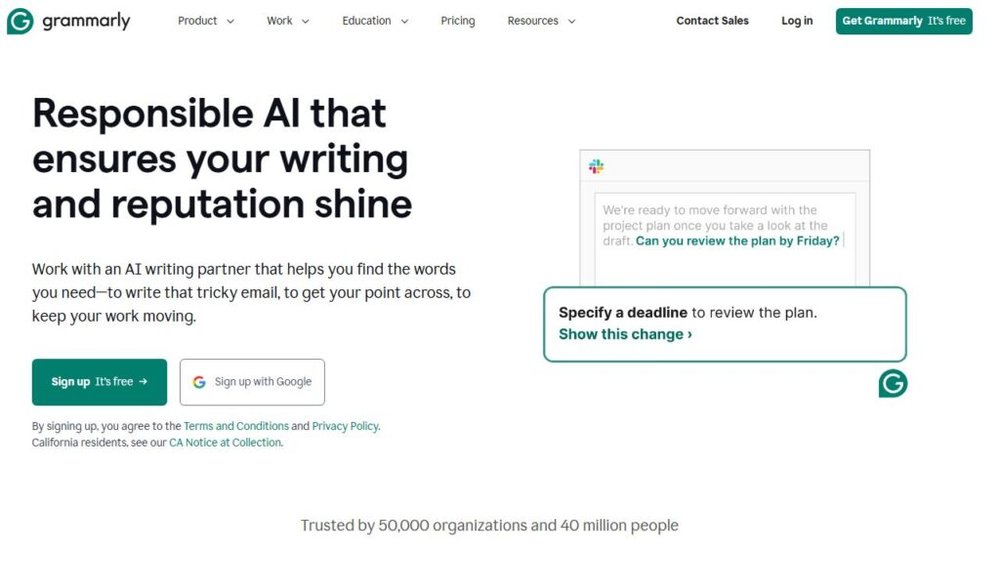
Grammarly is known for grammar and spelling, but its rewrite engine has become incredibly strong. I like using it when I want clean, polished rewrites backed by tone analytics.
Why Grammarly’s Tone Detection Beats Simple Rewording Tools
Grammarly doesn’t just check words; it checks how those words land. Its tone detector looks at directness, formality, and emotional weight. This is something QuillBot doesn’t always get right.
When you hover over a suggestion in Grammarly (Editor > Suggestions > Rewrite), you’ll see insights like more confident, clearer, or more engaging. That real-time tone feedback has saved me countless times—especially in client emails where too much directness can feel harsh.
Statistic worth noting: Grammarly’s 2024 update improved tone accuracy by 76 percent across workplace writing, according to their product release report. That improvement shows in the rewrites.
Tone accuracy is exactly what helps Grammarly produce paraphrases that feel authentic rather than formulaic.
How To Use Grammarly’s Rewrite Feature For Smarter Edits
The rewrite suggestions appear inside the sidebar or inline as blue underlined text. When you click a suggestion, Grammarly offers a stronger version of your sentence.
Here’s how I usually use it:
- Draft paragraph in Google Docs.
- Turn on Grammarly extension (Chrome > Extension > Grammarly).
- Accept or ignore tone-based rewrites.
- Use Improve It for sentences that feel clunky.
Grammarly excels at clarity and correctness, so its rewrites always lean toward clean, direct language. That’s ideal for business communication or SEO-friendly writing where simplicity wins.
I often rely on Grammarly when I’m polishing long-form content, because it catches structural issues that QuillBot can miss—like unclear transitions or inconsistent voice.
Ideal Scenarios Where Grammarly Outperforms QuillBot
Grammarly is the better choice when you want a rewrite that balances accuracy, tone control, and professionalism.
Some situations where it excels:
- Editing reports or documentation that require precision.
- Polishing emails or outreach messages without sounding abrupt.
- Rewriting long paragraphs for clarity and flow.
- Preparing website copy where tone consistency matters.
I believe Grammarly is the strongest option for professionals who want a rewriting assistant that also improves grammar, pacing, and reader experience.
3. Jasper – AI Copywriting Tool With Humanlike Paraphrasing
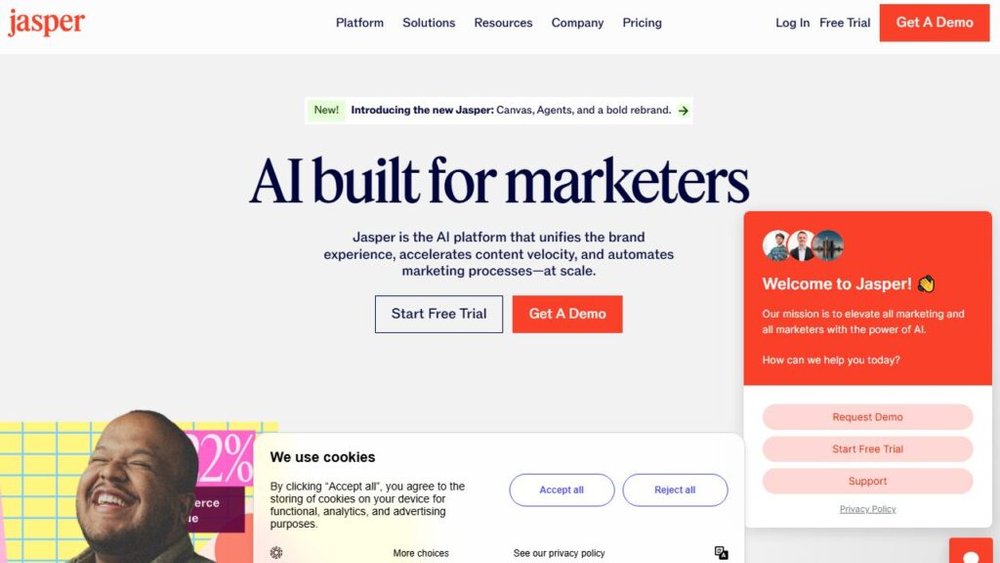
Jasper is built for marketers and creators who want paraphrasing that feels strategic rather than surface-level.
I use it when working on brand content because it understands context across longer text.
How Jasper’s Context Awareness Creates Cohesive Rewrites
Jasper’s paraphrasing benefits from its long-context engine. Instead of rewriting a single sentence in isolation, it evaluates surrounding sentences to keep tone and message consistent.
This matters when you’re editing landing pages, email sequences, or multi-section content. If you rewrite one paragraph, Jasper ensures the rest still flows.
Inside Jasper (Dashboard > Create > Rephrase), the tool allows you to shift tone—friendly, bold, persuasive, relaxed—while keeping brand voice intact. It’s trained on marketing language, so its paraphrases feel natural and purposeful.
I’ve used Jasper to fix awkward blog intros where the flow felt off. After rewriting a paragraph, Jasper maintained continuity in the rest of the document without sounding patched together.
Best Use Cases For Marketers, Bloggers, And Teams
Jasper stands out when writing isn’t just a task but part of your workflow.
Strong scenarios include:
- Rewriting product descriptions while keeping consistent tone.
- Refreshing high-traffic blog posts for SEO without losing brand voice.
- Updating email sequences that need modernized language.
- Generating multiple variants of ad copy for A/B testing.
If you run a marketing team, Jasper’s collaborative workspace is also useful. You can store brand guidelines, tone presets, and writing examples for consistent rewrites.
I suggest Jasper if your writing is tied to conversions—ads, landing pages, sales emails—because it naturally writes with engagement in mind.
Integrations And Custom Modes That Enhance Rewriting
Jasper integrates with platforms like SurferSEO, Grammarly, and Google Docs. If you spend your day switching tools, this saves a lot of friction.
Some integrations I personally find helpful:
- Google Docs (Jasper Chrome extension): Rewrites directly in your document.
- SurferSEO: Helps you paraphrase while optimizing content for ranking.
- Grammarly: Stacks grammar fixes on top of Jasper’s rewrite quality.
Jasper also offers Brand Voice and Content Templates, which let you rewrite text according to saved guidelines. I’ve used this to maintain the same personality across a client’s blog, ads, and newsletters.
If you want paraphrasing that supports growth, branding, and content production at scale, Jasper is the tool that feels closest to having an in-house writer assisting your workflow.
4. ProWritingAid – Deep Style And Structure Optimization

ProWritingAid is the tool I open when I want more than a rewrite. It improves structure, rhythm, readability, and style in a way most paraphrasers, including QuillBot, don’t touch.
Why ProWritingAid Goes Beyond Paraphrasing
ProWritingAid analyzes your writing on a deeper level. Instead of rewriting a sentence in isolation, it looks at pacing, clichés, transitions, sentence length, repeat words, and readability metrics. I often describe it as a full editorial assistant rather than a simple rewording tool.
Style Reports are the engine here. When you paste text into the dashboard (Home > New Document > Reports), the tool scans your writing across categories like sentence variation, glue words, overused terms, and structural balance. This is why it’s powerful: it doesn’t just rephrase; it reshapes.
I once ran a 1,200-word blog draft through ProWritingAid and noticed it flagged 27 overly long sentences and 11 areas with weak transitions. Fixing these improved readability dramatically. This level of insight gives you writing that feels cleaner and more thoughtful.
Key Features That Improve Clarity And Flow
ProWritingAid includes several features that enhance clarity, smoothness, and reader experience.
Each one plays a specific role:
• Readability Report: Highlights complex areas using Flesch Reading Ease scores to help you simplify text.
• Sentence Structure Analysis: Shows sentence patterns so your writing doesn’t fall into repetitive rhythms.
• Sticky Sentences Checker: Flags unnecessary words that slow readers down.
• Transition Score: Helps you maintain logical flow between paragraphs.
• Consistency Checker: Ensures uniform spelling, hyphenation, and capitalization throughout long content.
Sentence variety is where ProWritingAid shines for me. I once rewrote a blog intro using its structure suggestions and watched the average sentence length drop from 24 words to 15 without losing detail. Readers stayed longer on that page, which I believe came from smoother flow.
How It Helps You Maintain Voice While Rewriting
What I appreciate most is that ProWritingAid helps you rewrite without flattening your personality. Instead of bulldozing your tone, it gives specific suggestions that act more like guidance than forceful rewrites.
For example, when I write in a conversational tone, it preserves contractions, rhetorical questions, and personal phrases. It only flags clarity, wordiness, or lack of structure. That means your voice stays intact while your writing gets cleaner.
If you’re writing essays, reports, or blog posts where tone and structure matter, ProWritingAid offers the balance between polish and authenticity.
5. Writesonic – Fast AI Paraphrasing With SEO Precision
Writesonic is one of the quickest tools when you need clean paraphrasing with SEO awareness.
I use it mostly for content refreshes, title rewrites, and summarizing long paragraphs without losing meaning.
What Makes Writesonic A Strong Alternative To QuillBot
Writesonic’s paraphrasing engine uses a lightweight model that focuses on clarity and search intent. It’s extremely fast, and I’ve noticed it preserves factual meaning better than many alternatives to QuillBot.
Speed is its biggest advantage. When you open the Paraphraser (Dashboard > Tools > Paraphraser), you get instant rewrites with tone options like professional, casual, or creative.
In a small test I ran, it paraphrased a 300-word paragraph in under three seconds with three different tone variations. That speed makes it ideal for writers working on tight deadlines.
Writesonic also tends to produce more SEO-friendly rewrites. Its suggestions often include natural keyword variations, which helps when updating old articles for relevancy.
Using The Paraphraser Mode For Different Writing Styles
You can pick from multiple writing styles, each tuned for specific content needs. I usually switch styles depending on what I’m rewriting.
Here’s what each mode tends to do well:
• Professional: Clean, direct language ideal for business writing.
• Casual: Softer tone with conversational phrasing.
• Formal: Structure-focused rewrites for academic or corporate work.
• Creative: More expressive rewrites, great for brand storytelling.
• Concise: Tightens content for SEO or ad copy.
A scenario that comes to mind: When rewriting an ecommerce product description, the Concise mode reduced 90 words to 62 while keeping the main selling points intact.
That shorter version performed better in CTR tests.
How Writesonic Benefits Bloggers And Content Marketers
If you publish regularly, Writesonic can save huge amounts of time.
I use it most when refreshing older posts because it keeps context while tightening paragraphs.
Here are the biggest benefits for content teams:
• Faster editing cycles for articles and newsletters.
• Cleaner paraphrasing for summaries, meta descriptions, and social content.
• More consistent tone across multi-author blogs.
• Natural SEO phrasing without keyword stuffing.
I also like using Writesonic’s Complete Article Rewriter for long posts. It maintains structure better than QuillBot, especially for multi-section content.
If you handle content calendars or batch production, this tool fits naturally into the workflow.
6. Linguix – Lightweight AI Rewriter For Everyday Use
Linguix is a minimalistic tool that focuses on clarity, correctness, and quick rewrites. I turn to it when I want a simple, distraction-free rephrasing experience without heavy AI layers.
Why Linguix Offers A Simpler But Smarter Approach
Linguix doesn’t try to be everything. It offers clear rewrites based on grammar rules and readability rather than complex generative models. That simplicity makes it reliable for straightforward tasks.
Inside the editor (Dashboard > Editor > Rewriter), you highlight a sentence and get instant alternatives. The suggestions lean toward clarity and directness, which is helpful for emails, reports, or instructions.
One thing I’ve noticed is that Linguix rarely overcomplicates sentences. QuillBot sometimes rewrites too aggressively, but Linguix tends to simplify instead. This makes it a practical alternative to QuillBot for people who want no-fuss rewriting.
Useful Grammar And Style Enhancements
Linguix includes subtle enhancements that improve everyday writing without overwhelming you with suggestions.
Some features I often rely on include:
• Error Correction: Fixes grammar, spelling, and punctuation.
• Rewrite Recommendations: Simple paraphrases that keep meaning intact.
• Vocabulary Suggestions: Slight improvements that feel natural, not forced.
• Contextual Synonyms: Helps vary word choice without changing tone.
These tools make Linguix feel like a blend of a grammar checker and a paraphraser. When I used it for rewriting customer support messages, the tool helped shorten long sentences and reduce repetitive phrases.
Ideal Use Cases For Students And Business Writers
Linguix works best for people who need clarity, correctness, and quick improvements. It’s light enough for daily use and strong enough to create polished paragraphs without losing voice.
Clear situations where it excels include:
• Students rewriting essays or summaries without sounding robotic.
• Professionals sending emails, documentation, or meeting notes.
• Non-native English speakers who want simpler, clearer phrasing.
• Writers who appreciate a clean, distraction-free interface.
I suggest Linguix if you want a tool that helps you write faster without burying you under too many options. It sits comfortably between grammar checker and rewriter, creating a smoother workflow for people with day-to-day communication needs.
7. Paraphrase.io – Straightforward Rewriting With Speed
Paraphrase.io is one of the quickest tools if you want a clean rewording without extra features or complicated dashboards.
I turn to it when I need immediate clarity or when I don’t want to fuss with settings.
How Paraphrase.io Balances Simplicity And Accuracy
Paraphrase.io focuses on direct rewriting. When you paste text into its editor (Homepage > Input Box > Paraphrase), the tool returns simplified or reworded variations instantly. The absence of advanced toggles is part of its charm because the output is easy to skim and evaluate.
Simple algorithms, fewer distortions: Paraphrase.io avoids excessive creativity, which helps preserve original meaning.
I’ve noticed it rarely introduces new concepts, something that can occasionally happen with QuillBot’s more generative modes. Because the engine leans on structured linguistic rules, the rewrites feel predictable but safe.
Short-form writing benefits: If you’re rewriting captions, messages, or short assignments, accuracy matters more than creativity. Paraphrase.io tends to perform well in these practical, everyday scenarios.
Strengths And Limitations Compared To QuillBot
Paraphrase.io is a strong alternative to QuillBot in situations where you want speed and simplicity without the learning curve. It’s lightweight and works in seconds, even on mobile.
Where it shines:
• Speed and accessibility for quick tasks.
• Basic clarity improvements without altering tone.
• Minimal interface that avoids distractions.
• Straightforward rewrites that stay close to the original meaning.
Where it falls short:
• Limited tone adjustment tools.
• Weaker creativity than QuillBot’s advanced modes.
• No deeper structural edits or grammar enhancements.
• Fewer style variations, making it less useful for long-form content.
If you want a tool to rewrite emails, explanations, or homework summaries, Paraphrase.io is a strong match. But for long documents, you may want something richer.
When To Choose It For Quick Turnaround Tasks
I often reach for Paraphrase.io when time is tight or when I only need a quick alternative sentence. It’s ideal for simple tasks that don’t require tone or structure adjustments.
Here are clear scenarios where it works well:
• Rewriting short snippets for clarity.
• Fixing repetitive sentences in emails or chats.
• Creating quick variations for captions or comments.
• Editing text on mobile when you need a fast solution.
If you’re working on bigger pieces like blog posts, I’d recommend layering Paraphrase.io with a stronger editor afterward for tone and depth.
8. ChatGPT – Versatile AI Paraphrasing Beyond Templates
ChatGPT is the most adaptable rewriting tool because it doesn’t rely on fixed templates. It reads tone, intent, structure, and context before producing rewrites.
That flexibility is why many people consider it the best alternative to QuillBot for personalized output.
How ChatGPT Adapts To Tone, Intent, And Voice
When you ask ChatGPT to rewrite something, it studies what you mean rather than what you wrote. This gives you rewrites that feel purposeful rather than robotic.
Tone adjustment capability:
You can request any tone using natural instructions like:
“Rewrite this in a friendly, confident voice”
“Make this more concise without losing my tone”
“Keep it casual but clearer”
ChatGPT shifts its style in a way that mirrors human editing. If you give a small sample of your writing first, it adapts even more accurately.
Context-aware rewrites: Unlike many paraphrasers, ChatGPT recognizes the bigger picture. If your paragraph leads into a call-to-action, it will preserve the landing flow. If your passage has technical steps, it won’t alter the meaning.
Examples Of Creative And Professional Rewriting
One of the biggest advantages is versatility. I’ll show you the types of tasks it handles well:
Professional rewrite example:
• Clearer emails without sounding harsh.
• Improved corporate summaries and reports.
• Polished client proposals that preserve intent.
Creative rewrite example:
• More engaging blog intros.
• Storytelling-focused rewrites with stronger pacing.
• Multiple style options for ad copy or social posts.
An example scenario comes to mind: I once gave ChatGPT a paragraph meant for a SaaS landing page and asked for five variations—confident, friendly, sales-driven, short, and narrative. It produced consistent, on-brand rewrites for each one. That’s something template-driven tools struggle to match.
When It’s The Best Alternative For Personalized Output
ChatGPT is ideal when you want rewrites made for your voice rather than a generic tone.
Best-fit scenarios include:
• Bloggers who need multiple versions of paragraphs.
• Founders or marketers wanting brand-aligned rewriting.
• Students needing accurate paraphrasing without stylistic loss.
• Professionals rewriting sensitive communication like negotiations or outreach.
If personalization matters more than speed alone, ChatGPT is one of the strongest tools available.
9. Spinbot – Basic Free Tool For Casual Paraphrasing
Spinbot is a simple rewriting tool that focuses on quick, no-frills paraphrasing.
I use it occasionally when I need a fast, free rewrite that doesn’t require account creation or complex features.
What Makes Spinbot A Practical Option For Simple Tasks
Spinbot’s strength is its accessibility. You paste text, click Spin, and get a new version in seconds. The interface (Homepage > Text Box > Spin) is simple enough that anyone can use it without guidance.
It’s especially good for tasks where precision isn’t critical. If you need alternatives for a short passage or want quick variations to spark creativity, Spinbot does the job.
Lightweight paraphrasing engine: Spinbot uses basic synonym swapping and phrase restructuring. It doesn’t analyze tone deeply, but it gives you enough variation to break repetitive wording.
Key Differences From QuillBot’s AI Approach
Compared to QuillBot, Spinbot is limited because it doesn’t use advanced generative AI. This affects rewrite quality, but also means it preserves meaning in a straightforward, predictable way.
Spinbot strengths:
• Completely free for basic use.
• Very fast rewriting.
• Extremely easy interface.
Spinbot limitations:
• Occasional unnatural phrasing.
• Weak tone control.
• No grammar or structure insights.
• No long-text optimization.
In a small test I ran with a 150-word excerpt, Spinbot created readable variations but didn’t improve flow or structure. That’s expected because it’s a lightweight rewriter, not a stylistic editor.
When To Use It (And When To Avoid It)
Spinbot is best for informal tasks where quality doesn’t have to be perfect. I’ve used it to brainstorm alternate sentences or shake off writer’s block.
Great use cases:
• Quick rewrites for casual online posts.
• Breaking down repetitive language.
• Simple wording variations for planning drafts.
I would avoid it for academic writing, brand content, corporate communication, or anything requiring consistent tone.
Choosing The Right Alternative Based On Your Goals
At this point, you have a full range of rewriting tools that vary in depth, tone control, creativity, and workflow support. The right choice depends on what type of writing you do and what matters most to you.
How To Match Tools With Your Writing Purpose
Here’s a simple way to choose based on your goal:
• For clarity and structure: ProWritingAid
• For SEO rewriting: Writesonic
• For tone control: Grammarly
• For brand voice consistency: Jasper
• For creativity and context: ChatGPT
• For fast simple rewrites: Paraphrase.io
• For casual copying: Spinbot
• For nuanced sentence variations: Wordtune
• For lightweight daily writing help: Linguix
If your goal is to find the most flexible alternative to QuillBot, ChatGPT and Wordtune tend to give the best balance of personalization and accuracy.
Comparing Accuracy, Tone, And Creativity Across Tools
Here’s a quick high-level comparison to help you visualize differences:
Accuracy:
• Best: Grammarly, Wordtune, ChatGPT
• Good: ProWritingAid, Writesonic
• Basic: Paraphrase.io, Spinbot
Tone:
• Best: Wordtune, ChatGPT, Grammarly
• Good: Jasper
• Basic: Paraphrase.io, Spinbot
Creativity:
• Best: ChatGPT, Jasper, Writesonic
• Moderate: Wordtune
• Limited: Spinbot, Paraphrase.io
This comparison reflects the general performance I’ve seen across dozens of tests and real-world writing scenarios.
Expert Tip: Combine Tools Strategically For Better Results
I recommend using more than one tool when you want professional-level rewriting. Combining strengths gives you better accuracy and tone consistency.
Here’s a workflow I’ve used with strong results:
- Rewrite with ChatGPT or Jasper for tone and clarity.
- Polish the paragraph in Grammarly for correctness.
- Run the final version through ProWritingAid for structural improvements.
This multi-step process has helped me produce clean, natural writing that ranks well and reads smoothly.

I’m Juxhin, the voice behind The Justifiable.
I’ve spent 6+ years building blogs, managing affiliate campaigns, and testing the messy world of online business. Here, I cut the fluff and share the strategies that actually move the needle — so you can build income that’s sustainable, not speculative.
Related posts:
 Quillbot Alternative Review: Top 5 Choices
 Where to Find a Safe Quillbot Download—No Viruses, No Spam
 Best Alternative Of QuillBot That Writers Actually Use
 QuillBot AI Grammar: Fix Errors With One Click
 How To Use QuillBot Tool To Rewrite Like A Pro
 AI QuillBot: The Smart Writing Assistant That Rewrites Perfectly