
Table of Contents
Some links on The Justifiable are affiliate links, meaning we may earn a small commission at no extra cost to you. Read full disclaimer.
When I first started building my online store, I remember how overwhelming it felt trying to create a cheap ecommerce website that still looked professional and could actually make sales.
Like most small business owners, I didn’t have thousands to spend on web developers or fancy platforms — I just needed something affordable that wouldn’t break down after a few months.
Over time, I discovered that going “cheap” doesn’t have to mean cutting corners — it’s about making smart budget choices.
In this guide, we’ll break down how to build a cost-effective ecommerce website that balances price, performance, and scalability — so you can start selling without draining your wallet.
Understanding What Makes a Cheap Ecommerce Website Work
Creating a cheap ecommerce website isn’t about going for the lowest price tag possible—it’s about finding balance. You want affordability, yes, but not at the expense of reliability, speed, or credibility.
Let’s look at what really makes a budget ecommerce setup work.
Why Affordability Doesn’t Mean Low Quality
A common misconception is that “cheap” equals “bad.” But in ecommerce, affordable options often exist because technology has evolved to make tools more accessible.
You can now get high-quality website builders and hosting at a fraction of what they cost years ago.
Here’s the trick:
- Start with a proven platform. Choose one that’s been tested by thousands of small store owners. This ensures stability and community support.
- Use built-in features first. Most platforms already include essentials like payment gateways, analytics, and SSL security—no need for extra paid plugins right away.
- Upgrade only when necessary. Start small and expand as your business grows.
From what I’ve seen, the smartest ecommerce founders don’t spend big—they spend right.
Core Features Every Budget-Friendly Site Must Have
Even a budget-friendly store needs certain non-negotiables. If you skip these, your website might save money now but cost you sales later.
Key essentials include:
- Responsive design: Your site should look great on any screen—desktop, tablet, or mobile. Most free themes today handle this automatically.
- Secure payment processing: Customers won’t buy if they don’t trust your checkout. Platforms like Shopify and Wix already include SSL and trusted payment gateways.
- Fast load speed: A slow site kills conversions. Use compressed images and lightweight themes.
- Basic SEO setup: Make sure you can edit meta titles, descriptions, and alt text. This helps your store show up in search results.
A solid cheap ecommerce website doesn’t skimp on the fundamentals—it just avoids unnecessary add-ons.
Balancing Price With Performance and Scalability
The secret to building a cheap ecommerce website that lasts is choosing flexible tools. Many people start cheap but then get trapped when it’s time to scale.
Here’s what I recommend:
- Pick a scalable platform: Shopify, WordPress with WooCommerce, or Wix all let you upgrade seamlessly when sales grow.
- Use modular tools: Avoid all-in-one “locked” systems that make it hard to move your data later.
- Invest where it counts: Spend on quality hosting and a professional domain. These are the backbone of your site’s reliability.
Think of your site like a starter home—you want it affordable now, but built on a foundation strong enough to expand later.
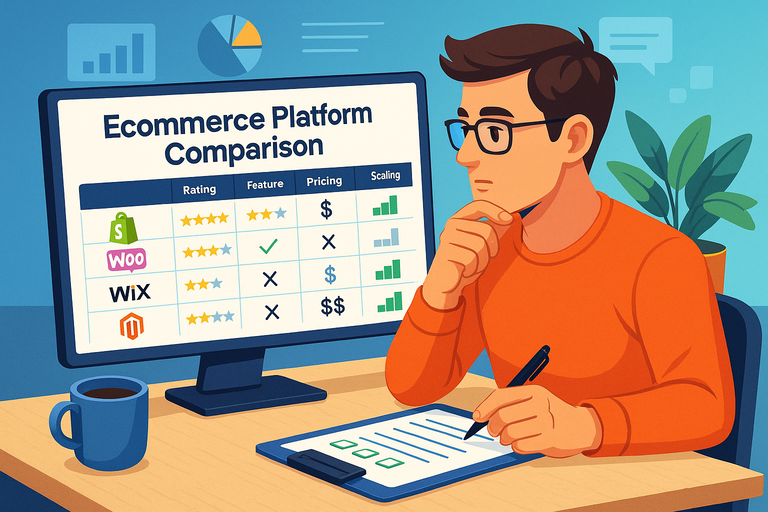
Comparing The Most Affordable Ecommerce Platforms
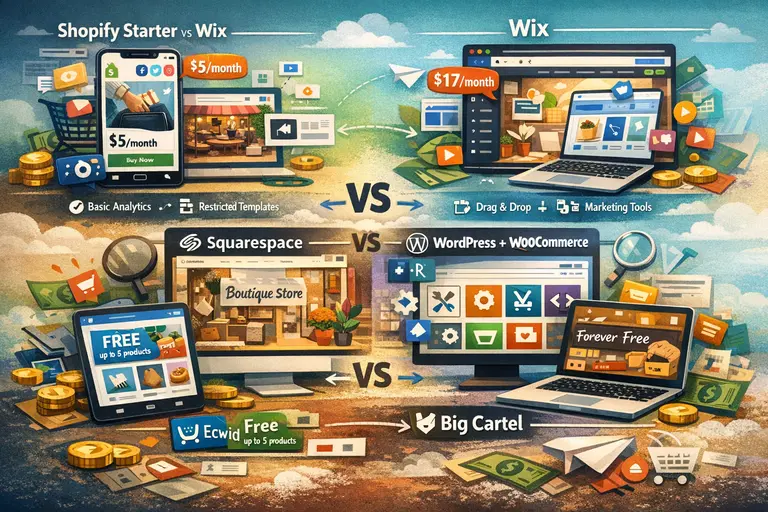
Not all ecommerce platforms are created equal. Some are affordable upfront but costly later. Others seem pricey but actually save you money with built-in features.
Let’s compare what gives you the best value for a cheap ecommerce website.
Shopify Starter vs Wix: Which Offers More for Less?
Both Shopify Starter and Wix appeal to beginners looking for an easy, low-cost setup—but they serve slightly different needs.
Shopify Starter (about $5/month):
- Great for selling directly via social media or existing websites.
- Includes secure checkout, basic analytics, and product management.
- Lacks full website customization unless you upgrade to higher tiers.
Wix (starts at around $17/month for ecommerce):
- Offers drag-and-drop design flexibility.
- Good for showcasing branded stores with custom visuals.
- Has built-in marketing tools but can get pricey once you add apps.
If your goal is to test product ideas cheaply, Shopify Starter is unbeatable. But if you want a full-fledged store with creative control, Wix offers more long-term value for small sellers.
Squarespace vs WordPress: The Battle of Budget Flexibility
This comparison really comes down to ease versus control.
Squarespace
- Known for stunning templates and built-in ecommerce.
- Great for creative brands (like artists or boutique stores).
- However, less flexible when it comes to custom integrations or advanced SEO.
WordPress + WooCommerce
- Completely free to start (you only pay for hosting).
- Highly customizable with thousands of free plugins.
- Slightly steeper learning curve, but unbeatable for long-term growth.
If you’re comfortable with a bit of tech setup, WordPress + WooCommerce can be the most affordable and scalable combo for serious sellers.
Ecwid and Big Cartel: Hidden Gems for Micro Businesses
These two platforms often get overlooked but can be ideal if you’re starting small.
Ecwid:
- Easily integrates into existing websites or social media pages.
- Free plan supports up to 5 products—perfect for testing.
- Affordable upgrades when your catalog grows.
Big Cartel:
- Tailored for artists, creators, and handmade sellers.
- Offers a forever-free plan (up to 5 products).
- Simple, minimal design but fewer customization options.
For anyone launching their first store on a shoestring budget, Ecwid and Big Cartel are powerful yet simple ways to start selling online today.
Evaluating Hosting Options For Cheap Ecommerce Sites
Even the best platform needs reliable hosting to run smoothly. Let’s explore how to choose hosting that fits your budget—without sacrificing site performance or uptime.
Shared vs Managed Hosting: Which Saves More Long Term?
It’s tempting to go for the cheapest shared hosting plan—but that can backfire as your traffic grows.
Shared hosting means your website shares server space with others. It’s cheap (as low as $3–5/month), but:
- Slower performance during traffic spikes.
- Limited security and support.
Managed hosting costs more upfront ($10–25/month), but it includes:
- Automatic updates and backups.
- Optimized performance for WordPress or WooCommerce.
- Better technical support.
If you’re just starting and expect low traffic, shared hosting is fine. But once you start generating consistent sales, upgrading to managed hosting can prevent downtime and data loss.
How to Choose the Right Hosting Plan for Your Store Size
Here’s a quick rule of thumb I often share:
- Under 100 products: Shared hosting (like Bluehost or Hostgator) works fine.
- 100–500 products: Consider managed WordPress hosting (like WPengine or WPX).
- Over 500 products or heavy traffic: Go for cloud-based hosting (like Cloudways).
Pay attention to bandwidth, uptime guarantees, and whether the host offers free SSL certificates—these can save you an extra $50–100 per year.
Recommended Hosting Providers for Budget Sellers
If you’re unsure where to start, here are some reliable hosting providers I’ve personally tested:
- Hostinger: Great for beginners, with plans under $3/month and free SSL.
- SiteGround: A bit pricier but known for strong performance and customer support.
- Cloudways: Perfect for scalability when you grow beyond basic hosting.
Pro tip: Always look for yearly deals. Many hosting companies offer up to 70% off for first-year customers—ideal when building your first cheap ecommerce website.
Designing a Professional Look on a Tight Budget
You don’t need to spend thousands on design to make your store look trustworthy and high-end. The truth is, customers care more about how easy it is to browse and buy than about fancy animations or expensive visuals.
Let’s look at how you can design a professional-looking cheap ecommerce website that builds trust from day one.
Using Free and Low-Cost Themes That Convert
One of the smartest ways to save money is by using high-quality free or affordable themes. These come pre-designed with layouts optimized for conversions—meaning they’re already structured to encourage clicks and purchases.
If you’re using Shopify, check out free options like Dawn or Sense. Both have clean designs and support product storytelling with great image layouts. For WordPress, themes like Astra or OceanWP are excellent free options that load fast and look polished out of the box.
Here’s what I’ve found works best when picking a theme:
- Choose one with minimal customization required—too many design tweaks slow you down.
- Look for built-in responsiveness so it adapts to all devices.
- Check the demo store experience—if it feels smooth, your customers will feel the same.
Remember, people don’t judge your site by how “fancy” it looks—they judge it by how easy it is to use.
Customizing Templates Without Paying for Developers
Hiring a designer can easily cost hundreds, but you can make impressive design tweaks yourself with the right approach.
Here’s how I suggest doing it:
- Use drag-and-drop editors. Platforms like Wix, Squarespace, and Elementor for WordPress let you move elements around without coding.
- Keep your color palette simple. Stick to 2–3 brand colors and one accent color for buttons or call-to-action links.
- Upgrade your visuals. Use free tools like Canva to create banners, product labels, or hero images that match your theme.
- Stay consistent. Use the same fonts, button styles, and image dimensions throughout your store to create a unified, trustworthy feel.
In my experience, less design clutter usually leads to more sales—because customers stay focused on your products, not your layout.
The Importance of Mobile Optimization for Budget Stores
More than 70% of ecommerce traffic now comes from mobile devices, according to Statista.
That means if your site doesn’t look and function beautifully on mobile, you’re losing buyers before they even see your checkout.
A quick checklist to stay mobile-friendly:
- Use vertical scrolling layouts—avoid wide, multi-column designs.
- Make buttons large enough to tap easily with a thumb.
- Ensure your images are compressed for faster load times.
- Test your checkout flow on your own phone—it’s the fastest way to find what’s broken.
A cheap ecommerce website that’s mobile-optimized can actually outperform pricier competitors that overlook user experience.
Essential Plugins and Tools to Keep Costs Low
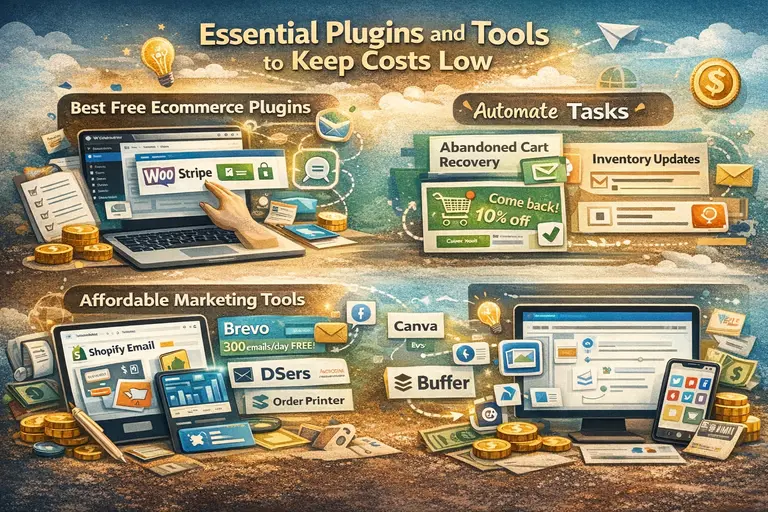
The right tools can help your store run smoothly without adding monthly costs. The key is to use only what helps you sell, automate, or analyze—nothing extra.
Best Free Ecommerce Plugins for WordPress and Shopify
If you’re on WordPress using WooCommerce, there are excellent free plugins that handle crucial store functions:
- WooCommerce Stripe Payment Gateway: Adds secure payment options at no extra cost.
- Yoast SEO: Helps optimize your product pages for search visibility.
- MailPoet: Lets you send promotional emails directly from your WordPress dashboard.
- LiteSpeed Cache: Boosts your site speed—critical for keeping customers engaged.
For Shopify, many native features reduce your need for third-party apps. Still, some free apps can elevate your setup:
- Shopify Email: A simple built-in tool for newsletters.
- DSers (AliExpress integration): Ideal if you’re dropshipping products.
- Order Printer: Helps you manage invoices and receipts easily.
My advice: Avoid adding too many apps early on. Each one can slightly slow down your site and add maintenance work.
Affordable Marketing Tools That Actually Work
Marketing doesn’t need to drain your budget if you focus on what brings measurable results.
Here are a few low-cost tools I personally recommend:
- Mailerlite: A great free plan for up to 500 subscribes and 12,000 emails per month.
- Canva Pro (optional): Worth the small investment for professional social media and ad visuals.
- Buffer: Schedules your social media posts automatically, saving hours every week.
One small example: A client I helped used only Mailerlite and Canva for their first three months. With consistent email promotions and social visuals, they grew sales 38%—without paying for ads.
That’s the beauty of smart, frugal marketing—it compounds.
How to Automate Tasks Without Expensive Software
Automation saves you time (and money) by reducing manual work. You don’t need fancy enterprise software—just a few simple automations can do wonders.
Start with these:
- Abandoned cart recovery emails: Most ecommerce platforms now include this feature for free.
- Email sequences: Automate welcome messages and follow-ups with Brevo or MailPoet.
- Inventory updates: Use built-in stock alerts so you never oversell.
- Social posting: Automate repetitive updates using Later.
The more you automate small repetitive tasks, the more time you can spend improving products or serving customers—things that truly grow your store.
Cutting Unnecessary Costs Without Hurting Growth
Running a cheap ecommerce website doesn’t mean you must limit growth—it’s about trimming waste.
Let’s talk about how to avoid the common money traps and focus your budget where it truly matters.
Common Budget Mistakes That Drain Your Finances
From what I’ve seen, many new store owners overspend early out of excitement.
Common pitfalls include:
- Paying for premium themes or apps you don’t need yet.
- Buying stock photos when free sites like Pexels have amazing options.
- Spending too much on paid ads before your site is fully optimized.
The smartest approach? Delay these expenses until your store starts generating consistent profit. I’ve seen small sellers double their margins just by cutting unused app subscriptions.
How to Prioritize Spending on What Actually Drives Sales
Think of your budget in terms of ROI—Return on Investment. Every dollar should serve a clear purpose.
Here’s a simple way to prioritize:
- Website performance: Fast hosting and SSL security always come first.
- Product presentation: Invest in good photography—it builds trust and drives conversions.
- Email marketing: It’s the highest ROI channel, often returning $36 for every $1 spent (Data: Litmus).
Skip flashy design upgrades or unnecessary plugins until you’ve nailed these basics.
Leveraging Open-Source Tools to Save Thousands
Open-source tools are like hidden treasures in ecommerce—they’re free, flexible, and supported by huge communities.
Some top open-source options I recommend:
- WooCommerce (WordPress): Completely free to start and endlessly customizable.
- Matomo Analytics: A free alternative to Google Analytics for detailed site tracking.
- OpenCart: Another excellent free ecommerce platform for small stores.
I once helped a client save nearly $2,000 a year by switching from premium analytics and email tools to open-source options. The best part? Their store performance didn’t drop—it actually improved because the site ran faster.
Pro tip: Frugality in ecommerce isn’t about doing everything “cheaply.” It’s about building smartly—investing only in what multiplies your growth, not what drains your wallet.
Marketing Strategies for a Cheap Ecommerce Website
You don’t need a big marketing budget to attract customers—what you need is creativity and consistency.
A cheap ecommerce website can generate serious sales when you use low-cost strategies that focus on genuine connection and long-term visibility.
Free and Low-Cost Traffic Channels to Focus On
When you’re on a tight budget, your best marketing channels are the ones that don’t cost money to access—only time and effort.
Here are some powerful options to start with:
- Social media platforms: Focus on one or two channels where your audience spends time. For example, if you sell handmade goods, Instagram and Pinterest can work wonders. Post consistently and engage with followers daily.
- Google Business Profile: It’s free, and it helps your store appear in local searches if you offer shipping or pickup options.
- Reddit and Facebook communities: Join niche groups related to your products. Offer helpful advice, not just promotions. This builds trust and curiosity.
- Affiliate partnerships: Offer micro-influencers a small commission or free product in exchange for genuine reviews or shoutouts.
From my experience, consistency always beats big ad budgets. The key is to show up every week with value-driven content instead of random sales pitches.
Email Marketing on a Budget: Effective and Affordable Tools
Email marketing remains one of the most profitable channels in ecommerce—and it’s surprisingly affordable to start.
If you’re looking to save money, tools like Brevo (formerly Sendinblue), MailerLite, or MailPoet (for WordPress) offer generous free plans with automation features.
Here’s how to make email work even on a budget:
- Collect emails early. Use pop-ups or checkout opt-ins to grow your list.
- Start with a welcome series. A simple 3-email sequence can introduce your brand, highlight bestsellers, and encourage first-time purchases.
- Send one consistent newsletter. It could include tips, product updates, or customer stories—whatever adds value.
- Use templates smartly. Design clean, mobile-friendly emails once, then reuse and tweak them to save time.
A friend of mine built her first 1,000-subscriber list using only Brevo’s free plan. Within three months, her email sales covered her website costs entirely—that’s the power of good, consistent messaging.
Using SEO and Content Marketing for Sustainable Growth
If you want steady, long-term traffic without paying for ads, SEO (Search Engine Optimization) is your best ally.
Start by optimizing your product pages and blog posts:
- Use descriptive keywords like “affordable handmade candles” instead of generic ones like “candles.”
- Add alt text to images so search engines can understand them.
- Write helpful content around your niche—for example, “How to choose the right candle scent for your home.”
Combine this with basic content marketing—blog posts, FAQs, and guides—and your cheap ecommerce website can rank for terms your audience is already searching for.
It takes time, but SEO-driven traffic compounds over months, turning into your most cost-effective and reliable growth channel.
When to Upgrade From a Cheap Ecommerce Setup
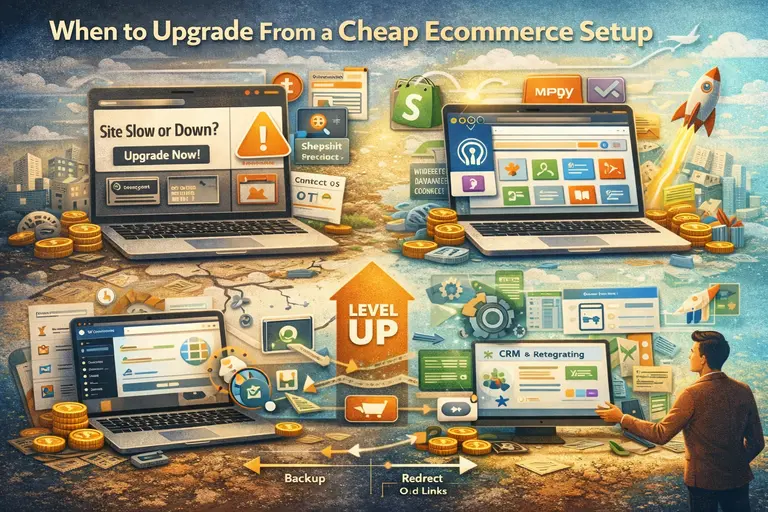
Every successful store eventually outgrows its starter setup. The goal is to recognize the signs early so your growth doesn’t stall.
Upgrading doesn’t mean abandoning “cheap”—it means becoming strategic about scaling efficiently.
Signs Your Store Has Outgrown Its Budget Platform
You’ll know it’s time to move up when:
- Your site speed drops or crashes under traffic spikes.
- You’re hitting platform limits on product listings or integrations.
- You need advanced marketing tools like retargeting or CRM (customer relationship management).
- Your checkout flow feels clunky or outdated compared to competitors.
If you’re experiencing two or more of these, it’s a good signal that upgrading to a higher-tier plan or more flexible platform (like WooCommerce or Shopify Basic) is worth it.
How to Transition Without Losing Data or Customers
Migrating your store might sound intimidating, but with a bit of planning, it’s smooth.
Here’s a simple process I use:
- Backup everything first. Export your product data, order history, and customer lists.
- Test your new setup. Run a staging site (a copy of your store) to check for design and function issues.
- Redirect old links. This ensures your SEO rankings and traffic remain intact.
- Notify your customers. A friendly email about “website upgrades” reassures them and can even create excitement.
Many platforms now offer migration tools that automate most of this. For example, Shopify’s “Store Importer” or WordPress’s “All-in-One WP Migration” plugin.
Budget-Friendly Scaling Strategies for Growing Stores
Scaling doesn’t mean doubling your expenses—it means being smarter with the systems you already have.
Try this:
- Batch your marketing tasks. Schedule social posts and emails ahead of time to save hours weekly.
- Outsource selectively. Hire freelancers only for tasks that drain your time, like product photography or copywriting.
- Use tiered pricing plans. Start with affordable add-ons and only upgrade when revenue supports it.
The best part? Many of the tools you started with—like Shopify or WordPress—let you scale smoothly without starting over. You’re simply unlocking more features as your business grows.
Realistic Budget Breakdown for a Cheap Ecommerce Website
Let’s talk real numbers. Understanding the true cost of building and maintaining a cheap ecommerce website helps you plan your cash flow and avoid nasty surprises.
What You Can Expect to Pay Monthly and Annually
Here’s an average cost breakdown for a lean, fully functional ecommerce setup:
Monthly Costs:
- Hosting or platform plan: $10–$25
- Domain name: $1–$2 (when billed annually)
- Email marketing tool: $0–$10 (depending on plan)
- Apps or plugins: $0–$15 (choose only essentials)
Total Monthly Range: $15–$50
Annual Costs:
- Domain renewal: Around $12–$20
- Hosting renewals: $60–$250 depending on provider
- Paid design assets or upgrades: Optional, $50–$100
All in all, you can comfortably run a professional store for under $600 per year if you make smart choices.
Hidden Costs to Watch Out For Before You Commit
Hidden costs can sneak up if you don’t pay attention. Look out for:
- Transaction fees: Shopify and other platforms often take a small cut per sale.
- Theme renewals: Some premium themes charge yearly updates.
- Currency conversion fees: Payment gateways may charge for non-local currencies.
Always read the fine print before committing to a platform or app. I’ve seen too many small stores surprised by small 2–3% deductions that add up over hundreds of sales.
How to Build a Store Under $500 (Step-by-Step Breakdown)
Here’s how to get started with a solid store under $500:
- Domain + Hosting: $60 for the year (Hostinger).
- Platform Setup: Free with WordPress + WooCommerce.
- Theme + Design: Use free themes like Astra or Shopify’s Dawn.
- Essential Tools: $0–$50 for plugins and marketing tools.
- Professional Photos: DIY with a smartphone and free editing apps.
That’s it—no corners cut, just smart decisions. I’ve built client stores that looked premium using this exact formula, and most turned profitable within their first few months.
Expert Tips for Building a Cost-Effective Online Store
At this stage, you’ve learned how to build, run, and grow your store affordably. Now let’s wrap up with some pro-level advice to make your cheap ecommerce website as sustainable as possible.
How to Make Smart Long-Term Investments in Tools
Invest only in tools that either save you time or directly increase revenue.
Ask yourself: Does this tool help me sell more or work less? If the answer is neither, skip it.
Examples of smart investments include:
- Quality hosting for faster load times.
- Email automation software that nurtures repeat customers.
- Analytics tools that help track and optimize your conversions.
Think long-term rather than chasing every “shiny” new app that comes along.
Balancing DIY and Outsourcing Without Overspending
Doing everything yourself can save money short-term but slow growth in the long run. The sweet spot is knowing what’s worth your time and what isn’t.
Here’s what I usually suggest:
- DIY your content, emails, and basic design updates.
- Outsource technical fixes, product photography, or advanced coding.
- Use marketplaces like Fiverr or Upwork for one-time projects instead of hiring agencies.
This hybrid approach keeps your costs lean while freeing up energy for what matters most—growing your sales.
Final Checklist for a Smart, Sustainable Budget Store
Before you call your setup done, review this quick checklist:
- Your store loads fast and looks clean on mobile.
- You’re collecting and nurturing an email list.
- You’ve automated at least one task (like abandoned cart recovery).
- You’re tracking traffic and conversions.
- You’re reinvesting profits into gradual improvements—not splurging.
A cheap ecommerce website built this way isn’t just affordable—it’s future-proof. You’ll have a strong foundation that grows with you, proving that smart strategy always beats a big budget.

I’m Juxhin, the voice behind The Justifiable.
I’ve spent 6+ years building blogs, managing affiliate campaigns, and testing the messy world of online business. Here, I cut the fluff and share the strategies that actually move the needle — so you can build income that’s sustainable, not speculative.
Related posts:
 How to Make Money Dropshipping: 7 Secrets to a $10K/Month
 Affiliate Advertising vs. Dropshipping: Which One Wins?
 How Do You Grow Online Business Without Big Marketing Budgets?
 Dropshipping Guide: Build a Store That Actually Sells
 How to Make Money Dropshipping Without Huge Upfront Costs
 Ecommerce Platform Comparison: Which One Fits Your Brand?