
Table of Contents
Some links on The Justifiable are affiliate links, meaning we may earn a small commission at no extra cost to you. Read full disclaimer.
When I first started my online store, I spent weeks comparing every cheapest ecommerce platform I could find. I thought choosing the one with the lowest price tag would be a win—but I quickly learned that “cheap” doesn’t always mean “smart.”
The real trick is finding a platform that’s affordable and reliable, one that won’t leave you regretting your choice a few months later.
In this guide, I’ll walk you through exactly how to pick the cheapest ecommerce platform without cutting corners on performance, features, or scalability.
Understand What “Cheapest” Really Means In Ecommerce Platforms
When I talk to new store owners, I notice that most people equate cheapest with the lowest monthly fee. But from what I’ve seen, the real cost of a platform is everything that happens after you sign up.
Clarify The Difference Between Price And Total Cost Of Ownership
Why the sticker price misleads: The monthly subscription is only one part of what you’ll pay. I learned this the hard way when a platform that looked like a bargain ended up requiring pricey add-ons just to function properly.
What you really need to examine:
- Platform subscription: This is the obvious starting point.
- Apps and extensions: Many core features require paid add-ons.
- Payment processing fees: These often take a bigger bite than the subscription itself.
- Maintenance costs: Some platforms require periodic upgrades, paid themes, or developer help.
From what I’ve seen, your total cost of ownership can easily be 3–5× the advertised monthly fee if you don’t map out the required tools ahead of time.
Identify Hidden Fees That Can Inflate Costs
I always tell people that the most expensive part of a “cheap” ecommerce platform is the stuff nobody notices until checkout.
Common hidden fees to watch for:
- Higher transaction fees for using certain payment gateways
- Theme upgrades that cost $30–$300
- Storage or bandwidth limitations that trigger overage fees
- Mandatory app purchases when the native platform lacks essential features
In practice, a low $9 plan can quietly turn into $50+ a month once these charges stack up. That’s why I like to list them out before committing, almost like a mini budget.
Compare Monthly Plans Vs. Transaction-Based Models
Some platforms keep subscription prices low by charging more per transaction. Others flip the model. Neither is wrong—you just need the one that fits how you sell.
Here’s how to think about it:
- If you’re selling low volume, transaction-based pricing might save you money.
- If you’re selling higher volume, flat-rate monthly plans usually win because transaction fees add up fast.
I once worked with a seller doing only 10–15 transactions a month, and their per-transaction model was perfect. But when their store grew, the fees doubled overnight. Knowing your projected volume helps you avoid that surprise.
Evaluate Long-Term Value Instead Of Short-Term Savings
A platform that’s the cheapest right now may force you to migrate later—something that can cost hundreds of dollars and weeks of time.
Think long-term by asking:
- Will this platform scale with your traffic and product catalog?
- Does the price jump dramatically when you upgrade plans?
- Will you eventually need features it doesn’t offer?
I’ve seen sellers start cheap, only to rebuild everything from scratch because the platform couldn’t grow with them. Sometimes spending a little more upfront protects you from a huge headache later.
Know The Essential Features You Should Never Compromise On
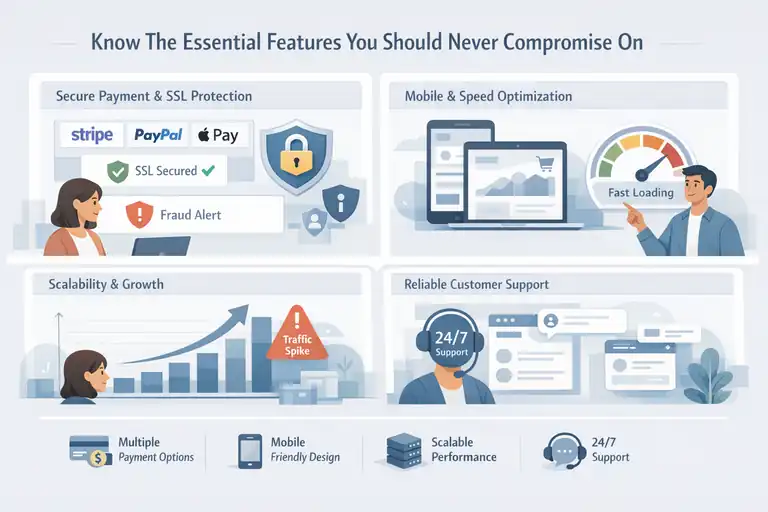
Even when choosing the cheapest ecommerce platform, there are non-negotiables. Skipping these often costs more later—financially and mentally.
Prioritize Core Tools Like Payment Gateways And SSL Security
You need the basics to be solid: Payment gateways determine how you get paid, and SSL security is what protects your customers. Without these, your store loses trust immediately.
What you should look for:
- Multiple payment options: Stripe, PayPal, Apple Pay, etc.
- Automatic SSL: Not something you have to configure manually
- Fraud protection tools: Even basic filters help
In my experience, platforms that skimp on these essentials usually make up for it with expensive apps or complicated setups.
Check For Mobile Optimization And Fast Loading Speeds
Most people shop on their phones today, and Google even uses mobile friendliness as a ranking signal.
Here’s what I pay attention to:
- Responsive templates: Your store should adjust cleanly to small screens.
- Lightweight themes: Heavy designs slow down loading.
- Built-in speed optimization: Some platforms handle caching for you.
A one-second delay can reduce conversions by up to 7%. That stat alone made me rethink which platforms I considered “cheap.”
Ensure Scalability For Business Growth And Traffic Spikes
I love seeing small stores grow, but growth instantly exposes the weaknesses of a bargain platform.
Scalability questions to ask:
- Can you add unlimited products without performance issues?
- Does the platform throttle speed during promotions?
- Are upgrade paths smooth and affordable?
There’s nothing more stressful than running a sale only to have your site slow down or crash because the platform couldn’t handle it.
Look For Reliable Customer Support Even On Basic Plans
A cheap platform with poor support becomes the most expensive choice the moment something breaks.
Support elements that matter:
- Live chat or email support with reasonable response times
- Clear documentation so you can solve issues quickly
- Community forums with active users
From what I’ve seen, platforms with good support save you more time—and time is the most underrated cost in ecommerce.
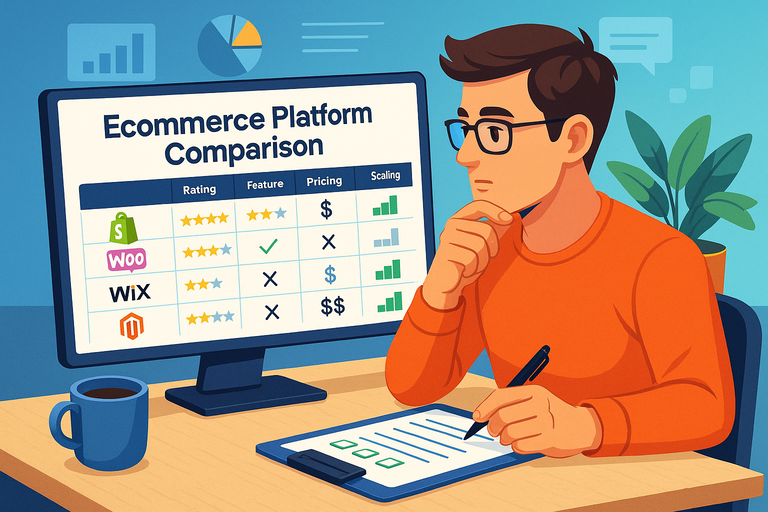
Compare The Most Affordable Ecommerce Platforms Side By Side
I’ve tested dozens of low-cost platforms, and while pricing changes over time, the differences in value are always noticeable.
Shopify Starter vs. Wix vs. Squarespace — Which Is Truly Cheapest?
These three often show up in the same conversations, but their strengths differ more than most people expect.
How I break them down:
- Shopify Starter: Extremely lightweight; best when you want to sell through social media or link-based checkout. Minimal tools, but the ecosystem is strong.
- Wix: More design freedom, decent ecommerce tools, and great for small catalogs. Costs rise when you add advanced features.
- Squarespace: Beautiful templates and simple setup. Ecommerce tools are solid for creators and brands, but customization is limited.
For pure cost, Shopify Starter often wins. For all-in-one value, Wix frequently edges out the others for small shops.
Big Cartel vs. Ecwid — Budget-Friendly Platforms For Small Sellers
I usually recommend these when someone wants to start selling quickly without a heavy commitment.
Big Cartel
- Great for artists and makers
- Free plan available (with limitations)
- Very simple—almost too simple for growing stores
Ecwid
- Works as an add-on to existing sites
- Good if you already have traffic elsewhere
- Affordable paid plans with decent features
If you’re selling 10–20 products and don’t need deep customization, both give strong value for the price.
WooCommerce With WordPress — Flexible Yet Cost-Effective Option
If you’re comfortable managing your own hosting, WooCommerce can be incredibly cheap and flexible. But it does require some hands-on work.
What makes WooCommerce appealing:
- Free core plugin
- Thousands of extensions
- Total design freedom
But here’s the catch: Hosting, themes, and premium plugins can add up fast if you’re not careful. I’ve seen people spend $20 a month and others spend $300—it all depends on your setup.
Exploring Emerging Low-Cost Platforms With Strong Features
New platforms appear every year promising “cheaper than Shopify” alternatives.
Some genuinely impress me, especially the ones focused on mobile-first selling or rapid storefront deployment.
What I look for in emerging platforms:
- Transparent pricing with no hidden fees
- Clean, simple dashboards that don’t overwhelm beginners
- Modern checkout options like BNPL (Buy Now, Pay Later)
- Stable uptime records
While they aren’t always as feature-rich as older players, a few of these new options deliver surprising value—especially if you’re launching a minimalist store or testing a product idea.
Calculate The Real Cost Of Running Your Online Store
This is the part most people skip when searching for the cheapest ecommerce platform, and honestly, it’s where real regrets happen.
I’ve learned that getting your numbers right upfront removes so much stress later.
Include Domain, Hosting, And Payment Processing Fees
Why these costs matter: The platform fee is rarely the full picture. Your domain, hosting (if needed), and payment fees add up quietly in the background.
When I started my first store, I underestimated these by almost 40%, simply because I didn’t map them out.
Key areas to calculate:
- Domain: Usually $10–$20 per year. Some platforms include the first year free, but not renewal.
- Hosting: Only needed for platforms like WooCommerce or open-source tools. Costs range from $5/month for shared hosting to $25–$40/month for something speed-focused.
- Payment processing: Stripe and PayPal typically charge around 2.9% + 30¢ per transaction. Those fees grow faster than you think.
If you expect to sell lower-priced products in higher volume, payment fees quickly become your biggest line item.
That’s why I always tell people: Run the numbers based on your actual product pricing, not general estimates.
Factor In App Integrations, Add-Ons, And Custom Features
Where budgets often explode: Most cheap ecommerce platforms look affordable until you start adding the features you actually need. Things like upsells, abandoned cart recovery, analytics, or product variants often live behind paid integrations.
Costs that sneak up on you:
- Email marketing integrations
- SEO tools
- Inventory management extensions
- Premium themes
I once worked with a seller using a $9 plan that ballooned into a $95/month bill because every “basic” feature required another paid app.
That’s why I personally look for platforms with strong native features—even if the base plan costs a bit more.
Estimate Marketing And SEO Costs Beyond The Platform Fee
The platform is just the foundation: Your real growth comes from visibility, and visibility almost always requires investment. Whether you do paid ads, content creation, or SEO tools, these need to be part of your cost planning.
What to budget for:
- SEO tools or plugins
- Email marketing software
- Paid ads (Facebook, TikTok, Google)
- Photography or creative assets
If you plan to rely on organic traffic, an SEO plugin on platforms like WooCommerce can be a lifesaver. If you rely heavily on ads, make sure your platform supports fast landing pages, because speed directly impacts ad performance.
Use A Simple Cost Comparison Table Before Committing
Why this step saves you money: I’m a big believer in building a quick comparison table before choosing a platform. Just seeing everything side by side keeps you from chasing the lowest monthly fee without noticing what you’ll spend over the next 12 months.
Your table should include:
- Subscription cost (monthly or annual)
- Transaction fees
- App/plugin costs
- Domain + hosting
- Estimated marketing tools
When you add it all up, the “cheapest” option sometimes turns out to be the one that looked mid-range at first glance but needs fewer paid extras.
Evaluate Ease Of Use And Setup Time
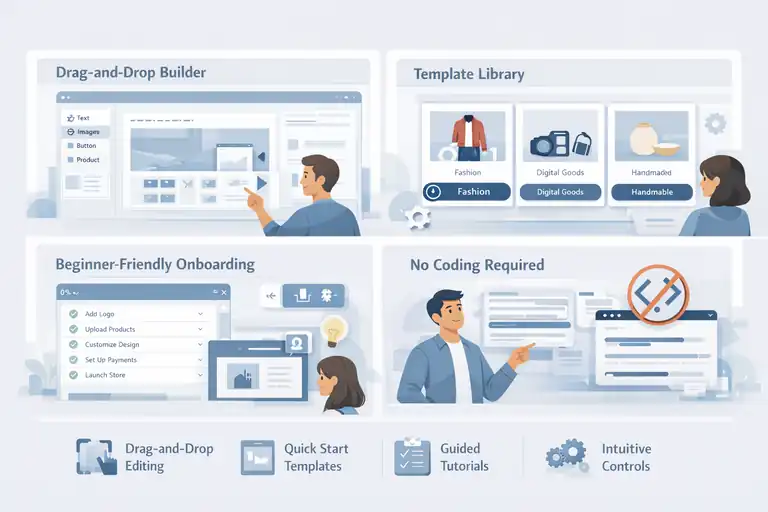
A cheap platform with a difficult setup can cost you more time—and honestly, frustration—than it’s worth. I always tell people: If it slows you down, it’s not actually cheaper.
Look For Drag-And-Drop Builders With Minimal Learning Curve
Why this matters: If you’re not a developer, a clean drag-and-drop editor can save you hours every week. A good builder lets you update banners, rearrange sections, and adjust product layouts without Googling code snippets.
Signs a platform is beginner-friendly:
- Visual editing without confusing menus
- Real-time preview as you build
- No HTML or CSS required (unless you want it)
In my experience, the platforms that nail drag-and-drop editing help store owners launch faster and adjust their pages more confidently—without hiring help.
Check Availability Of Templates For Quick Store Launch
Templates are your shortcut: I love templates because they take the pressure off design. A solid template library means you can pick something that fits your brand and launch quickly without reinventing everything.
Look for templates that are:
- Mobile-responsive
- Designed for your product type (fashion, digital goods, handmade items, etc.)
- Easy to customize without breaking the layout
A good template saves you at least 5–10 hours of design time. And honestly, it also helps you avoid the temptation to over-design your store before you’ve made a sale.
Compare Onboarding Support And Step-By-Step Tutorials
Why onboarding matters: The first few days with a platform determine how fast you launch. When a platform offers clear onboarding, you’ll feel guided rather than overwhelmed.
Helpful onboarding tools include:
- Setup checklists
- Guided tutorials
- Tooltips inside the dashboard
- Example product pages you can duplicate
Whenever I test a platform and see thoughtful onboarding, I immediately know they care about beginners—and that usually reflects in the rest of their product decisions too.
Avoid Platforms That Require Too Much Technical Knowledge
When complexity kills momentum: If you constantly need to watch technical tutorials or edit code for small changes, the platform will slow you down. And if you ever want to hire help, technical platforms usually cost more to outsource.
Red flags include:
- Manual setups for basic features
- Frequent need for custom code
- Confusing dashboards with too many settings
- Poor documentation
I once helped someone migrate off a technically demanding platform simply because they were spending more time fixing settings than actually selling products. If a platform feels too heavy early on, it rarely gets easier.
Assess Scalability And Upgrade Paths Before You Commit
A platform can be cheap today but painfully expensive later if you outgrow it. I’ve seen sellers forced into full rebuilds simply because they didn’t think about growth early on.
Determine How Each Platform Handles Traffic Growth
Why this matters: As your store grows, so does your traffic. Some platforms handle spikes with ease, while others slow down or even limit bandwidth on lower plans.
Consider these factors:
- Does the platform throttle speed during high-traffic events?
- Are there bandwidth or storage limits?
- Does performance degrade with large product catalogs?
If you ever plan to run promotions, paid ads, or seasonal campaigns, this becomes a make-or-break factor.
Check If You Can Easily Upgrade Without Rebuilding The Store
Upgrades should feel seamless: I always look for platforms where upgrading is simply clicking a new plan—not restructuring the store. Some cheaper platforms force you to reconfigure features or migrate templates when you move up tiers.
Look for:
- One-click plan upgrades
- Feature unlocks without reinstallation
- No reformatting of product pages during upgrades
Smooth upgrade paths are especially important if you expect steady growth or want to add new product lines.
Compare Pricing Jumps Between Basic And Premium Plans
This is where people get blindsided: A platform might look inexpensive at the entry tier but jump dramatically once you need more features. Some double or triple their pricing at the mid-tier level.
Before choosing, check:
- Cost difference between tier 1 and tier 2
- Whether transaction fees reduce as you upgrade
- Which essential features unlock only at higher tiers
Sometimes, the platform that costs a little more upfront ends up cheaper long-term because the upgrade jumps are smaller.
Choose A Platform That Grows With Your Business
Think long-term from day one: The safest choice is a platform that scales from simple to advanced without making you rebuild your store. I personally lean toward tools with strong ecosystems, stable performance, and clear upgrade logic.
A scalable platform should let you:
- Add more products without performance issues
- Expand internationally
- Improve checkout options as you grow
- Add advanced marketing features later
If your platform grows with you, you won’t feel pressured to switch right when your store starts gaining traction—which is the worst possible time to migrate.
Check Platform Reputation And Community Feedback
Before committing to what looks like the cheapest ecommerce platform, I always take a step back and study how real users feel about it. You can learn more from three honest reviews than from a full sales page.
Read Verified Reviews And Real User Experiences
Why real reviews matter: I’ve seen platforms advertise themselves brilliantly, only for the user experience to feel completely different. Verified reviews help you catch the truth behind the marketing.
Where to look:
- G2 and Capterra for structured, detailed reviews
- Reddit threads for unfiltered user stories
- YouTube walkthroughs from sellers who actually use the platform
When I read reviews, I look for recurring patterns—good or bad. A single complaint isn’t a dealbreaker, but consistent comments about slow dashboards or glitchy checkout flows usually tell me everything I need to know.
Watch Out For Common Complaints About Downtime Or Hidden Fees
Two red flags I never ignore: Downtime and hidden fees will hurt your business faster than any “cheap” price helps it.
What I watch for:
- Multiple users mentioning outages during peak times
- Surprise fees for bandwidth, storage, or basic features
- Transaction fees that aren’t clearly disclosed
- Sudden price increases after the first year
I once advised someone using a low-cost platform that experienced downtime on Black Friday. They lost nearly 40% of expected revenue in a single day. After that, I never overlook uptime reliability again.
Compare Community Size And Active Support Forums
Why community matters: A strong user community becomes a second support system. If you get stuck, someone has usually solved the same problem before you.
Healthy community signs:
- Active forums with recent posts
- Facebook groups or Discord channels with daily engagement
- Tutorials created by users, not just the company
Platforms with thriving communities tend to evolve faster because they actually listen. When a product has silence around it, that usually means slow updates and limited momentum.
Identify Patterns Of Poor Support Or Unreliable Performance
Look for consistent behavior, not one-offs: Every platform will have a few unhappy users. But when you start seeing repetitive concerns, that’s usually a sign of deeper issues.
Patterns to pay attention to:
- Slow or copy-paste replies from support
- Delayed bug fixes
- Frequent checkout errors
- Apps that break after updates
Whenever I see sellers constantly contacting support for small issues, I know the platform isn’t stable enough for long-term growth.
Consider Free Trials And Refund Policies Before Paying
Before spending a dollar, I like to test-drive platforms the same way you’d test a car. You wouldn’t buy a car based only on photos—and the same goes for ecommerce tools.
Take Advantage Of 14–30 Day Free Trials To Test Features
Trials reveal the truth: Most platforms offer some sort of free trial, and I always use this time to check whether the tools feel intuitive enough for daily use.
During trials, I test:
- Product creation and editing
- Checkout experience
- Speed on mobile
- Theme customization
By the end of the trial, you’ll know whether the platform feels like a natural fit—or something you’d dread logging into.
Track How Each Platform Handles Payment Integration During Trial
Payments should be smooth and simple: A surprising number of platforms complicate payment setup, and that alone can be a dealbreaker.
What I check:
- How easy it is to connect Stripe or PayPal
- Whether test transactions work smoothly
- Whether there are restrictions on certain payment types
- If transaction fees are transparent
One time, I tested a tool where payments only worked after manual approval. That delay alone pushed me to another platform before the trial ended.
Check Refund Policies For First-Time Subscribers
Refund policies are your safety net: Some platforms will refund if you cancel within the first few days or weeks. Others won’t refund under any circumstances.
Look for policies that:
- Offer at least a 7-day refund window
- Allow cancellations without hidden penalties
- Are clearly stated and not buried in fine print
A fair refund policy shows confidence in their product—and respect for your money.
Use Free Demos To Simulate Your Store Setup Before Launch
Demos help you see the full picture: Even before trials, I often check demos to get a sense of the dashboard, editing experience, and theme structure.
Demos let you:
- Preview templates
- Explore the backend without creating anything
- Understand how the navigation and settings work
- Decide whether the interface feels modern or outdated
If a demo feels clunky, the real experience rarely gets better.
Avoid Regret By Thinking Long-Term
It’s easy to pick a platform based on price, but long-term thinking prevents you from rebuilding everything later.
I’ve learned to treat platform choice like a long-term partnership.
Choose Platforms With Consistent Updates And Feature Growth
A platform that stagnates becomes a liability: When a tool updates regularly, it adapts to new ecommerce trends, payment tools, and security standards.
Healthy update signs:
- Monthly or quarterly release notes
- New features based on user feedback
- Improvements to speed and mobile optimization
Tools that don’t evolve eventually leave you stuck using outdated methods while competitors leap ahead.
Ensure You Can Export Your Data If You Switch Later
Data portability is non-negotiable: You don’t want to be trapped. Being able to export products, customers, and order history saves you weeks of manual work if you ever switch platforms.
The minimum I expect:
- CSV export for products
- Customer and order export
- Ability to migrate images without re-uploading one by one
I once helped a client migrate from a platform that didn’t allow exporting customer data. That single limitation turned a one-day migration into a three-week nightmare.
Avoid Lock-In Contracts That Limit Flexibility
Flexibility protects your future: Some platforms offer lower pricing in exchange for long contracts. That sounds appealing until you want to leave.
Avoid contracts that:
- Charge heavy cancellation fees
- Require multi-year commitments
- Lock features behind contract upgrades
A platform should earn your loyalty month by month, not trap you.
Prioritize Reliability And Support Over Minor Cost Differences
A small savings can cost you big: If two platforms differ by only a few dollars, I always choose the one with better support and reliability. The peace of mind alone is worth the extra cost.
I’ve learned:
- Good support prevents downtime
- Reliable uptime maintains revenue
- Stable performance boosts conversion rates
Sometimes the cheapest ecommerce platform is the one that saves you from lost sales—not the one with the smallest subscription fee.
Pro Tip: Start Cheap, But Choose Smart
If I could give you one actionable takeaway, it’s this: You don’t need to overinvest early on, but you do need to choose a platform that won’t hold you back.
Begin With An Affordable Plan And Scale Gradually
Start simple: Most platforms offer low-tier plans that are perfect for beginners. I like starting here to minimize risk while still building momentum.
But scale when:
- Your traffic increases
- You need better analytics
- You want more marketing features
The key is not staying on the lowest plan longer than you should.
Track ROI Monthly To See If The Platform Justifies Its Cost
ROI is your compass: I check my return on investment every month. If I’m paying $29 and making $3,000, that’s a great trade. If I’m paying $29 and making $50, something needs adjusting.
Track simple metrics:
- Monthly revenue
- Ad spend
- Platform fees
- App costs
ROI keeps your decisions grounded in reality.
Reassess Features As Your Business Grows
Your needs will change: The tools that feel “extra” today may become essential six months from now. That’s completely normal.
Check every quarter:
- Are you hitting limitations?
- Do you need automation?
- Has your store design outgrown the template?
Growth naturally requires upgrades—and that’s a good sign.
Ecommerce Platform Cost And Feature Comparison (Quick View)
| Platform | Starting Monthly Cost | Transaction Fees | Hosting Included | Ease Of Use | Best For | Main Trade-Off |
| Shopify Starter | Low | Yes | Yes | Very easy | Social selling, beginners | Limited storefront features |
| Shopify Basic | Medium | Reduced | Yes | Easy | Growing stores | Apps add ongoing costs |
| Wix Ecommerce | Low–medium | No (gateway fees apply) | Yes | Very easy | Small product catalogs | Scaling gets expensive |
| Squarespace Commerce | Medium | No (gateway fees apply) | Yes | Easy | Creators, design-first brands | Less flexible checkout |
| Big Cartel | Free–low | No (gateway fees apply) | Yes | Very easy | Artists, simple stores | Very limited features |
| Ecwid | Free–low | No (gateway fees apply) | Partial | Easy | Adding store to existing site | Customization limits |
| WooCommerce (WordPress) | Low (variable) | No (gateway fees apply) | No | Moderate | Control-focused sellers | Requires setup and maintenance |
Final Thoughts: Choose Confidence Over Cheap Wins
If there’s one thing I hope you take away from this guide, it’s that choosing the cheapest ecommerce platform is less about chasing the lowest price and more about avoiding future regret.
Cheap should feel freeing, not limiting. It should give you room to experiment, grow, and learn without constantly worrying about hidden fees, broken features, or having to rebuild everything from scratch.
From what I’ve seen—and experienced myself—the best decisions come from slowing down just a little. Comparing real costs, testing platforms properly, reading honest reviews, and thinking six to twelve months ahead can save you an incredible amount of time and stress.
Most store owners don’t fail because they chose the wrong product. They struggle because their platform quietly works against them.
I genuinely believe you don’t need the most advanced or expensive tool to start. You need one that fits where you are right now while still respecting where you’re going. Start small. Learn fast. Upgrade intentionally. Let your platform support your momentum instead of draining it.
And remember this as you move forward: The cheapest ecommerce platform isn’t the one with the lowest monthly fee. It’s the one that lets you focus on selling, learning, and growing—without unnecessary friction, surprise costs, or constant second-guessing.
If you choose with clarity instead of urgency, regret usually doesn’t show up at all.

I’m Juxhin, the voice behind The Justifiable.
I’ve spent 6+ years building blogs, managing affiliate campaigns, and testing the messy world of online business. Here, I cut the fluff and share the strategies that actually move the needle — so you can build income that’s sustainable, not speculative.
Related posts:
 Best Ecommerce Platform for Startups With Low Budgets
 How to Make Money Dropshipping: 7 Secrets to a $10K/Month
 Dropshipping Guide: Build a Store That Actually Sells
 Start Dropshipping Today: A Simple Guide for Complete Beginners
 Ecommerce Platform Comparison: Which One Fits Your Brand?
 How to Sell on SaleHoo: A Simple Guide for New Sellers