
Table of Contents
Some links on The Justifiable are affiliate links, meaning we may earn a small commission at no extra cost to you. Read full disclaimer.
If you are wondering whether does wp rocket improve seo rankings for blogs in any real, measurable way, the honest answer is yes, but not in the simple “install plugin, jump to page one” way many people hope for.
WP Rocket can improve the technical conditions that support rankings by speeding up pages, helping Core Web Vitals, and reducing friction for readers, but Google still ranks content primarily on relevance, helpfulness, and overall page experience.
In other words, WP Rocket can strengthen your SEO foundation, but it cannot replace strong content, internal linking, topical coverage, and search intent alignment.
What WP Rocket Actually Changes For Blog SEO
WP Rocket is best understood as a performance plugin first and an SEO helper second.
That distinction matters because a lot of bloggers buy speed tools expecting ranking gains, when what they are really buying is a cleaner, faster user experience.
What WP Rocket Does Behind The Scenes
When you activate WP Rocket, it applies caching and several front-end performance improvements designed to reduce the work a browser has to do before showing your content.
On its official site and documentation, WP Rocket highlights page caching, CSS delivery optimization, deferred and delayed JavaScript, and tools for improving PageSpeed and Core Web Vitals.
It also says many best practices are applied right after activation, which is one reason it is popular with non-technical WordPress users.
For a blog, that usually means your post pages can load faster for repeat and first-time visitors, especially when the site was previously slowed down by bulky themes, extra plugins, or unoptimized scripts.
In practical terms, your article content appears sooner, layout shifts are reduced, and readers can start consuming the page faster.
The SEO value here is indirect but real. Faster pages often improve engagement signals you can actually observe in analytics, like lower bounce rate on slow mobile pages, longer average engagement time, and more pages viewed per session.
Google does not tell us that a plugin itself is a ranking factor, because it is not. What matters is whether the page becomes more useful, accessible, and pleasant to use.
Why Bloggers Confuse Speed With Rankings
I see this mistake all the time: a blogger installs WP Rocket, runs PageSpeed Insights, watches a score jump from 58 to 91, and assumes rankings must follow. Sometimes they do. Sometimes nothing happens. The reason is simple.
Google has made it clear that page experience and Core Web Vitals are part of its ranking systems, but they are not a magic override for relevance.
Helpful, reliable, people-first content still matters more. If two pages are similarly relevant, the one with a better page experience may have an advantage. If your post is thin, outdated, or badly matched to the query, speed alone will not save it.
That is why the better question is not “Will WP Rocket improve rankings?” It is “Will WP Rocket remove performance bottlenecks that are holding my blog back?” For many blogs, the answer is yes.
The Simple SEO Verdict
Here is the plain-English version.
- WP Rocket can help SEO: By improving speed, Core Web Vitals, crawl efficiency on a practical level, and user experience.
- WP Rocket cannot create relevance: It will not fix weak keyword targeting, shallow articles, poor site structure, or missing expertise.
- WP Rocket matters most when your blog is already decent: If your content is good and your site is slow, the plugin can unlock gains you were leaving on the table.
I believe this is the healthiest way to frame it. WP Rocket is not an SEO strategy. It is a performance layer that can make your SEO strategy work better.
How Google Connects Speed, Page Experience, And Rankings
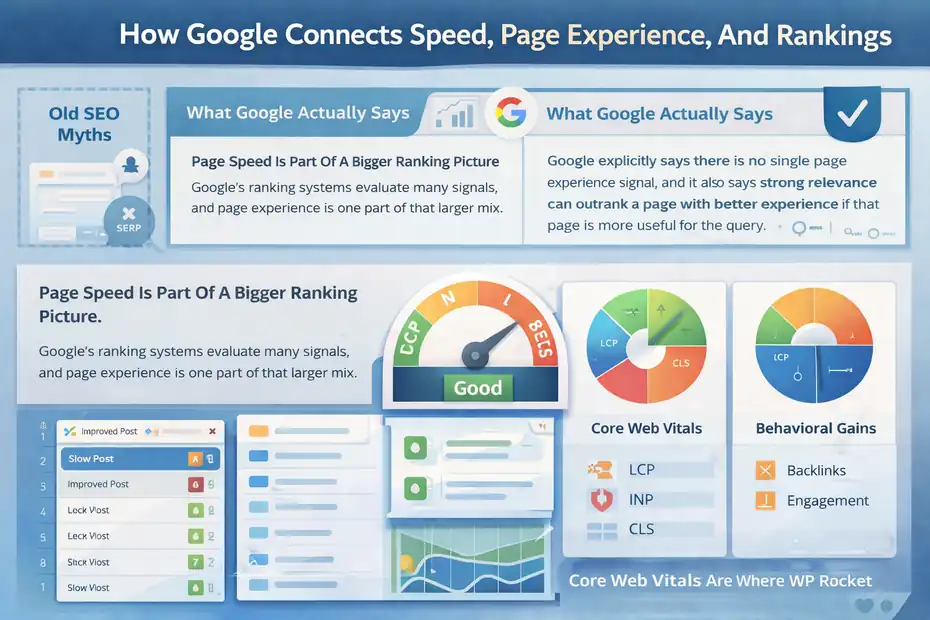
To answer the main question properly, we need to separate old SEO myths from what Google actually says.
Page Speed Is Part Of A Bigger Ranking Picture
Google’s ranking systems evaluate many signals, and page experience is one part of that larger mix. Google explicitly says there is no single page experience signal, and it also says strong relevance can outrank a page with better experience if that page is more useful for the query.
At the same time, Google recommends achieving good Core Web Vitals because those metrics align with better real-world user experience and can contribute to success in search.
This matters for blogs because most blog posts compete in crowded SERPs. If ten articles answer the same question reasonably well, performance differences can become a tie-breaker. A post that loads quickly, remains visually stable, and responds smoothly on mobile has a better chance of keeping the click it earned.
From what I have seen, speed rarely turns a bad article into a top result, but it often helps a good article hold onto traffic better after it wins visibility.
Core Web Vitals Are Where WP Rocket Becomes Relevant
Core Web Vitals measure loading performance, interactivity, and visual stability. In practical blogging terms:
- LCP: How quickly the main content becomes visible.
- INP: How responsive the page feels when a user interacts.
- CLS: How much the layout jumps around while loading.
WP Rocket directly targets several issues that affect those metrics. Caching can improve load times. CSS optimization can reduce render-blocking resources. Delay JavaScript execution can prevent non-essential scripts from slowing initial rendering.
Remove Unused CSS can reduce excess front-end weight, although it sometimes needs troubleshooting on complex sites.
That is where the plugin genuinely intersects with SEO. It does not send Google a signal saying “this site uses WP Rocket.” It improves the technical performance data that can shape both user experience and search performance.
Why Better UX Can Create SEO Gains Even Beyond Ranking Factors
There is another layer many bloggers overlook. Faster pages do not just help with formal ranking signals. They also make visitors more likely to stay, scroll, subscribe, click internal links, and return.
Imagine you publish a 2,500-word tutorial that ranks in positions 5 to 8. If the page takes too long to become usable on mobile, a chunk of readers leaves before they even reach your first useful paragraph. If WP Rocket improves that experience, you may keep more of those visitors.
That can lead to more branded searches, more backlinks, more newsletter signups, and stronger behavioral outcomes that support growth over time.
So yes, speed can help rankings directly in limited ways and indirectly in bigger ways. I think the indirect effects are often more valuable for blogs.
When WP Rocket Helps Rankings The Most
WP Rocket is not equally valuable for every blog. Some sites are so lightweight they barely need it. Others are bleeding performance and can see a clear jump after setup.
Blogs With Heavy Themes And Page Builders
This is one of the most common use cases. A lot of WordPress blogs run on visually polished themes with sliders, animation libraries, icon packs, custom fonts, and page builder assets loading everywhere. The result is often bloated CSS and JavaScript.
WP Rocket helps in these situations because it can cache pages, optimize CSS delivery, and delay JavaScript execution so the browser prioritizes visible content first. Its documentation specifically positions delay JavaScript as one of its most powerful optimizations
On slower mobile devices, that can be the difference between a page that feels usable and one that feels sticky and frustrating.
If your blog uses Elementor, Divi, or another builder-heavy setup, I would pay close attention to post templates, archive pages, and homepage assets. These are often the pages where performance gains show up first.
Blogs That Already Rank But Underperform On Mobile
This is where I think WP Rocket can be a quiet revenue tool, not just a speed tool. Suppose your blog already ranks for dozens of long-tail keywords, but mobile users bounce faster than desktop users and your Core Web Vitals report in Search Console is weak.
In that case, you do not necessarily need a content rewrite first. You may need to remove friction. Google’s documentation stresses that page experience is evaluated largely on a page basis, and Core Web Vitals are used by ranking systems. So if your mobile article pages are slow while your content quality is already solid, WP Rocket can improve a part of the puzzle that is actually holding you back.
A realistic example: A recipe blog with strong content and decent backlinks may not need “better SEO writing” nearly as much as it needs fewer layout shifts from ads, faster image delivery, and reduced script load.
Content-Rich Blogs With Hundreds Of Posts
Caching becomes more valuable as content volume grows. A small five-page blog can often survive with basic hosting and minimal optimization. A 500-post blog with category pages, related posts widgets, author boxes, ad scripts, and search traffic across hundreds of URLs has a very different performance profile.
WP Rocket claims it is used on millions of websites and emphasizes compatibility with popular themes, plugins, and hosts. That broad compatibility matters because mature blogs often have messy plugin stacks. The ability to improve speed without custom development is a major advantage for content publishers.
For these sites, the SEO upside is less about a single “ranking boost” and more about preserving performance across the whole content library as the site grows.
When WP Rocket Will Not Improve Rankings Much
This is the part sellers usually skip, but it is the part you need if you want an honest article.
Thin Content Still Loses
If your blog posts barely answer the query, WP Rocket is not the fix. Google’s guidance around helpful, reliable, people-first content makes that pretty clear. Pages created mainly to manipulate rankings are not what Google wants to reward. A fast thin article is still a thin article.
I suggest thinking in this order: relevance first, depth second, experience third. WP Rocket strengthens the third layer. It cannot replace the first two.
A good test is this: If your page loaded instantly, would it still deserve to rank? If the answer is no, performance work is not your first bottleneck.
Your Hosting Is The Real Problem
A lot of bloggers blame WordPress when the deeper issue is low-quality hosting. Caching plugins help, but they cannot fully compensate for an overloaded server, poor database performance, slow TTFB, or badly configured infrastructure.
If your hosting environment is weak, WP Rocket may still improve lab scores, but the ranking impact may be modest because your site remains inconsistent in real-world conditions.
That is why field data matters more than one lucky Lighthouse test. Google points site owners toward evaluating page experience with real signals, not just isolated synthetic results.
This is also why WP Rocket now includes Rocket Insights, which it says can track key pages and performance metrics inside the dashboard. Monitoring matters because you need to know whether the site is faster for actual pages that rank, not just your homepage.
Misconfiguration Can Cancel The Benefits
Performance plugins are powerful, but they are not foolproof. WP Rocket’s own documentation includes troubleshooting for Remove Unused CSS and notes that delaying or excluding scripts needs care. That is a sign of a mature tool, not a flaw, but it also means “set it and forget it” is not always enough.
A misconfigured setup can break layouts, delay important functionality, or create weird visual flashes that actually hurt user experience. For blogs with membership features, dynamic widgets, custom ad logic, or complicated theme behavior, testing matters.
So no, WP Rocket does not improve rankings automatically. It improves the odds when implemented correctly on a site that already deserves to perform better.
How To Set Up WP Rocket For SEO-Friendly Blog Performance
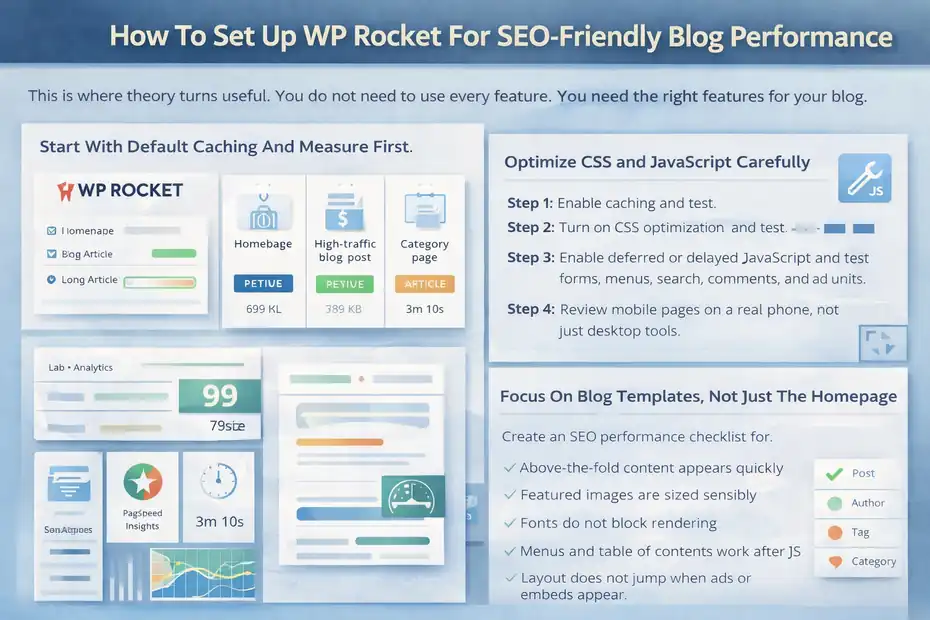
This is where theory turns useful. You do not need to use every feature. You need the right features for your blog.
Start With Default Caching And Measure First
WP Rocket says many best practices are applied on activation, and for a lot of blogs that is enough to produce immediate gains.
I recommend starting simple. Activate the plugin, clear the cache, preload key pages if relevant, and benchmark a small group of URLs before touching advanced options.
Use a mix of page types:
- Homepage: Often asset-heavy.
- One high-traffic blog post: Usually your most important SEO page.
- One category page: Helpful for archive performance.
- One long article with lots of images: Good for stress testing.
Check both lab tools and your own analytics. A score jump is nice, but the real question is whether mobile usability improves and whether the page becomes visibly faster.
Optimize CSS And JavaScript Carefully
WP Rocket includes CSS delivery optimization, Remove Unused CSS, deferred JavaScript loading, and delayed JavaScript execution. These features can create substantial gains, especially on themes that load large front-end files. But they also deserve staged testing.
Here is a practical order I like:
- Step 1: Enable caching and test.
- Step 2: Turn on CSS optimization and test layout.
- Step 3: Enable deferred or delayed JavaScript and test forms, menus, search, comments, and ad units.
- Step 4: Review mobile pages on a real phone, not just desktop tools.
That last step matters more than people admit. A page can “pass” a synthetic audit and still feel broken to a human.
Focus On Blog Templates, Not Just The Homepage
One of the most common mistakes is optimizing the homepage while ignoring the URLs that actually earn search traffic. For most blogs, those are post pages, author pages, tag archives, and categories.
Imagine you run a finance blog. Your homepage looks great, but 87% of organic sessions land on individual articles. If your article template loads social share scripts, author widgets, sticky sidebars, recommendation engines, and a giant table plugin, that is where performance work needs to happen.
I advise creating a simple SEO performance checklist for your article template:
- Above-the-fold content appears quickly
- Featured images are sized sensibly
- Fonts do not block rendering
- Menus and table of contents work after JS delays
- Layout does not jump when ads or embeds appear
That kind of template-level thinking is what turns WP Rocket from a plugin purchase into an SEO improvement.
The Features That Matter Most For Bloggers
Not every WP Rocket feature has the same SEO value. Some are nice extras. Others are genuinely high leverage.
Caching And Preloading
Caching is the foundation. It stores ready-to-serve versions of your pages so the server does less work on each visit. For blogs, that often means faster post rendering, lower server strain, and better consistency during traffic spikes.
The SEO value is straightforward: a faster, more stable page is easier for users to consume and easier for your site to maintain at scale. If one of your posts gets picked up on Discover, Reddit, or a newsletter, caching helps the site survive the attention.
I would not oversell crawl-budget effects for small blogs, but on larger sites, better server responsiveness can support cleaner crawling and indexing conditions over time. The bigger and noisier the site, the more infrastructure matters.
Remove Unused CSS
This feature can be powerful on theme-heavy blogs because it keeps only the CSS needed for a given page. WP Rocket’s documentation explains that it removes unused stylesheets content while preserving the used CSS per page. In real use, this can reduce front-end bloat significantly.
The caution is that it is also one of the features most likely to require troubleshooting. If your blog relies on unusual dynamic styling, membership areas, or page-specific components, you need to review pages after enabling it.
When it works, though, it can produce one of the clearest improvements in rendering speed for blog content.
Delay JavaScript Execution
This is a big one. WP Rocket explicitly calls Delay JavaScript Execution its most powerful JavaScript optimization. For many blogs, third-party scripts are the hidden problem: analytics tools, ad tags, comment systems, social widgets, chat boxes, and tracking pixels all compete for attention before the reader even sees the article properly.
Delaying non-essential JavaScript helps the browser prioritize visible content first. That can improve perceived speed dramatically, especially on mobile.
A realistic example: If your travel blog has an Instagram embed, email popup, affiliate widget, and heatmap script all firing early, delaying some of that execution can make the page feel far cleaner without changing the actual article.
Rocket Insights And Ongoing Monitoring
This is newer and worth mentioning because performance without monitoring becomes guesswork. WP Rocket says Rocket Insights is included with a license and can track key pages, show recommendations, and help users understand what to optimize next.
Its March 2026 changelog also says Rocket Insights became free for all WP Rocket users.
I like this direction because blog SEO is ongoing. You do not optimize once. You publish new posts, install plugins, change themes, add ads, and slowly make the site heavier. Monitoring helps catch that drift before rankings or revenue slip.
Common Mistakes Bloggers Make With WP Rocket
The plugin is strong, but the strategy around it is where most results are won or lost.
Chasing Scores Instead Of Reader Experience
A PageSpeed score is a tool, not a business model. I have seen bloggers obsess over getting from 96 to 100 while ignoring that their article intro is weak, their internal links are poor, and their sidebar clutters the page.
Google’s own documentation warns that getting good scores in Search Console or third-party tools does not guarantee top rankings. Relevance and usefulness still matter.
So treat WP Rocket as a means, not a vanity metric. The real question is whether your best content becomes easier to access, read, and trust.
Turning On Every Feature At Once
This usually creates chaos. A better approach is controlled optimization. Change one group of settings, test templates, then move on.
I recommend this sequence:
- First: Caching and basic optimization
- Second: CSS delivery changes
- Third: JavaScript delays
- Fourth: Edge cases like dynamic or personalized pages
That sequence makes troubleshooting much easier. If something breaks, you know where to look.
Ignoring Plugin Conflicts And Theme Behavior
WP Rocket emphasizes compatibility, but any WordPress site with enough plugins can develop conflicts. This is especially true with page builders, ad managers, LMS plugins, ecommerce add-ons, and custom theme frameworks.
A blogger might enable a performance option, see a higher speed score, and miss the fact that a table of contents, search overlay, or comments section no longer behaves correctly on mobile. Those are not small issues. They damage UX and trust, which undercuts the SEO gain you were hoping for.
Forgetting Image And Media Discipline
WP Rocket helps a lot with front-end delivery, but it is not a substitute for sensible media choices. If your blog post contains 20 oversized images, auto-playing videos, and third-party embeds everywhere, the plugin can only do so much.
This is one reason performance should be part of editorial workflow. When you publish, think like a performance editor, not just a content editor.
The Real SEO Answer: Speed Helps, But Systems Win
At this point, the best answer to the title question is more nuanced than yes or no.
WP Rocket Improves The Conditions That Support Rankings
If your blog is slow, script-heavy, or suffering from weak Core Web Vitals, WP Rocket can absolutely improve the technical conditions that influence SEO outcomes.
Google uses Core Web Vitals within ranking systems, recommends good page experience, and continues to frame user-centered quality as important. WP Rocket is built to help WordPress users improve precisely those areas.
That means the plugin can improve rankings for blogs, but only by improving something Google and users already care about: the experience of using the page.
WP Rocket Does Not Replace SEO Fundamentals
This is the part I would underline if I were advising a blogger one-on-one.
You still need:
- Search intent alignment
- Better-than-average content depth
- Strong titles and meta framing
- Internal linking
- Topical relevance across the site
- Good information architecture
- Trustworthy writing and current examples
A fast bad blog is still a bad blog. A fast good blog is more competitive.
My Honest Recommendation For Bloggers
I think WP Rocket is worth it for most serious WordPress bloggers if at least one of these is true:
- Your mobile pages feel slower than they should
- Your Core Web Vitals need work
- Your theme or plugin stack is heavy
- You publish enough content that performance drift is becoming real
- You want a simpler alternative to piecing together multiple speed plugins
It is especially useful when paired with realistic expectations. Buy it to improve speed, usability, and technical performance. Then let those gains support your SEO, not define it.
Final Verdict
So, does wp rocket improve seo rankings for blogs or just speed?
It improves speed directly, and that speed can improve SEO indirectly and sometimes directly through better page experience and Core Web Vitals. But rankings come from the whole system working together: helpful content, search relevance, clean site structure, and strong user experience.
WP Rocket strengthens one of the most important technical layers in that system. It is not the whole strategy, but for many blogs, it is a very smart part of one.
FAQ
Does WP Rocket improve SEO rankings for blogs?
WP Rocket can improve SEO rankings for blogs by enhancing page speed, Core Web Vitals, and overall user experience. While it does not directly affect rankings, it removes performance bottlenecks that can hold back already well-optimized content from ranking higher.
Is page speed a direct ranking factor for Google?
Page speed is part of Google’s page experience signals, including Core Web Vitals. It is not the strongest ranking factor, but it can influence rankings when content quality is similar across competing pages, especially on mobile devices.
Can WP Rocket fix poor SEO performance?
WP Rocket cannot fix poor SEO caused by weak content, bad keyword targeting, or lack of authority. It only improves technical performance. To see real ranking gains, it must be combined with strong content and proper SEO strategy.
How does WP Rocket affect Core Web Vitals?
WP Rocket helps improve Core Web Vitals by optimizing loading speed, reducing render-blocking resources, and delaying non-essential scripts. These improvements can enhance Largest Contentful Paint, Interaction to Next Paint, and Cumulative Layout Shift scores.
Is WP Rocket worth it for bloggers?
WP Rocket is worth it for bloggers who struggle with slow load times, heavy themes, or poor mobile performance. It simplifies speed optimization and can improve user experience, which supports better engagement and long-term SEO growth.

I’m Juxhin, the voice behind The Justifiable.
I’ve spent 6+ years building blogs, managing affiliate campaigns, and testing the messy world of online business. Here, I cut the fluff and share the strategies that actually move the needle — so you can build income that’s sustainable, not speculative.
Related posts:
 LiteSpeed Cache Review For WordPress: Is It The Fastest Plugin?
 How To Use WP Rocket For Faster WordPress Site In 15 Minutes Flat
 How Good Is My Website SEO? Find Out Instantly!
 What Is Content Marketing in SEO? The Key to More Leads
 Is Whitespark SEO the Missing Piece to Your Local Success?
 Whitespark Alternative: 7 Powerful Local SEO Tools in 2025