
Table of Contents
Some links on The Justifiable are affiliate links, meaning we may earn a small commission at no extra cost to you. Read full disclaimer.
If you’ve ever wondered how people turn their passions into profit online, you’re not alone. I remember when I first wanted to create a blog site — it felt exciting but also a little overwhelming.
Where do you start? What tools do you need? And most importantly, how do you actually make money from it?
The truth is, building a blog that earns income isn’t just about writing posts—it’s about strategy, setup, and smart monetization.
Let me break it down for you step by step so you can go from idea to income with confidence.
Choose Your Profitable Blog Niche Strategically
Finding the right niche is often the moment everything clicks, because a clear niche makes it easier to create a blog site that grows and earns consistently.
Identify What You’re Passionate and Knowledgeable About
Personal interests are the fuel that keeps a blog alive when things get slow. I’ve learned that when you write about something you genuinely enjoy, you naturally produce better and more consistent content.
Write down 5–10 topics you could talk about for hours. Then ask yourself: Would I still enjoy writing about this six months from now? That question alone can save you from a niche you’ll get tired of quickly.
A helpful method I use is what I call the Interest–Expertise Grid:
- Interest High + Expertise High → Strong niche potential
- Interest High + Expertise Low → Requires research but still viable
- Interest Low + Expertise High → Sustainable but less enjoyable long-term
The goal is to find a topic where your enthusiasm and capability overlap.
Research Market Demand and Audience Interests
Once you have possible niche ideas, you want to see whether real people are actually searching for these topics. From what I’ve seen, even a small niche can be profitable if the demand is consistent.
A simple workflow:
- Search your niche idea on Google Trends to check long-term interest.
- Type the topic into Google and look at the “People Also Ask” questions.
- Explore Reddit communities or Facebook groups to see what problems people talk about.
If communities are active and the questions keep repeating, you’re looking at a niche with real traction.
Validate Your Niche With Keyword and Competitor Analysis
Keyword validation is where you shift from “I like this idea” to “This idea can make money.” Tools like Ahrefs, Semrush, or even Google’s Keyword Planner help you see keyword difficulty, search volume, and monetization potential.
Look for:
- Keywords with moderate difficulty and steady search volume
- Gaps in existing content where no one fully answers a question
- Competitors that have traffic but weak content in certain areas
A quick comparison: If competitors rank with short, outdated, or thin content, that’s usually a sign you can create something better and rank faster.
Avoid Overly Saturated or Unprofitable Niches
Some niches (like “weight loss” or “credit repair”) are so competitive that even excellent new blogs struggle to break through. On the other side, some niches have low search volume or minimal monetization opportunities.
A niche becomes risky when:
- It relies on trends that fade quickly
- It isn’t connected to purchasable products or services
- Advertisers don’t bid high for related keywords
When in doubt, aim for sub-niches. Instead of “fitness,” consider “strength training for beginners over 40.” It’s more focused and easier to grow.
Pick the Right Blogging Platform and Domain Name
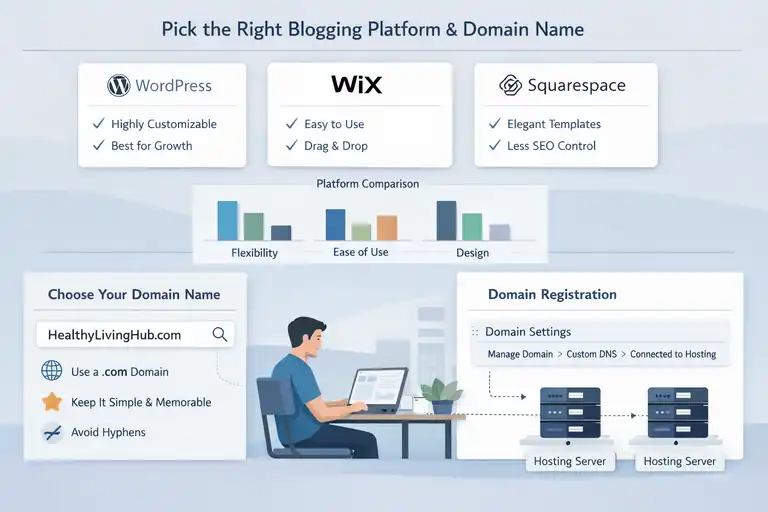
Choosing the right tools early on makes everything smoother—from designing your site to scaling it later.
Compare Popular Blogging Platforms (WordPress, Wix, Squarespace)
Each platform has pros and cons, and I’ve used most of them at one point or another. If you want flexibility, WordPress usually comes out on top.
Here’s a quick breakdown in real terms:
- WordPress: Most customizable, huge plugin ecosystem, ideal for growth.
- Wix: Drag-and-drop design, easy for beginners but limited long term.
- Squarespace: Beautiful templates, great for creatives, less SEO control.
A simple rule: If your goal is to make money long term, WordPress gives you the strongest foundation.
Select a Domain Name That Reflects Your Brand and SEO Goals
Your domain name is like the storefront of your blog. I always tell people to choose something simple, memorable, and easy to spell.
A few guidelines:
- Prefer .com if possible—it builds trust.
- Avoid hyphens and long phrases.
- Choose a name wide enough to grow with (e.g., “HealthyLivingHub.com,” not “KaleRecipesOnly.com”).
SEO-wise, having your niche implied in the name is helpful but not mandatory. Google cares more about content quality than exact-match domains.
Register Your Domain and Connect It to Hosting
Registering a domain is straightforward. Platforms like Namecheap offer clean, easy dashboards. After purchase, you’ll point your domain’s DNS settings to your hosting provider.
A typical UI path looks like this: Namecheap Dashboard → Domain List → Manage → Nameservers → Custom DNS
Once the DNS points to your hosting provider, your blog will connect to the server where your files live. This part may feel technical, but hosting platforms usually provide step-by-step guides.
Set Up Reliable Web Hosting for Your Blog
Good hosting is the invisible engine behind every successful blog. Without it, even the best content won’t perform well.
Understand the Difference Between Shared, VPS, and Managed Hosting
Hosting types can feel like jargon, so here’s a simple explanation based on my experience:
- Shared hosting: Cheapest, but your site shares resources with others. Best for beginners but slower under heavy traffic.
- VPS hosting: More power and dedicated resources, ideal if you’re growing.
- Managed WordPress hosting: Handles backups, updates, caching, and security automatically. Great if you want less technical maintenance.
If you plan to scale your blog into a business, VPS or managed hosting can save you a lot of headaches later.
Choose a Host With Fast Load Times and High Uptime
A slow blog loses readers fast. Studies show that if a page takes longer than 3 seconds to load, over 50% of visitors leave immediately. That’s a huge loss in potential revenue.
Look for hosts that offer:
- 99.9% uptime guarantees
- Free SSL certificates
- Built-in caching
- CDN support
Speed directly affects SEO, so hosting becomes part of your ranking strategy too.
Install WordPress (or Chosen CMS) and Secure Your Site
Most hosting providers now offer one-click WordPress installation. Once WordPress is installed, you’ll want to secure your site immediately.
A simple setup path: Hosting Dashboard → WordPress Installer → Choose Domain → Install
Then:
Security may feel optional at first, but from what I’ve seen, it’s better to protect your site early instead of dealing with cleanup later.
Design a User-Friendly and Professional Blog Layout
A clean layout makes it easier for people to trust you, stay longer, and eventually take action. When you create a blog site, the design becomes part of your overall brand story.
Select a Clean, Responsive Theme That Fits Your Niche
Choosing the right theme sets the mood for your entire blog. When I first started, I underestimated how much a theme affects readability and conversion, but it truly shapes the whole experience.
Look for themes with:
- Minimalist layouts
- Clear typography
- Responsive design that adjusts automatically on mobile
If you’re using WordPress, a simple UI path to browse themes is: Appearance → Themes → Add New
I personally gravitate toward themes like Astra or GeneratePress because they’re lightweight and easy to customize. A responsive theme also improves SEO, as Google rewards sites that load fast and adapt to all screen sizes.
Customize Your Blog’s Appearance for Readability and Branding
Small design choices have big impacts on how readers feel while browsing your blog.
Start with your brand colors. I usually suggest choosing a primary color, a secondary accent, and a neutral base so your blog doesn’t feel visually overwhelming. Keep text dark and backgrounds light for maximum readability.
Inside WordPress, you can adjust these quickly: Appearance → Customize → Colors / Typography
Focus especially on your font size. Many new bloggers keep the text too small. Upping the font to 18–20px makes your content significantly easier to read, especially on mobile.
Add consistent header images, logo placement, and white space. These subtle touches create a professional feel that builds trust over time.
Optimize Navigation and Mobile Experience for Visitors
A confusing menu can ruin even the best content. I like to keep the navigation simple—usually a Home, Blog, About, and one or two key category links.
You can reorganize your menu under: Appearance → Menus
For mobile optimization, open your site on your phone and tap around like a real user. If it takes more than two taps to reach key content, tighten it up.
Statistics show that over 60 percent of blog traffic now comes from mobile devices. This is why simple navigation, large clickable buttons, and clean spacing make a noticeable difference.
Create High-Quality Content That Builds Trust
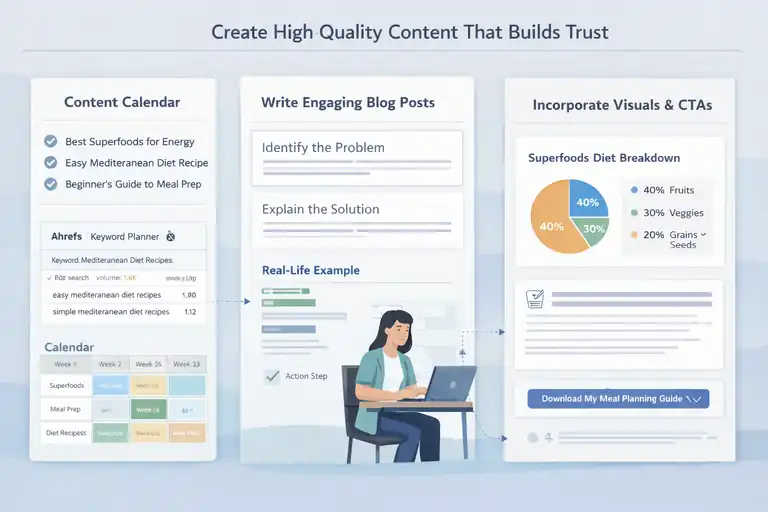
Great content is what pulls in readers, brings them back, and eventually converts them into customers. If you want your blog to earn money, this part matters more than anything else.
Plan a Strategic Content Calendar With SEO in Mind
A content calendar gives your blog direction and rhythm. I usually start by listing 20–30 questions my audience is already asking. These become the core of my early posts.
Then I check keywords using tools like Google Keyword Planner or Ahrefs to make sure there’s real search demand. You don’t need high-volume keywords; even 50–200 monthly searches can bring strong targeted traffic.
Once topics are finalized, schedule them across a 4–6 week period. A simple spreadsheet works fine. The goal is consistency, not perfection.
Write Engaging, Value-Driven Blog Posts That Solve Problems
When your writing genuinely helps someone, they remember you. I like to start every post with a clear statement of what the reader will learn so expectations are set right away.
Inside each article, break ideas into smaller sections and add mini subheads so readers can skim easily. Use quick examples, short scenarios, or personal notes like “Here’s what I do…” to make the content feel human.
A practical format I often follow:
- Identify the problem
- Explain the solution
- Give a real example
- End with an action step
This structure builds trust and keeps readers engaged from start to finish.
Incorporate Visuals, Examples, and Calls-To-Action Naturally
Visuals reduce overwhelm and give readers a quick grasp of complex ideas. Even simple screenshots or diagrams can elevate your content.
For example, if you’re explaining how to adjust permalinks in WordPress, you can describe the path clearly: Settings → Permalinks → Post Name
Calls-to-action should feel like gentle nudges, not demands. I often use small CTAs such as “If this helped, you may enjoy my guide on…” instead of formal sales pushes. It keeps the conversation natural while guiding readers deeper into your content.
Master On-Page and Off-Page SEO for Growth
SEO is what helps your blog get discovered, and learning the basics gives you a long-term advantage.
Optimize Meta Titles, Descriptions, and Internal Links
Meta titles and descriptions act like your blog’s storefront windows. They tell Google—and readers—exactly what to expect.
In WordPress, you can control these using an SEO plugin such as Rank Math. The UI usually looks like: Scroll to bottom of post → SEO Settings → Title / Meta Description
Keep titles clear and place the main idea early. For internal linking, always point readers to related topics within your site. It strengthens SEO and helps them stay longer, improving session time—a metric Google really values.
Use Keyword Research Tools to Target Search Intent
Search intent is the real reason behind someone’s Google query. When your content matches that intent, it ranks faster.
Tools like Google Keyword Planner or Ahrefs show you terms people actually search for.
I usually look for keywords that show:
- Medium difficulty
- Clear informational intent
- Consistent monthly searches
Before writing, I ask myself: What does the reader truly want when they search this phrase? That single question helps shape the content more effectively than any tool.
Build Backlinks Through Guest Posts and Outreach
Backlinks are like votes of confidence from other sites. They signal that your content is trustworthy.
One practical method is to write guest posts for blogs slightly bigger than yours. If you’re just starting, aim for sites with mid-level traffic—it’s easier to get accepted.
Another approach is simple outreach. When you publish a helpful guide, email bloggers who have older articles on the topic. Show them your updated version and mention that it may benefit their readers.
Over time, even a handful of good backlinks can noticeably improve your rankings.
Build an Email List and Engage Your Audience
Email is one of the most reliable ways to build a long-term relationship with your readers. Even if algorithms change, your email list stays yours.
Offer a Free Resource or Lead Magnet to Encourage Signups
A good lead magnet gives people a reason to join your list. This could be a checklist, mini-guide, template, or even a short email course.
I like lead magnets that solve one specific problem quickly.
For example:
- A 5-step blog post checklist
- A simple SEO starter guide
- A niche-specific cheat sheet
Place sign-up forms within your posts and in your sidebar. The more naturally they appear, the higher your conversions.
Use Email Marketing Tools Like Kit or Brevo to Nurture Readers
Tools like Kit and Brevo make email marketing much easier, even for beginners. They offer drag-and-drop builders and automation features, which help you engage readers without manually sending each message.
A typical setup path inside Brevo looks like: Campaigns → Create Email → Choose Template → Edit → Schedule
Use these tools to send welcome sequences, share helpful content, and guide readers toward your most useful blog posts.
Automation also saves time. You can build a simple three-email welcome series that introduces who you are, what you help with, and where readers should start.
Segment and Personalize Emails to Increase Engagement
Personalized emails almost always perform better than generic ones. Segmentation helps you tailor what people receive based on their interests.
For example, if someone downloaded your SEO checklist, tag them as “SEO Interest.” Future emails related to SEO will feel more relevant to them.
This approach improves open rates, click-through rates, and trust. In my own experience, even a small amount of segmentation can double engagement within just a few weeks.
Personalized messages make readers feel seen, and that connection often turns them into loyal subscribers—and eventually customers.
Monetize Your Blog With Multiple Income Streams
Once your blog starts attracting readers, you can slowly turn that attention into income.
I like thinking of monetization as adding little “earning pathways” that work quietly in the background.
Earn Through Display Ads, Affiliate Marketing, and Sponsorships
These are usually the first income streams new bloggers explore because they’re simple to set up.
Display ads rely on page views. Networks like Ezoic and Mediavine typically offer higher payouts once you reach their traffic thresholds. If you’re just starting, you can begin with Google AdSense, then graduate to higher-paying networks later.
A quick tip: Place ads in spots that don’t interrupt the reading flow—like between paragraphs or after headers.
Affiliate marketing works beautifully for blogs because you can naturally recommend tools or products you already use. For example, if you write a post on setting up a WordPress blog, you can recommend your favorite hosting provider and include an affiliate link. When readers buy through your link, you earn a commission.
Sponsorships grow as your audience grows. Brands may pay for a featured article, product review, or mention. In my experience, even small blogs can secure sponsorships if they’re in tight, well-defined niches.
Sell Digital Products or Online Courses Related to Your Niche
Digital products are powerful because you create them once and sell them endlessly.
You might offer:
- Printable templates
- E-books
- Mini-courses
- Workshops or webinars
If you’re teaching something more in-depth, you can use platforms like Teachable or Kajabi. They handle things like checkout systems and lesson organization.
One scenario: A gardening blogger might create a “Beginner’s Raised Bed Gardening Guide” and sell it for a small fee. Even 20–30 sales a month can add a nice income stream.
I’ve found that digital products often convert better than ads because they solve a direct pain point your readers already have.
Offer Freelance Services or Consulting to Leverage Your Expertise
Your blog becomes your portfolio, even if you don’t think of it that way.
If you write about social media tips, for example, you can offer simple management packages or consultations. Readers already trust your knowledge because they’ve seen it firsthand in your content.
This type of monetization often becomes the fastest path to income because:
- You don’t need huge traffic
- You can start immediately
- You can set your own rates
A small “Work With Me” page linked in your main menu can be enough to generate early clients.
Promote Your Blog Using Proven Marketing Strategies
Promotion is where your content gets discovered. Even the best blog post needs a little push before Google rewards it with traffic.
Use Social Media Platforms to Drive Targeted Traffic
Social platforms let you place your blog posts directly in front of people who care.
If your niche is visual, Instagram and Pinterest work beautifully. Pinterest especially functions like a search engine, so a single well-designed pin can bring traffic for months.
For more conversational niches, I often recommend Facebook groups or LinkedIn. You can share helpful snippets, answer questions, and gently link your blog when it adds value.
Try not to depend on every platform at once. Pick one or two based on where your audience spends time, then get really good at those.
Collaborate With Other Bloggers and Influencers for Reach
Partnerships accelerate your visibility much faster than working alone.
You can collaborate through:
- Guest posts
- Joint email newsletters
- Expert roundup posts
- Co-created content like webinars or live sessions
These collaborations introduce your blog to new audiences who already trust the person you’re partnering with. Even one strong collaboration can send a wave of new readers your way.
Repurpose Blog Content Into Videos, Podcasts, or Newsletters
I love repurposing content because it squeezes more value out of what you’ve already created.
A single blog post can turn into:
- A short TikTok or Instagram Reel
- A YouTube tutorial
- A podcast episode
- A weekly newsletter topic
This multiplies your reach without multiplying your workload. Plus, different readers prefer different formats, so repurposing helps you meet people where they are.
Track Your Blog Performance and Scale Your Income
When you understand your numbers, you can grow with intention instead of guessing what’s working.
Set Up Google Analytics and Search Console for Insights
These two tools are the foundation of understanding your blog’s health.
Google Analytics shows you who your readers are and how they behave on your site. Google Search Console shows you how your posts perform in search results.
To set them up, you’ll usually follow a path like: Google Analytics → Admin → Data Streams → Add Stream → Install Tag
Once connected, you can see which posts bring the most traffic or which keywords you’re ranking for. This helps you decide what to create more of.
Monitor Metrics Like Page Views, Bounce Rate, and Conversions
These metrics tell a story about your blog’s strengths and weaknesses.
- Page views show your overall traffic patterns.
- Bounce rate reveals whether people leave quickly or stick around.
- Conversions can be anything meaningful—email signups, product sales, or clicks.
If one post brings tons of traffic but low engagement, it may need better formatting or stronger calls-to-action.
I’ve found that sometimes tiny tweaks—like adding more white space or rewriting introductions—improve engagement more than expected.
Experiment, Optimize, and Diversify Income Sources Over Time
Monetization is rarely perfect on the first attempt.
Try adjusting ad placements, improving affiliate link visibility, or refreshing old product pages. Take note of what improves your numbers.
Diversify slowly: Add one new income stream at a time and track how it performs over 30–60 days. This helps you avoid overwhelm and gives you cleaner data to work with.
Maintain Consistency and Keep Evolving Your Blog
The most successful bloggers aren’t always the most talented—they’re the most consistent. Your blog grows because you keep showing up.
Create a Sustainable Publishing Schedule and Stick to It
A schedule keeps your blog alive even during busy seasons.
You don’t need to publish every day. I often recommend one strong post per week or even every two weeks. The key is consistency rather than volume.
A simple system like batching—writing multiple posts in one sitting—can help you stay ahead without feeling rushed.
Continuously Learn About SEO, Trends, and Monetization Tactics
Blogging changes fast, and staying updated gives you an edge.
I like dedicating a little time each month to learning something new—maybe a new SEO strategy, a Google algorithm update, or a new email automation method. Small updates can compound into big improvements over time.
Refresh Old Content and Adapt to Algorithm Changes
Refreshing content is one of the most underrated SEO techniques.
You can:
- Update statistics
- Add new internal links
- Improve formatting
- Replace outdated steps
Search engines love fresh content. I’ve seen posts double their traffic simply by being refreshed and republished.
This habit also protects you from algorithm shifts because your content stays relevant, helpful, and aligned with what readers want today.
Frequently Asked Questions
How do I create a blog site if I’m a complete beginner?
To create a blog site as a beginner, choose a niche, buy a domain and hosting, install WordPress, pick a clean theme, and publish helpful content consistently. No coding is required.
How long does it take to start making money from a blog?
Most bloggers take 3–6 months to earn their first income and 6–12 months to see consistent revenue, depending on niche, content quality, SEO, and monetization strategy.
What is the easiest way to monetize a new blog?
The easiest way is affiliate marketing, followed by display ads once traffic grows. Selling digital products or services usually works best after trust is established.

I’m Juxhin, the voice behind The Justifiable.
I’ve spent 6+ years building blogs, managing affiliate campaigns, and testing the messy world of online business. Here, I cut the fluff and share the strategies that actually move the needle — so you can build income that’s sustainable, not speculative.
Related posts:
 The Best Way to Start a Blog That Actually Makes Money
 How Do I Create My Own Blog and Get Paid Fast?
 Creating a Blog to Make Money With Smart Strategies
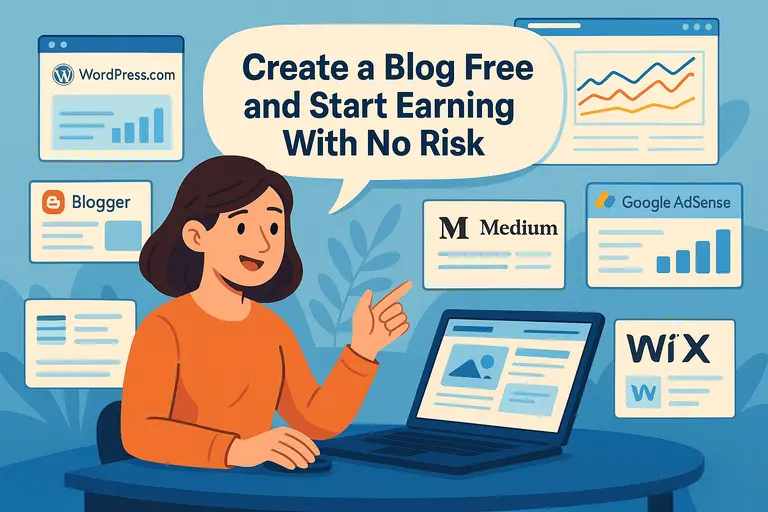 Create a Blog Free and Start Earning With No Risk
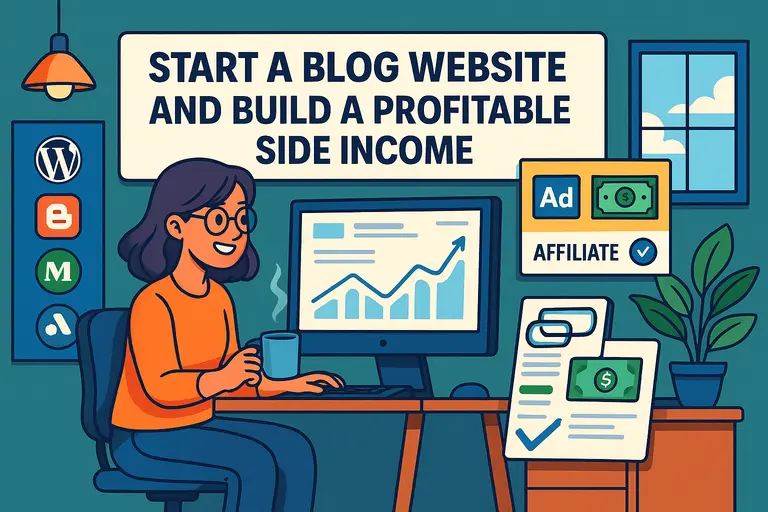 Start a Blog Website and Build a Profitable Side Income
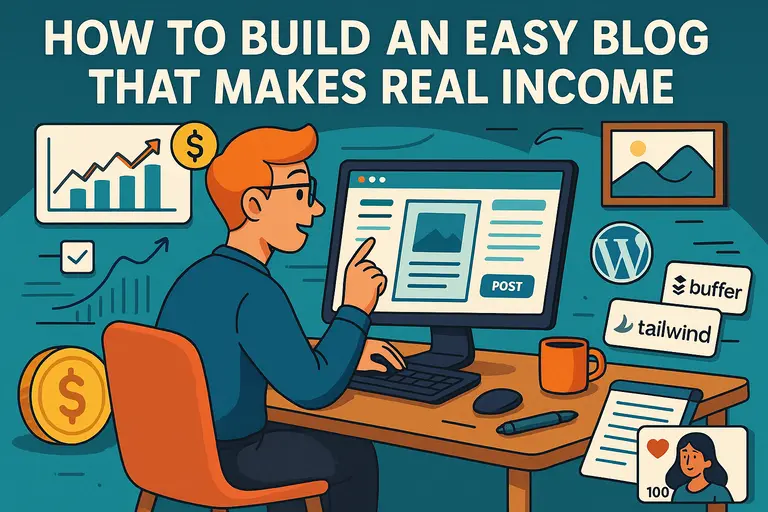 How to Build an Easy Blog That Makes Real Income