
Table of Contents
Some links on The Justifiable are affiliate links, meaning we may earn a small commission at no extra cost to you. Read full disclaimer.
How to make money with ecommerce website design becomes much easier once you stop treating it like “I build websites” and start treating it like “I help online stores make more sales.” That shift matters more than most beginners realize.
You do not need to be a senior designer, a coding wizard, or an agency owner to get paid. You need a simple offer, a few proof pieces, and a clear process that solves real store-owner problems.
In my experience, beginners struggle less with design skill and more with packaging, pricing, and confidence, so that is exactly what this guide will help you fix.
Understand What Clients Actually Pay For
Before you worry about tools, pricing, or outreach, you need to understand the real reason ecommerce clients hire freelancers. They are rarely buying “a pretty website.” They are buying trust, easier shopping, and more completed checkouts.
I believe this is the biggest beginner mistake: focusing on design trends before understanding buyer behavior.
Design Is Not The Product, Revenue Lift Is
A small ecommerce brand does not wake up thinking, “I need more whitespace and better typography.” They usually think, “My store feels messy,” “People visit but do not buy,” or “I need a cleaner setup before I run ads.”
That is good news for you. It means you do not need to compete with elite visual designers right away. You can win by solving practical business problems. A clearer homepage, better product pages, stronger mobile layout, and less confusing navigation can all make a store easier to buy from.
This is why ecommerce website design is more profitable than general brochure-style web design for many beginners. A business owner can connect your work to money. If your redesign improves conversion rate, average order value, email signups, or checkout completion, your work feels valuable instead of decorative.
Think about it like this. A local portfolio site might be “nice to have.” An online store is tied directly to sales. That makes it easier to justify your fee.
A beginner-friendly way to position your service is simple: you design ecommerce stores that help shoppers find products faster, trust the brand sooner, and finish checkout with less friction.
That line is much stronger than saying, “I make websites for businesses.”
The Best Beginner Clients Are Not Random Businesses
Not every ecommerce client is a good fit when you are starting out. I suggest avoiding large catalogs, complex custom builds, and brands that already have a full design team. Those projects sound impressive, but they can swallow your time and confidence.
The best starter clients usually look like this:
- Small product-based brands with 5 to 50 products
- New stores launching their first serious version
- Existing stores with outdated themes and weak mobile UX
- Founders doing everything themselves and needing help fast
- Niche stores with clear products but poor presentation
These clients often care about speed, clarity, and trust more than pixel-perfect innovation. That gives you room to deliver solid work without reinventing ecommerce.
A realistic example: imagine a handmade candle brand on Etsy wants its own store. The founder has product photos, some reviews, and a logo, but the website feels confusing and unfinished. You do not need a giant strategy deck. You need a clear homepage, collection structure, product page layout, cart flow, and basic trust-building sections.
That is a real offer. And real offers get paid.
The Income Model Is Bigger Than Just One Build Fee
A lot of beginners assume the only way to make money is charging once for a full website. That is only one piece of the puzzle. Ecommerce design can create multiple income streams if you package it properly.
Here are the most practical ones:
| Revenue Stream | What You Deliver | Why It Works For Beginners |
|---|---|---|
| Full Store Setup | Homepage, collections, product pages, core pages, launch support | Clear scope, easy to explain |
| Redesign Sprint | Fix one weak area like homepage or product pages | Easier to sell than a full rebuild |
| Conversion Audit | Screen-recorded review with action list | Great entry offer for cautious clients |
| Monthly Retainer | Ongoing design updates, landing pages, seasonal promos | Recurring revenue |
| Email Design Add-On | Branded popups or campaign templates | Useful upsell |
| Store Cleanup | Navigation, product organization, mobile fixes | Solves obvious pain fast |
In my experience, the fastest path is often this: sell one focused redesign, do a strong job, then expand into monthly support.
That is how a small project becomes dependable freelance income.
Build The Skills That Clients Will Actually Pay For
You do not need to master every part of ecommerce to get started. You need a practical stack of skills that directly affects store performance and client confidence.
Learn The Parts Of A Store That Influence Buying
Many beginners spend too much time studying general web design inspiration and not enough time studying buying behavior. Ecommerce design is different because every page has a job.
The homepage needs to orient the shopper quickly. Collection pages need to help people browse. Product pages need to reduce doubt. The cart needs to keep momentum. The checkout experience needs to feel safe and easy.
That means the most valuable beginner skills are not abstract. They are things like:
- Writing clearer section headings
- Choosing better product image hierarchy
- Structuring trust signals near add-to-cart buttons
- Improving mobile spacing and tap targets
- Making navigation easier to scan
- Reducing clutter that creates hesitation
You should also learn the language clients use. Terms like conversion rate, average order value, abandoned carts, upsells, and product discovery come up often. You do not need to sound overly technical. You just need to explain these concepts in plain English.
For example, instead of saying “information architecture,” you can say, “I’m reorganizing the menu so shoppers can find products faster.”
That makes you sound more helpful and less performative.
Pick One Core Platform First
As a beginner, you will move faster by specializing in one main ecommerce platform instead of trying to serve everyone. The simplest path is choosing a platform you can learn deeply enough to deliver confident results.
For many beginners, Shopify is the easiest place to start because it is widely used, relatively straightforward, and client demand is strong. WooCommerce can also work well if you are comfortable with WordPress-style setups and more moving parts. Wix and Squarespace are sometimes good fits for smaller brands that want simplicity over customization.
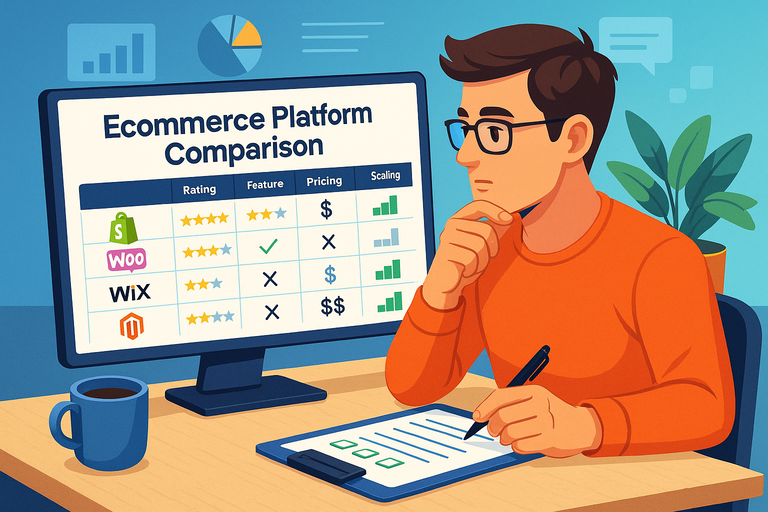
Here is a practical beginner comparison:
| Platform | Best For | Beginner Difficulty | Typical Client Need |
|---|---|---|---|
| Shopify | Product-based brands that want speed and reliability | Low to Medium | Launches, redesigns, conversion cleanup |
| WooCommerce | WordPress users needing flexibility | Medium | More custom setups, plugin-heavy stores |
| Wix | Very small stores wanting simple management | Low | Starter stores and quick builds |
| Squarespace | Design-conscious small brands with lighter catalogs | Low | Clean storefronts with limited complexity |
I recommend picking one, building three mock projects on it, and learning the common client tasks inside that ecosystem. Depth sells better than scattered knowledge.
Learn A Simple Tool Stack Without Overcomplicating It
You really do not need twenty subscriptions when you are starting. A lean tool stack keeps your process clean and your costs low.
A strong beginner setup might look like this:
- Figma for planning layouts and presenting page concepts
- Canva for quick mockup graphics or simple content assets
- Google Analytics 4 for understanding traffic and page behavior
- Hotjar for heatmaps and session recordings when clients need UX insight
- Stripe and PayPal as common payment options inside stores
Notice what is missing: unnecessary complexity. You do not need advanced code frameworks or enterprise systems to help small ecommerce brands.
The key is to use tools only when they serve the problem. If a client needs a cleaner product page layout, that is a design problem. If a client wants insight into where shoppers hesitate, analytics tools become relevant. Keep the tool discussion tied to outcomes.
That makes your work feel practical and client-focused, which is exactly what beginners need.
Create A Beginner Portfolio That Still Looks Professional
Most beginners wait too long to start because they think they need paying clients before they can build proof. In reality, smart sample work is enough to start conversations.
I suggest treating your first portfolio like a sales tool, not an art gallery.
Build Three Sample Projects Around Realistic Store Problems
A weak portfolio says, “Here is a pretty homepage.” A strong beginner portfolio says, “Here is the business problem, the design decision, and the expected outcome.”
That difference is huge.
Create three sample ecommerce projects based on realistic scenarios. For example:
- A skincare brand with poor mobile navigation
- A coffee subscription store with cluttered product pages
- A handmade jewelry store moving from marketplace sales to its own site
For each one, explain what you changed and why. Talk about homepage clarity, product filtering, trust sections, FAQ placement, mobile layout, shipping info visibility, and cleaner calls to action.
You do not need real revenue numbers if the project is self-initiated. Just be honest. Frame them as concept redesigns or sample builds. Clients care less about whether the project was paid and more about whether your thinking makes sense.
A helpful structure is:
- Store type
- Main issue
- What you redesigned
- Why those changes matter
- What result you would expect
That turns a mock project into business proof.
Show Before-And-After Thinking, Not Just Final Screens
In my experience, clients trust process more than polish. A clean final screen is helpful, but seeing your reasoning makes you easier to hire.
One of the best beginner moves is to show mini case study formatting:
- Before: Product page had weak hierarchy, unclear shipping info, and crowded sections
- After: Moved reviews higher, simplified add-to-cart area, added shipping reassurance and product benefits
- Why it matters: Reduced friction at the buying moment
This kind of framing helps clients imagine you solving their store problems, not just decorating pages.
You can do this with screenshots, simple annotations, or side-by-side comparisons inside a PDF or portfolio page. Keep it readable. Most clients are not design experts, so avoid turning your explanation into jargon soup.
I also recommend showing mobile screens in every ecommerce portfolio piece. Mobile shopping behavior matters, and many store owners know their site feels off on phones even if they cannot explain why.
Showing mobile competence instantly makes you more commercially relevant.
Use Your Own Personal Brand Site As Proof
Your own site is one of your best lead-generation tools, especially when you are new. If you design ecommerce stores, your site should quietly demonstrate that you understand layout, positioning, and trust.
It does not need to be fancy. It should do a few things well:
- Explain who you help
- Describe your service clearly
- Show 2 to 4 strong portfolio pieces
- Include a simple inquiry form
- Make your offer easy to understand in under 30 seconds
A lot of beginners write vague copy like “I create digital experiences for modern brands.” That sounds stylish, but it does not sell. I would rather see: “I help small ecommerce brands build cleaner storefronts that feel easier to shop.”
That is clear. Clear wins.
If your site feels simple but thoughtful, that is enough. Especially in the beginning, clarity beats cleverness almost every time.
Find Your First Ecommerce Design Clients Without Feeling Spammy
Client acquisition is where most beginners freeze. Not because it is impossible, but because they think it has to be aggressive. It does not.
Start With Warm, Targeted Outreach
You do not need to message 500 strangers. You need to contact a small number of relevant businesses with a useful point of view.
A strong beginner approach is to find stores that obviously need help. Look for brands with decent products but weak site experience. Then send a short message offering one or two specific observations.
For example, you might say that their mobile menu is hard to scan, their product page lacks a visible trust section, or their homepage makes it difficult to understand what they sell quickly.
The key is to be concrete. Generic messages like “I help ecommerce brands scale” usually get ignored. Specific insight gets attention.
A simple outreach angle could be:
- You noticed one issue
- You recorded a quick Loom-style walkthrough or wrote a short audit
- You offered a focused redesign sprint instead of a giant project
That feels helpful, not desperate.
You can also start with your own network. Friends, local makers, creators, or small online brands in communities you already know are often much easier to reach than cold prospects.
Use Audits As The Easiest Starter Offer
A full store build can feel like a big yes for a new client. A paid audit or mini redesign is easier to sell.
This is one of my favorite beginner offers because it lowers resistance. The client does not have to commit to a full rebuild. They just pay you to identify what is hurting usability and sales.
Your audit can include:
- Homepage clarity issues
- Mobile layout problems
- Navigation confusion
- Product page friction points
- Trust-building gaps
- Cart or checkout concerns
- Quick-win fixes
Then you can position the next step naturally: “If you want, I can implement these changes for you.”
That one-two flow works because you move from diagnosis to execution.
A realistic scenario: You charge $150 to $300 for a beginner-friendly audit, then convert one in three or one in four of those clients into a redesign project worth significantly more. Even modest close rates can create momentum when your offer is simple and relevant.
Use Freelance Platforms Carefully, Not As Your Whole Strategy
Freelance marketplaces can help beginners get early reps, but I do not recommend building your entire business there. They are useful for learning how clients describe problems, what deliverables people expect, and how pricing conversations work.
If you use platforms, focus your profile around one clear niche: ecommerce website design for small stores. Do not present yourself as a catch-all creative person.
Your profile should emphasize outcomes like:
- Cleaner storefronts
- Better mobile shopping experience
- More trust on product pages
- Faster path from browsing to checkout
That positioning is stronger than “web design, branding, social media, copywriting, virtual assistant.”
According to Upwork’s 2026 rate guide, web designers commonly sit in a broad entry-to-mid range, which tells you the market does support paid beginner work when the offer is framed properly. But marketplaces are crowded, so the lesson is not “charge less.” The lesson is “be more specific.”
Price Your Services In A Way That Makes Sense
Pricing feels emotional when you are new. I get it. You are balancing insecurity, market reality, and the fear of losing the job. A simpler pricing model fixes a lot of that stress.
I recommend pricing around the outcome and scope, not around how nervous you feel.
Start With Productized Packages, Not Open-Ended Custom Quotes
Open-ended pricing invites confusion. Productized packages make buying easier.
Instead of saying, “Tell me what you need,” try offering 2 or 3 clear services:
| Package | Includes | Good For |
|---|---|---|
| Store Starter | Homepage, product page, collection page, about, policy pages, basic setup | New brands launching |
| Store Refresh | Homepage redesign, product page optimization, mobile cleanup, trust sections | Existing stores needing improvement |
| Conversion Sprint | Audit, one key page redesign, implementation support | Brands wanting quick wins |
This kind of structure helps clients self-select. It also protects you from under-scoping the work.
As a beginner, you do not need perfect numbers on day one. You need a reasonable floor. Your first few packages might be lower than your long-term goal, but they should still reflect the value of the problem you solve.
Even a small store redesign can influence revenue, credibility, and ad performance. That matters.
How To Set A Beginner Rate Without Guessing
There are two common ways to price: hourly or fixed fee. I usually suggest beginners move toward fixed pricing for defined packages because clients understand it better and you avoid being punished for working efficiently.
A simple way to set your rate is:
- Estimate how many hours the project realistically takes.
- Multiply by a baseline rate that feels sustainable.
- Add buffer for revisions, communication, and admin.
- Turn that number into a rounded fixed package price.
Let’s say a basic store refresh would take you 12 to 15 hours. If your baseline is modest but fair, your package might land in the low hundreds or higher depending on complexity. As your proof improves, the rate should rise quickly.
What matters most is not copying someone else’s number. It is knowing your minimum acceptable price and refusing vague unlimited work.
According to Upwork’s published 2026 benchmarks, web designers often appear in a $15 to $30 per hour range on the platform, but that is not a rule for what you must charge in every situation. It is just a reminder that there is a real paid market for the skill.
Add Upsells That Increase Revenue Without More Prospecting
The easiest money often comes after the initial project, not before it. Once a client trusts you, adding support services becomes much easier.
Good ecommerce design upsells include:
- Seasonal landing pages
- Promotional homepage updates
- Product page refreshes for new launches
- Popups and email capture design
- Basic email template design in Klaviyo or Mailchimp
- Monthly design support retainers
These services work because ecommerce stores are not static. They change with promotions, inventory, campaigns, and launches.
That means your income does not have to reset to zero every month.
A $500 project followed by a small monthly retainer can be much healthier than constantly chasing new one-off jobs.
Deliver Ecommerce Projects In A Way That Gets Repeat Work
Good design gets a client happy. Good process gets you referrals, testimonials, and repeat revenue.
Run A Simple Workflow Clients Can Trust
Your process does not need to look corporate. It needs to feel calm and organized.
A beginner-friendly workflow might look like this:
- Discovery: What they sell, who they serve, what feels broken
- Audit: Review homepage, product pages, navigation, mobile experience
- Plan: Decide what pages matter most and what success looks like
- Design: Mock up key sections or implement directly depending on scope
- Revisions: Keep them limited and structured
- Launch: Check links, mobile layout, product templates, policies, payments
- Wrap-Up: Send next-step recommendations
This structure reduces chaos. Clients feel safer when they know what happens next.
I also suggest setting expectations early around content. Many ecommerce delays come from missing product photos, unclear category structure, or half-finished copy. You are not failing if the project slows down because the client is not ready. But you do need a process that makes those dependencies visible.
That protects both your time and your professionalism.
Focus On Pages That Usually Create The Biggest Impact
Not all store pages deserve equal effort. If you are trying to create noticeable value fast, prioritize the pages closest to buying behavior.
Usually, that means:
- Homepage
- Collection pages
- Product pages
- Cart
- Key trust pages like shipping, returns, and FAQ
A lot of beginners spend too much energy on less important pages and not enough on product pages. That is backwards. Product pages often carry the conversion burden.
A stronger product page usually includes clearer image hierarchy, concise product benefits, visible delivery or return reassurance, stronger review placement, and an add-to-cart area that does not feel crowded.
Baymard’s long-running checkout and cart usability research continues to show that ecommerce friction is expensive, which is why these practical page improvements matter so much.
If you fix the pages where hesitation happens, clients are much more likely to feel your work affected the business.
Communicate Like A Partner, Not Just A Pair Of Hands
One underrated freelance skill is explaining decisions in business language.
Instead of saying, “I increased whitespace around the CTA,” say, “I simplified this area so the add-to-cart action stands out faster on mobile.”
Instead of saying, “I changed the hierarchy,” say, “I moved the product benefits higher so shoppers see the main reasons to buy before they get distracted.”
That kind of communication changes how clients see you. You stop sounding like someone who decorates pages and start sounding like someone who thinks about sales.
And that is exactly how beginner freelancers become trusted specialists.
Optimize Results So Clients Stay Longer And Refer You
Once you can build a good store, the next leap is learning how to improve performance over time. This is where more stable income starts to appear.
In my experience, recurring revenue usually comes from optimization, not from the first build itself.
Track A Few Metrics That Actually Matter
You do not need a massive analytics dashboard to be useful. You just need a few signals that connect design to store performance.
The simplest metrics to watch are:
- Conversion rate
- Bounce or engagement trends on key pages
- Add-to-cart behavior
- Checkout completion
- Email signup rate
- Revenue by landing page or campaign page
If the client has Google Analytics 4 installed, start there. If they want more visual behavior data, Hotjar can help reveal where users hesitate or stop scrolling.
The important part is not pretending design alone controls everything. Traffic quality, pricing, offers, and product-market fit matter too. But design absolutely affects clarity and friction, and you can often spot that in user behavior.
When you explain this honestly, you sound credible. Clients appreciate that more than exaggerated promises.
Turn One Project Into Ongoing Monthly Work
Most ecommerce brands need ongoing help even if they do not say it that way at first. New product launches, holiday promotions, bundle offers, landing pages, and merchandising updates keep happening.
That creates a natural retainer offer.
A simple monthly support package could include:
- One landing page or campaign page
- Homepage refreshes for promotions
- Product page tweaks
- Merchandising layout updates
- Light UX fixes based on user behavior
- Design support for email capture areas
This is also where you can collaborate with marketing efforts without becoming a full marketer. For example, if a client is running paid traffic to a product collection, you can improve the landing experience so the clicks are less wasted.
The U.S. Census reported U.S. retail e-commerce sales at $326.7 billion in the first quarter of 2026, which is a useful reminder that online retail remains a large, active market. That does not guarantee easy freelance money, but it does support the idea that businesses will keep investing in stores that convert better.
Ask For Proof, Referrals, And Smarter Next Projects
Do not finish a project and disappear. That leaves money on the table.
At the end of each job, ask three things:
- A testimonial
- A referral if they know another founder
- Permission to turn the project into a case study
Then suggest one next-step opportunity based on what you observed. Maybe the homepage is fixed but product pages still need work. Maybe the site is cleaner now, but email capture is weak. Maybe mobile collection filtering needs a second pass.
This is much more effective than vaguely saying, “Let me know if you need anything else.”
You are showing leadership without being pushy.
That is how freelancers grow from task-takers into ongoing partners.
Avoid The Mistakes That Keep Beginners Stuck
You can make good money with ecommerce website design as a beginner, but only if you avoid a few traps that waste time and energy.
Do Not Sell “Everything” To Everyone
Generalists often struggle in the beginning because their offer is too blurry. When someone lands on your site or profile, they should understand quickly what you do and who it is for.
“I build ecommerce stores for small brands that want a cleaner shopping experience” is strong.
“I offer web design, branding, SEO, social media, copywriting, and virtual assistance” is confusing.
Narrowing your offer does not trap you. It makes you easier to hire.
Later, you can expand. Early on, specificity is a growth shortcut.
Do Not Overdesign Stores That Need Simplicity
A lot of beginner designers want to prove creativity. I understand that instinct. But ecommerce often rewards restraint.
Too many animations, unusual layouts, or clever interactions can make shopping feel harder. For many stores, the best design choice is the one that helps the buyer move with less resistance.
That means prioritizing:
- Fast understanding
- Clear product information
- Trust signals
- Mobile ease
- Obvious calls to action
I have seen simple, clean stores outperform more “impressive” ones because they feel easier to shop. Never forget the job of the page.
Do Not Wait Until You Feel Fully Ready
This one matters. You will probably not feel fully qualified when you start. That is normal.
What you need is not total confidence. You need enough skill to solve a modest problem well. That is a much lower bar.
Start with one platform. Build three strong samples. Offer one focused service. Reach out to a small number of relevant stores. Improve your process with each project.
That is how this usually works in real life. Not through one perfect leap, but through repeated small wins.
The Beginner Freelancer Path That Actually Works
If you want a practical roadmap, here is the version I would follow.
A Simple 30-Day Action Plan
- Week 1: Pick one ecommerce platform and study its store structure. Focus on homepage, collection pages, product pages, cart flow, and mobile behavior.
- Week 2: Build two to three realistic sample projects. Do not just make them pretty. Show the business problem and your reasoning.
- Week 3: Set up your service page, package your offer, and create a basic outreach template built around helpful observations.
- Week 4: Contact a small list of relevant brands, offer a paid audit or focused redesign sprint, and improve your pitch based on responses.
This approach is not glamorous, but it is effective because every step builds leverage.
What Your First $1,000 Usually Looks Like
For many beginners, the first meaningful income does not come from one giant client. It comes from stacking smaller wins.
A realistic path could be:
- One paid audit
- One mini redesign project
- One store refresh upsell
- One monthly support arrangement
That mix is far more attainable than chasing a dream client with a huge budget.
And once you have delivered those projects, your confidence changes because you are no longer guessing. You have proof, language, testimonials, and a stronger eye for what stores actually need.
Final Thoughts
Yes, you can make money with ecommerce website design as a beginner freelancer. But the money usually follows clarity, not raw talent alone.
If you remember nothing else, remember this: sell business outcomes, not just design files. Learn one platform deeply. Build proof before permission. Offer focused services. Keep your process simple. Make shopping easier for the customer, and your service becomes easier for the client to value.
That is the game. And honestly, it is a much more winnable game than most beginners think.
Research informing a few market references in the article included the U.S. Census quarterly e-commerce report, Baymard’s cart and checkout usability research, and Upwork’s 2026 hourly-rate guide.

I’m Juxhin, the voice behind The Justifiable.
I’ve spent 6+ years building blogs, managing affiliate campaigns, and testing the messy world of online business. Here, I cut the fluff and share the strategies that actually move the needle — so you can build income that’s sustainable, not speculative.
Related posts:
 Discover 5 Best Dropshipping Sites: Boost Your Sales Now!
 Sell The Trend Review: Is It the Best Dropshipping Tool?
 How Do You Grow Online Business Without Big Marketing Budgets?
 Ecommerce Platform Comparison: Which One Fits Your Brand?
 Best Platform to Sell Online for Fast Growth and Low Fees
 Online Store Website Builder That Helps You Sell Fast