
Table of Contents
Some links on The Justifiable are affiliate links, meaning we may earn a small commission at no extra cost to you. Read full disclaimer.
Bluehost pricing plans explained is one of those topics that looks simple until you actually reach checkout.
I’ve seen this happen a lot: the homepage price looks affordable, but the real decision only becomes clear when you factor in renewals, domain costs, email, backups, and optional add-ons. If you’re trying to figure out what Bluehost really costs in 2026, this guide will walk you through it in plain English.
We’ll break down the promo pricing, the renewal pricing, the hidden-ish extras, and which plan actually makes sense for your kind of site.
What Bluehost Pricing Really Means
Bluehost’s pricing is not exactly misleading, but it does require you to read the fine print. The price you see on the sales page is usually a promotional rate for the initial term, and Bluehost states that those offers are limited to the first term only.
After that, the hosting renews at the regular rate shown in your control panel or renewal center.
Promo Pricing Vs Renewal Pricing
This is the single most important thing to understand before you buy. A plan can look like a budget-friendly deal on day one, then renew at a much higher monthly equivalent later.
Bluehost says promotional prices are for new customers and initial terms, and renewals happen at the regular rate. That means your first invoice and your second invoice may look very different.
In practical terms, this is normal in hosting. Many companies do it. The problem is that beginners often compare only the intro rate and ignore the long-term cost. I believe that’s where most buyer regret comes from.
Here’s the mindset I recommend: Treat the first-term price as an entry discount, not the “true” monthly cost. The real cost is the renewal rate plus whatever extras you keep.
A simple example helps. If you launch a personal blog and keep it for three years, your first term may feel cheap, but the second term is where your annual hosting budget becomes real. That is why renewal pricing matters more than the advertised deal price for any serious site.
The Term Length Changes The Math
Bluehost also ties pricing to the billing term. In other words, you usually get the lowest monthly equivalent when you commit for a longer period up front. The renewal FAQ shows different renewal rates for monthly, 12-month, and 36-month terms, which confirms that term length affects your total cost structure.
This matters because a low monthly number can still mean a bigger checkout bill. A plan priced at a lower “per month” rate may require a 36-month commitment. So if you are cash-conscious right now, the cheapest-looking plan may not actually be the easiest one to buy today.
I usually suggest choosing based on two things: how certain you are about the project, and how long you plan to keep the site. If you are testing an idea, flexibility matters. If this is your real business site, a longer term can make sense.
The bigger point is simple: Bluehost pricing is a mix of intro discount, billing length, and renewal rate. Once you understand those three levers, the rest of the plans become much easier to compare.
Bluehost’s Main Hosting Plan Types
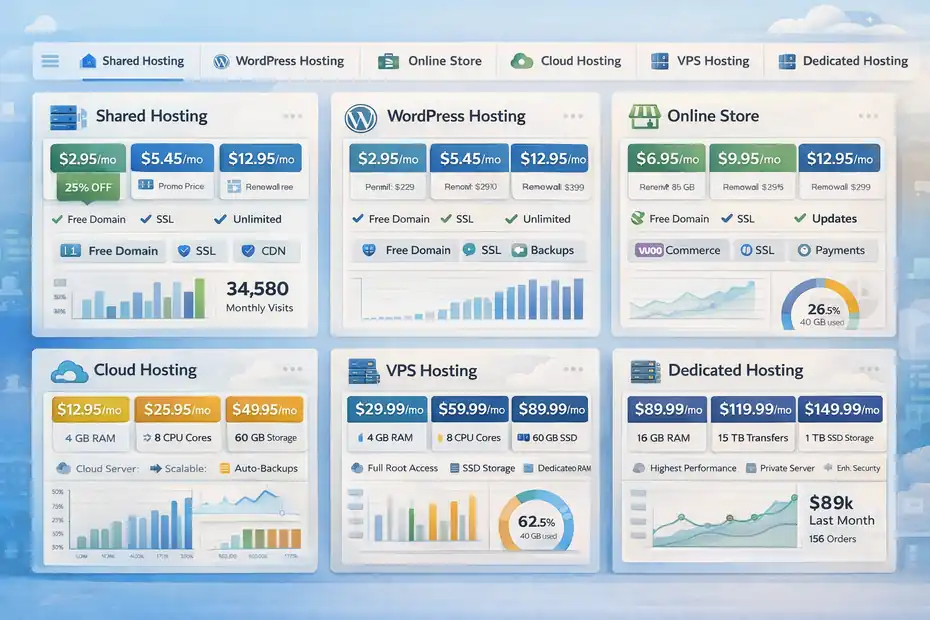
Bluehost now sells more than one type of hosting, and that can confuse people because the cheapest option is not always the best fit.
The official pricing pages separate Shared Hosting, Managed WordPress Hosting, WooCommerce Online Store plans, Cloud Hosting, VPS, and more.
Shared Hosting And Managed WordPress Hosting
For most beginners, the real decision starts with shared hosting or Bluehost’s managed WordPress-style hosting. Bluehost’s WordPress page explains that its WordPress hosting includes features like free domain for the first year, SSL, CDN, migration tools, managed updates, backups, and visit guidance depending on tier.
It also says shared hosting and WordPress hosting are effectively the same at Bluehost, with WordPress-specific management features built in.
That is helpful because it means you do not need to overcomplicate the decision if you’re building a normal WordPress site. A blog, local business site, portfolio, or brochure-style company website can usually start here.
What changes between tiers is not the core concept. It is the amount of storage, number of sites, support level, included backup frequency, and growth capacity. That is why one plan feels cheap and another feels “suddenly expensive.”
In my experience, the cheapest plan works well when you have one straightforward site and you are not running heavy plugins, large stores, or multiple client projects.
Online Store, Cloud, And Higher-End Plans
Once your needs go beyond a basic site, Bluehost pushes you toward more specialized plans. The renewal FAQ lists separate Online Store pricing tiers and separate Cloud Hosting pricing tiers, with cloud renewals climbing much higher than standard shared plans.
For example, Cloud 10 renews at $65 per month on a 36-month term, while Cloud 25 renews at $140 and Cloud 50 at $230 on that same term.
That tells you something important: Bluehost’s low-cost entry plans are aimed at beginner and small-site use cases. Higher-performance hosting is priced like a serious business product.
If you run an ecommerce shop, membership site, agency portfolio with many installs, or a site that expects meaningful traffic, the cheap entry tier is usually not the full story. You may need a plan with more resources, better backup coverage, or stronger performance guarantees.
So before you obsess over the lowest monthly number, figure out your site type first. That is what should drive the plan choice.
Shared And WordPress Plan Prices Broken Down
This is where Bluehost pricing plans explained gets practical.
The official renewal FAQ currently lists these 36-month renewal prices for Shared Hosting and Managed WordPress Hosting: Starter at $9.99 per month, Business at $13.99, Pro at $16.99, Premium at $20.99, Enhanced at $24.99, and Elite at $28.99. Monthly and 12-month renewals are higher.
What You Typically Get At The Lower Tiers
Bluehost’s WordPress hosting page shows that the lower-tier setup includes features such as up to 10 websites on an entry tier, 10 GB NVMe SSD storage, free domain for the first year, free CDN, managed WordPress updates, malware scanning, and weekly backups. It also notes that phone support is not included on the lowest listed tier, while chat support is available.
That’s a decent starting package for a first website. You are not paying only for server space. You are also getting setup convenience, SSL, migration help, and a managed environment.
For a beginner, that bundle can be worth more than chasing the absolute cheapest host on the market. I’ve seen plenty of people save a couple dollars a month, then lose hours dealing with messy dashboards, weak support, or missing basics.
A realistic scenario: If you’re launching a personal finance blog, local service site, or portfolio, the entry tier is usually enough. You probably do not need advanced CPU allocation or premium ecommerce tools.
What The Higher Tiers Are Charging You For
Once you move up, Bluehost is not just selling more storage. It is selling more scale and convenience. The higher tiers on the WordPress page mention 50 or 100 websites, more NVMe storage, phone support on certain tiers, higher ideal visit counts, and stronger site management features.
The shared pricing page also notes that Pro shared hosting offers optimized CPU for sites with higher traffic or more complex use cases.
That means the price jump is partly about performance headroom. If your site makes money, that matters.
Here is the honest take: many small sites never need the upper shared tiers. But once you have multiple projects, client sites, or revenue tied to uptime and speed, those extra resources become easier to justify.
I suggest matching the tier to the business risk. If downtime costs you nothing, stay lean. If one slow weekend means lost leads or lost sales, the more expensive plan can actually be the cheaper choice in real life.
The Hidden Fees People Usually Mean
Bluehost says there are no hidden fees in the sense that the checkout total is disclosed, and optional extras like domain privacy or email hosting are shown before purchase.
That is fair. Still, from a buyer’s perspective, there are costs that feel hidden because they are not always the headline number people remember.
Domain Renewal And Domain Privacy
The first big extra is the domain. Bluehost often includes a free domain for the first year with hosting, but after that the domain renews at the current rate.
The official domain pricing list shows a .com at $12.99 registration, $23.99 renewal, and $15.00 for privacy; a .net at $18.99 registration, $19.99 renewal, and $15.00 privacy; and an .org at $14.99 registration, $18.99 renewal, and $15.00 privacy. Bluehost also says prices can change and directs customers to the renewal center for the most up-to-date renewal pricing.
This is one of the easiest budget traps to miss. People hear “free domain” and mentally file domains under “included forever.” They are not.
A normal example looks like this: Year one, your hosting seems cheap and the domain is bundled. Year two, your hosting renews higher and your .com renews around $23.99. Add privacy and you are looking at about $38.99 just for the domain side.
That is not outrageous, but it is absolutely part of your real yearly website cost.
Email Trials, Backups, And Add-On Products
Another area to watch is optional or trial-based add-ons. Bluehost’s web hosting page says the Professional Email free trial automatically renews at the regular rate of $2.99 per month unless you cancel before renewal.
Bluehost also sells CodeGuard backup plans, with pricing shown at $3.99 per month for Basic and $4.99 per month for Professional on monthly billing.
This is where “hidden fee” complaints usually come from. It is less about deception and more about checkout momentum. People rush through setup, accept the free trial or preselected extras, and forget to remove what they do not need.
I recommend reviewing every add-on slowly. Ask one question for each item: will this save me time, money, or risk right now? If not, skip it and add it later.
For many new sites, the must-haves are simple: hosting, domain, SSL, and maybe privacy. Everything else should earn its place.
What Bluehost Actually Costs In Real Scenarios
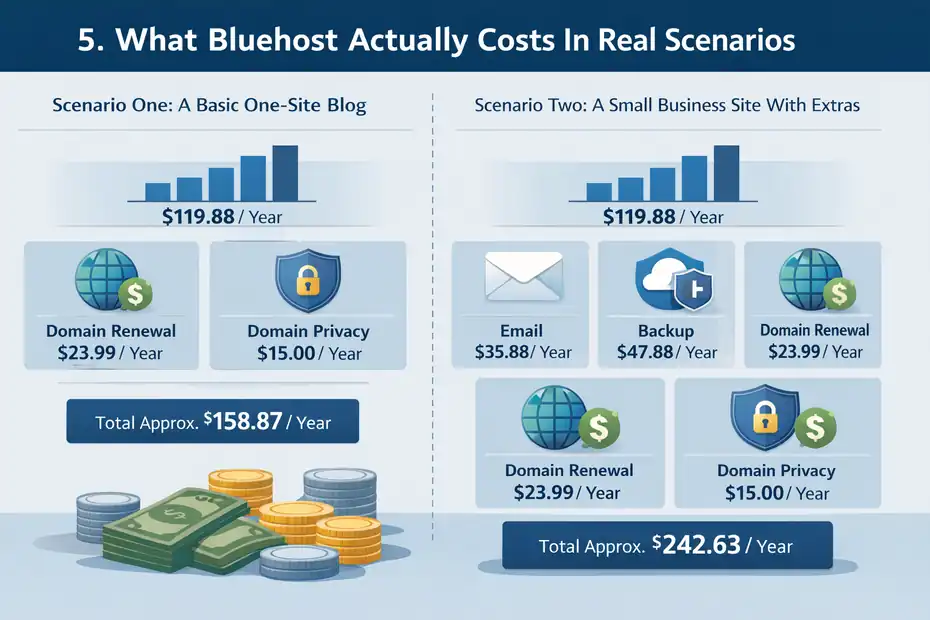
The best way to understand pricing is to stop thinking in monthly promos and start thinking in annual ownership cost.
When you combine hosting, domain renewal, privacy, and optional services, the real number gets clearer. Bluehost’s official pricing and renewal documents make that difference visible.
Scenario One: A Basic One-Site Blog
Imagine you are launching one WordPress blog and keeping things simple. On paper, the entry plan may look cheap during the promo term. But after the first term, a 36-month Starter renewal is listed at $9.99 per month.
Add a .com renewal at $23.99 per year and domain privacy at $15.00 per year if you keep it.
That gets you to a rough ongoing cost of about:
- Hosting: about $119.88 per year at the 36-month-equivalent renewal rate
- Domain renewal: $23.99 per year
- Domain privacy: $15.00 per year
- Estimated ongoing total: about $158.87 per year
That is before email or paid backup add-ons.
For a serious blog, that is still reasonable. But it is very different from the mental picture many people form when they focus only on the intro banner.
Scenario Two: A Small Business Site With Extras
Now imagine a local business site that wants a branded inbox and backup coverage. Add Professional Email at $2.99 per month and CodeGuard Basic at $3.99 per month. Keeping the same domain assumptions, the annual math changes fast.
Rough ongoing annual cost:
- Hosting: about $119.88
- Domain renewal: $23.99
- Privacy: $15.00
- Professional Email: about $35.88
- CodeGuard Basic: about $47.88
- Estimated ongoing total: about $242.63 per year
That is still not terrible for a business site, but now you can see why “$2.95” or “$3.99” type messaging never tells the full story.
I think this is the real lesson: Bluehost is affordable at entry level, but not magically all-inclusive. You need to budget like an owner, not like a first-click shopper.
Which Bluehost Plan Makes Sense For Different Users
The right plan depends less on the sticker price and more on the job the site needs to do.
Bluehost’s feature breakdown shows clear differences in website count, storage, support, backup level, and traffic expectations, which makes it possible to match plans to real use cases.
Best For Beginners, Bloggers, And Small Sites
If you are starting a personal site, portfolio, brochure site, or first blog, the lowest tier is usually enough.
Bluehost includes the basics many beginners care about: free domain in year one, SSL, CDN, managed updates, migration tool, and beginner-friendly setup features.
This is the plan category I’d suggest when:
- You only need one site or a small number of sites
- Your traffic is modest
- You do not need advanced ecommerce features
- You want a simple WordPress setup without too much technical work
For many of us, that is the right place to start. You do not need to buy “future proofing” that you may never use.
Best For Businesses, Stores, And Growing Projects
Once your site is tied to revenue, the math changes. A growing service business, content site with rising traffic, or ecommerce store benefits from stronger support, more storage, more websites, backup improvements, and better performance allocation.
Bluehost also has separate Online Store plans whose 36-month renewal prices are listed at $21.99 per month for eCommerce Essentials and $30.99 for eCommerce Premium.
I usually recommend spending more only when one of these is true:
- Your site brings in leads or sales
- You manage several sites
- You need phone support
- You care about backup reliability
- You expect traffic spikes
- You need ecommerce-specific features baked in
That is where a higher plan starts to make financial sense. You are no longer paying for comfort. You are paying to reduce business risk.
Common Pricing Mistakes To Avoid
Most Bluehost complaints are not really about hosting quality. They are about buying the wrong plan, forgetting renewals, or keeping add-ons that never mattered.
The official pages already tell us most of what we need to avoid those mistakes.
Mistake One: Buying On The Homepage Number Alone
The most common mistake is comparing hosts using only the cheapest advertised monthly rate. That ignores billing term, renewal, and non-hosting costs like domains or privacy. Bluehost explicitly says promo prices are for the initial term only.
A better method is this:
- Step 1: Check the intro price
- Step 2: Check the renewal price
- Step 3: Add domain renewal
- Step 4: Add privacy if needed
- Step 5: Add only the extras you truly plan to keep
That gives you a realistic yearly ownership cost, which is the number that actually matters.
Mistake Two: Assuming Refunds Cover Everything
Bluehost has a 30-day money-back guarantee for hosting services, but the refund policy says it does not apply to monthly term plans, domain registration fees, setup fees, or additional services. If you cancel within 30 days and used a free domain, Bluehost may deduct a non-refundable domain fee at the regular cost of the domain.
This is a big one. People sometimes assume “money-back guarantee” means a complete reversal of every dollar spent. It usually does not.
So if you buy extras, a domain, or a monthly term, read the refund boundaries carefully before treating the purchase like a no-risk trial.
How To Choose The Lowest-Cost Plan Without Regretting It
You do not need the cheapest possible plan. You need the cheapest plan that will still work six months from now. That is the difference between saving money and creating future hassle.
Use A Simple Decision Framework
Here’s the framework I’d use if I were choosing today:
- One simple site, low traffic, no store: Start with the entry shared or WordPress tier.
- Multiple sites or business use: Move up one level for more breathing room.
- Ecommerce from day one: Look at the Online Store plans instead of forcing a basic hosting plan to do store work.
- High traffic or client workloads: Consider higher shared tiers or cloud, because Bluehost prices cloud like a business-grade product for a reason.
This avoids both extremes: overbuying and underbuying.
Keep Your Total Cost Lean
If your goal is to stay cost-efficient, here is what I suggest.
Skip optional extras at checkout unless you can explain why you need them today. Review free trials carefully, especially email. Remember that a domain may be free only in year one, and privacy may become its own annual cost.
Use the refund policy as a safety net for hosting, but do not assume it applies to every charge.
My overall opinion is pretty straightforward: Bluehost is not unusually expensive, but its real cost makes sense only when you zoom out beyond the promo rate.
For beginners, it can still be a solid value. For businesses, it can be worth paying more for simplicity and support. The trick is knowing what is included, what renews, and what should stay unchecked in your cart.
Final Verdict: Is Bluehost Cheap, Fair, Or Expensive?
Bluehost is cheap to start, fair in the middle, and potentially expensive only if you stack unnecessary extras or ignore renewals. That is my honest read after looking at the current plan structure.
The hosting itself stays within the normal range for mainstream beginner-friendly WordPress hosting, but the long-term cost depends heavily on renewal tier, domain choices, privacy, email, and backups.
For a first website, Bluehost can still be a good fit because it bundles a lot of beginner conveniences: WordPress-ready setup, domain for the first year, SSL, CDN, migration help, and managed features. For that kind of user, paying a bit more than a bare-bones host may be worth it.
For a cost-sensitive buyer, though, the smartest move is to calculate the second-year cost before you ever click buy. That one habit will save you from almost every “hidden fee” surprise people complain about.
So if you wanted the simplest possible answer to “bluehost pricing plans explained,” here it is: the sale price gets you in, the renewal price tells the truth, and the add-ons decide whether Bluehost feels affordable or annoying.
FAQ
What does bluehost pricing plans explained actually mean?
Bluehost pricing plans explained refers to understanding both the promotional pricing and renewal costs. The initial price is usually discounted, but after the first term, it renews at a higher rate. It also includes additional costs like domain renewal, privacy protection, and optional add-ons that affect the total yearly cost.
Why is Bluehost cheaper at first and more expensive later?
Bluehost offers introductory pricing to attract new customers, which applies only to the first billing term. After that, the plan renews at standard rates. This pricing model is common in hosting, and the higher renewal cost reflects the regular monthly rate without promotional discounts.
Are there hidden fees in Bluehost pricing plans?
There are no hidden fees in the strict sense, but additional costs can feel unexpected. These include domain renewal after the first year, domain privacy, email services, and backup tools. These are optional but often selected during checkout, which increases the overall cost.
How much does Bluehost actually cost per year?
The real yearly cost depends on your plan and add-ons. A basic site may cost around $150 to $200 annually after renewal, including hosting, domain renewal, and privacy. Adding email or backup services can increase the total closer to $250 per year.
Which Bluehost plan is best for beginners?
For beginners, the basic shared or WordPress hosting plan is usually the best choice. It includes essential features like a free domain for the first year, SSL, and easy WordPress setup. It works well for blogs, portfolios, and small business websites with low to moderate traffic.

I’m Juxhin, the voice behind The Justifiable.
I’ve spent 6+ years building blogs, managing affiliate campaigns, and testing the messy world of online business. Here, I cut the fluff and share the strategies that actually move the needle — so you can build income that’s sustainable, not speculative.
Related posts:
 Hostinger WordPress Hosting Pricing: Real Costs Exposed
 Bluehost Hosting: Features, Pricing, & Perks
 Is Bluehost Good for WordPress? (An Honest, Expert Breakdown)
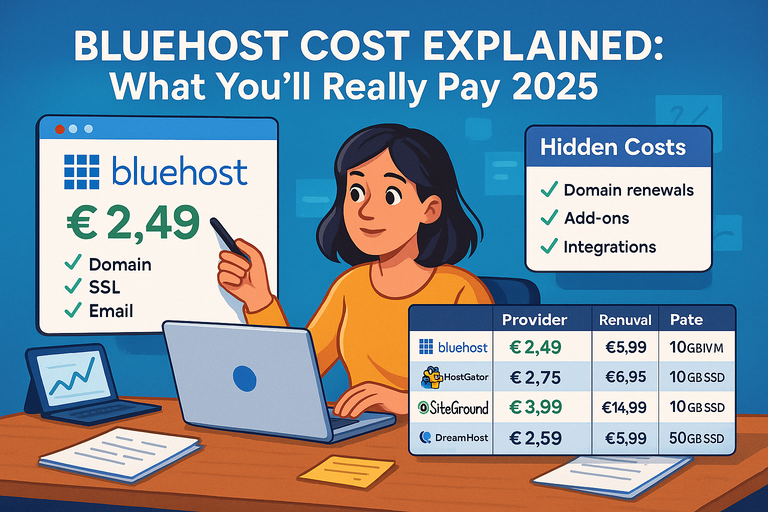 Bluehost Cost Explained: What You’ll Really Pay 2025
 Bluehost Vs Hostinger Comparison: Which Hosting Wins?
 Bluehost Hosting Review For Beginners: Setup, Speed, Value